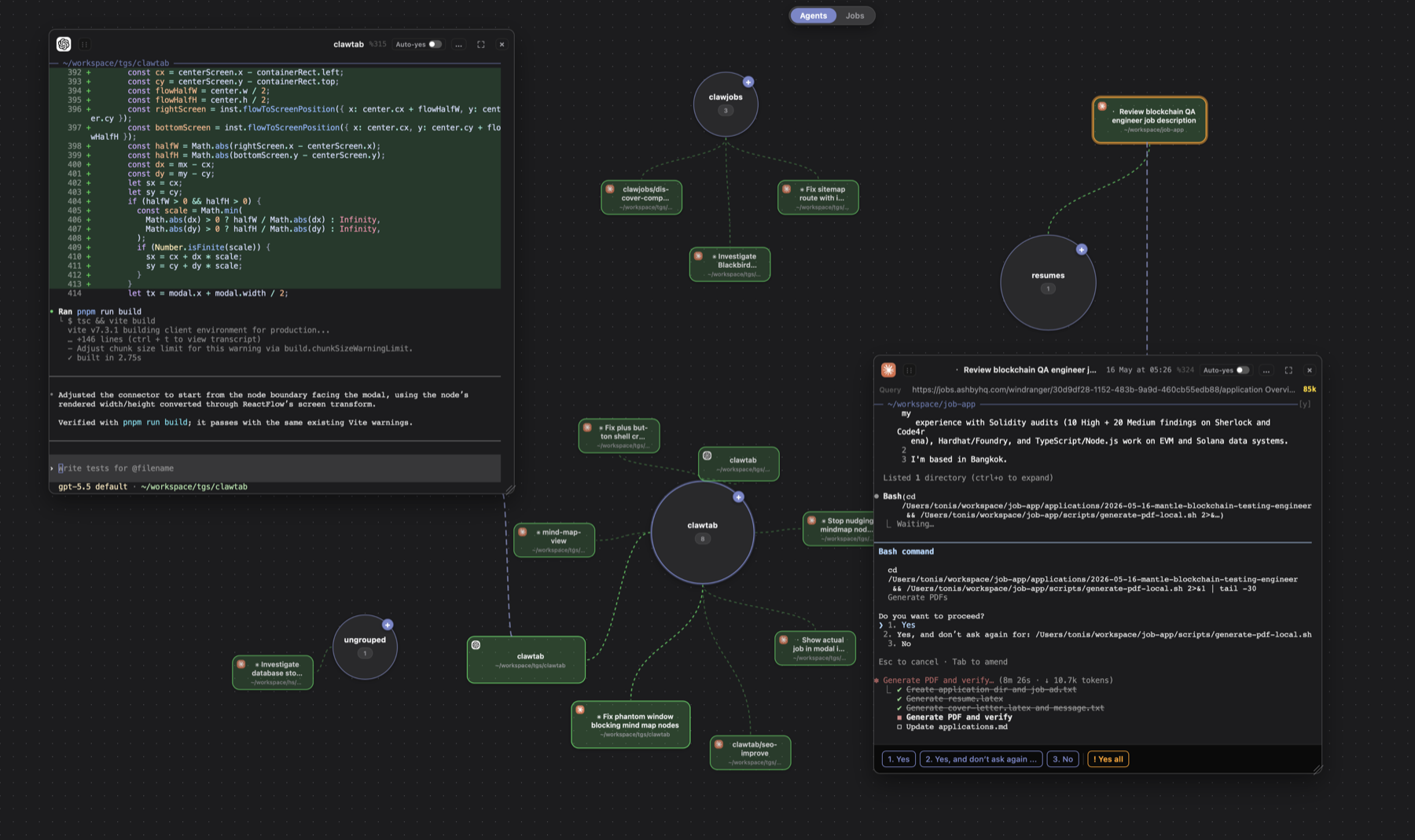
All articles
Tonis Tiganik--12 min read

AI Coding Agent Dashboards Compared: tmux, Worktrees, and Mobile Control

Compare ClawTab, dmux, workmux, webmux, AgentDock, and Agent of Empires for tmux sessions, Git worktrees, agent status, notifications, mobile control, and recovery.

AI Coding Agent Dashboards Compared: tmux, Worktrees, and Mobile Control

Introduction

An AI coding agent dashboard should answer four questions quickly: Which agents are running? Which one needs input? Which checkout does each agent own? Can I respond without finding the original terminal?

tmux solves the durable-terminal part. Git worktrees solve file isolation. The dashboard category sits above both. Products differ in how much they manage: some are terminal-first worktree launchers, some render tmux in a browser, and some add native desktop and mobile clients around sessions that already exist.

This comparison covers dmux, workmux, webmux, AgentDock, Agent of Empires, and ClawTab. It is based on each product's public documentation and repository as checked on August 14, 2026. Features move quickly, so a blank in the table means “not documented in the reviewed first-party material,” not proof that a feature can never be configured.

The short answer: choose the product whose control surface matches where you already work. dmux and workmux are strong terminal-first choices. webmux and AgentDock put the workflow in a browser. Agent of Empires spans a TUI and mobile PWA. ClawTab keeps existing tmux panes usable from tmux, a native desktop workspace, mobile, web, Telegram, and a headless CLI.
What Counts as an AI Coding Agent Dashboard?

The word dashboard hides four different product shapes. Comparing them as if they were interchangeable produces a misleading feature checklist.

Dashboard typeMain interactionBest fitTypical compromise
tmux sidebar or TUIKeyboard-first status, switching, creation, and merge actionsDevelopers who already live in a terminalPhone access usually needs a separate surface
Browser dashboardWorktree list, embedded terminal, diff, and agent controlsCross-platform access and remote hostsYou must secure and expose a local web service
Native desktop appVisual splits, settings, cards, and OS integrationsLocal work that benefits from a polished GUIPlatform support can be narrower
Mobile companion or PWAAttention queue, approvals, short replies, and monitoringKeeping agents moving away from the deskNot a replacement for detailed terminal work

The underlying attachment model matters more than the styling. A dashboard that owns worktree creation gives you a clean lifecycle but expects you to launch tasks through it. A dashboard that discovers existing tmux panes fits an established terminal workflow, but leaves branch and worktree policy to you. Neither model is automatically better.

Six tmux-Based Coding Agent Dashboards at a Glance

The matrix below records the default or explicitly documented path. It does not count a feature just because a general-purpose shell script could add it.

ProductPrimary surfacetmux relationshipWorktreesAgent statePhone pathRecovery or scheduling
ClawTabtmux plugin, native desktop, CLI, web, mobileDiscovers and controls existing panes; daemon keeps the GUI optionalWorks with your existing checkout or worktrees; lifecycle remains explicitWorking, asking, idle, first/latest queryMobile/web cards, live terminal, push, TelegramProvider restore commands and persistent cron jobs
dmuxtmux TUI/sidebarCreates a project-scoped tmux session and managed panesAutomatic worktree and branch per paneStatus and attention indicatorsNo first-party phone UI documentedManaged merge/cleanup; lifecycle hooks
workmuxCLI, TUI dashboard, tmux sidebarUses tmux by default; also supports other multiplexersAutomatic worktree/window setup and merge cleanupWorking, waiting, and finished through provider integrationNo first-party phone surface documentedresurrect restores windows and conversations
webmuxDesktop web dashboard plus mobile chat UIOwns tmux layout and streams embedded terminalsOne-click create, profile, merge, and removeRuntime events plus PR, CI, and service healthMobile worktree list and chat for Codex and ClaudeService install, profile restart/resume, Linear one-shot automation
AgentDockWeb dashboard and CLIRuns agents in tmux and streams pane outputOptional automatic isolation per sessionClaude hooks; terminal matching fallback for other agentsMobile-optimized web UI; remote exposure is user-managedClaude conversation restore is documented
Agent of EmpiresTUI, web dashboard, mobile PWAtmux-backed sessions with structured ACP or terminal viewsBuilt-in worktree and optional sandbox setupWaiting, idle, error, approvals, and structured tool stateRemote HTTPS dashboard, PWA, and push notificationsAutomatic Claude resume; support varies by adapter

One distinction is easy to miss. Worktree automation and dashboard coverage are separate decisions. A tool can be excellent at one without trying to own the other.

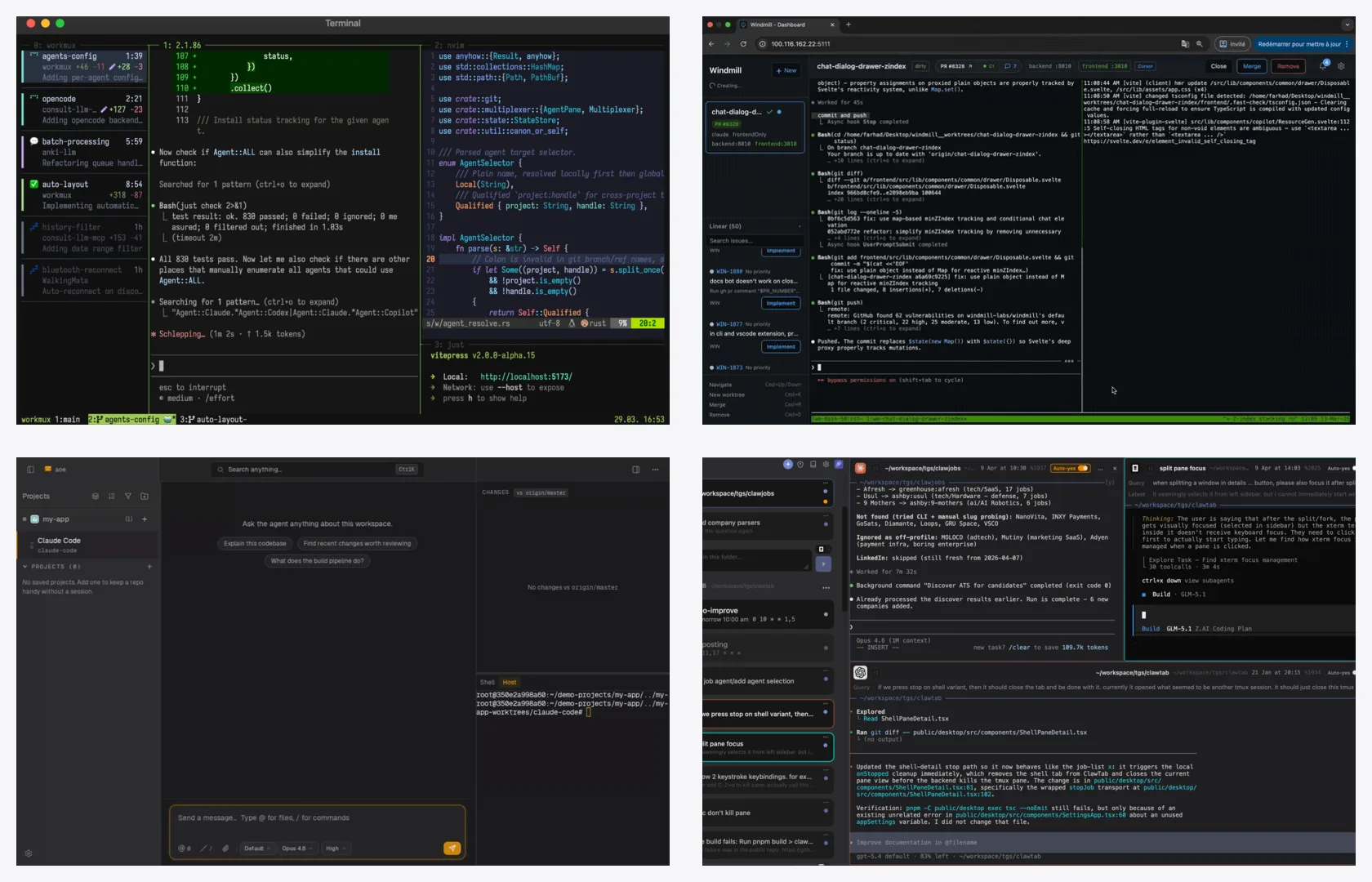
Four AI coding agent dashboard surfaces showing workmux, webmux, Agent of Empires, and ClawTab
Clockwise from top left: workmux, webmux, ClawTab, and Agent of Empires. Screenshots come from the projects' official repositories or current ClawTab product captures on August 14, 2026; they show interface shape, not a benchmark or identical workload.

dmux and workmux: Terminal-First Worktree Operations

dmux treats a pane as a managed unit with a prompt-derived slug, branch, worktree, and agent. Its sidebar keeps the original prompt, status, and attention state visible. It also includes file browsing, multi-project sessions, A/B agent pairs, merge cleanup, and native macOS attention notifications. This is a coherent choice when every new agent task should begin inside the manager.

workmux stays close to an existing multiplexer setup. One command creates a branch, worktree, window, layout, and agent. Its dashboard and sidebar show working, waiting, and finished states, Git changes, PR checks, and multiple agents attached to a worktree. It also supports kitty, WezTerm, and Zellij, which matters if tmux is not your only terminal backend.

The practical difference is emphasis. dmux presents an integrated pane lifecycle. workmux presents a worktree workflow that can inhabit several terminal multiplexers. Both reduce repetitive setup and cleanup. Neither reviewed documentation positions a dedicated phone client as its main control surface. If terminal-first creation and merge flow are the requirement, that may not matter.

webmux and AgentDock: Put the tmux Workflow in a Browser

webmux manages worktrees, tmux layouts, embedded terminals, service ports, PR and CI state, Docker sandbox profiles, and Linear issues from one web service. Its separate mobile agents UI replaces a squeezed terminal with a worktree list and simple chat. This is the broadest project-operations surface in the group when service health and issue tracking belong beside the agent.

AgentDock is narrower and candidly Claude-first. It groups multi-repository sessions, streams live tmux output, shows plans and diffs, and restores Claude conversations. Its mobile-optimized browser UI is useful when you want the same local server from a phone or tablet. Cursor Agent support is marked experimental, while other CLI agents require integration work.

Browser access shifts some work to deployment. Both products run locally by default. Remote use means deciding how to authenticate, terminate HTTPS, and expose the service through a tunnel, VPN, or reverse proxy. That is manageable, but it belongs in the selection decision rather than in a footnote.

Agent of Empires: TUI, Structured Agent State, and a Mobile PWA

Agent of Empires has expanded beyond a terminal session list. Its TUI and web dashboard can show either a raw tmux terminal or structured Agent Client Protocol data such as plans, tool calls, diffs, approvals, and model controls. It supports built-in worktrees, multiple repositories, Docker or other sandbox paths, and many agent CLIs.

The mobile story is first-class. The web dashboard can install as a PWA, pair through an HTTPS tunnel, and deliver browser push for waiting, idle, error, question, and approval events. Its documentation is also specific about tradeoffs: stable PWA installs need a stable HTTPS origin, and structured resume or controls can vary by agent adapter. Claude resume is documented as automatic; other providers depend on what their adapter exposes.

Choose this shape when you want the TUI and phone to render agent semantics instead of only terminal bytes. If your workflow must preserve arbitrary existing panes, shell tools, and provider-specific terminal behavior unchanged, check each adapter and import path before migrating all sessions.

What the ClawTab Dashboard Layer Adds

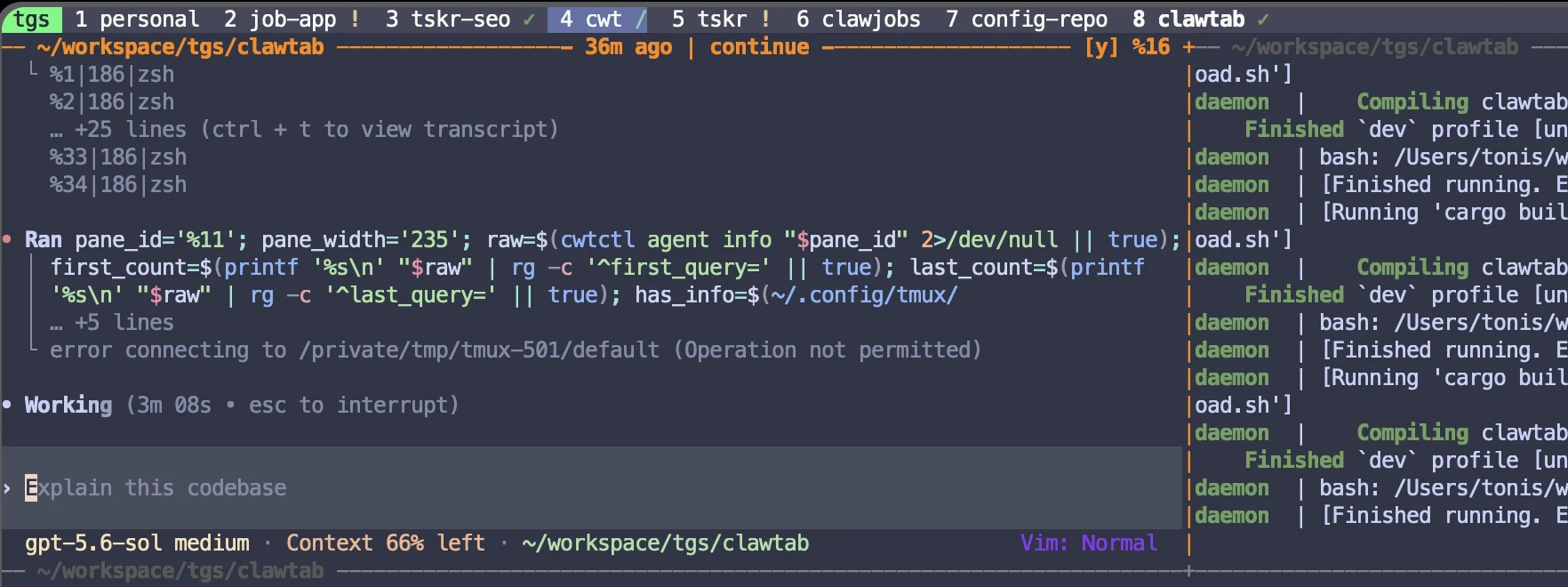
ClawTab starts from a different boundary: the tmux pane remains the source of truth. The daemon discovers Claude Code, Codex, OpenCode, and shell panes that already exist. You can attach the native desktop app, tmux popup, TUI, CLI, browser, or mobile client without moving the process into a new runtime. The tmux agent-status guide explains how provider events and terminal activity become working, waiting, and idle markers.

ClawTab surfaceWhat it is forWhat stays shared
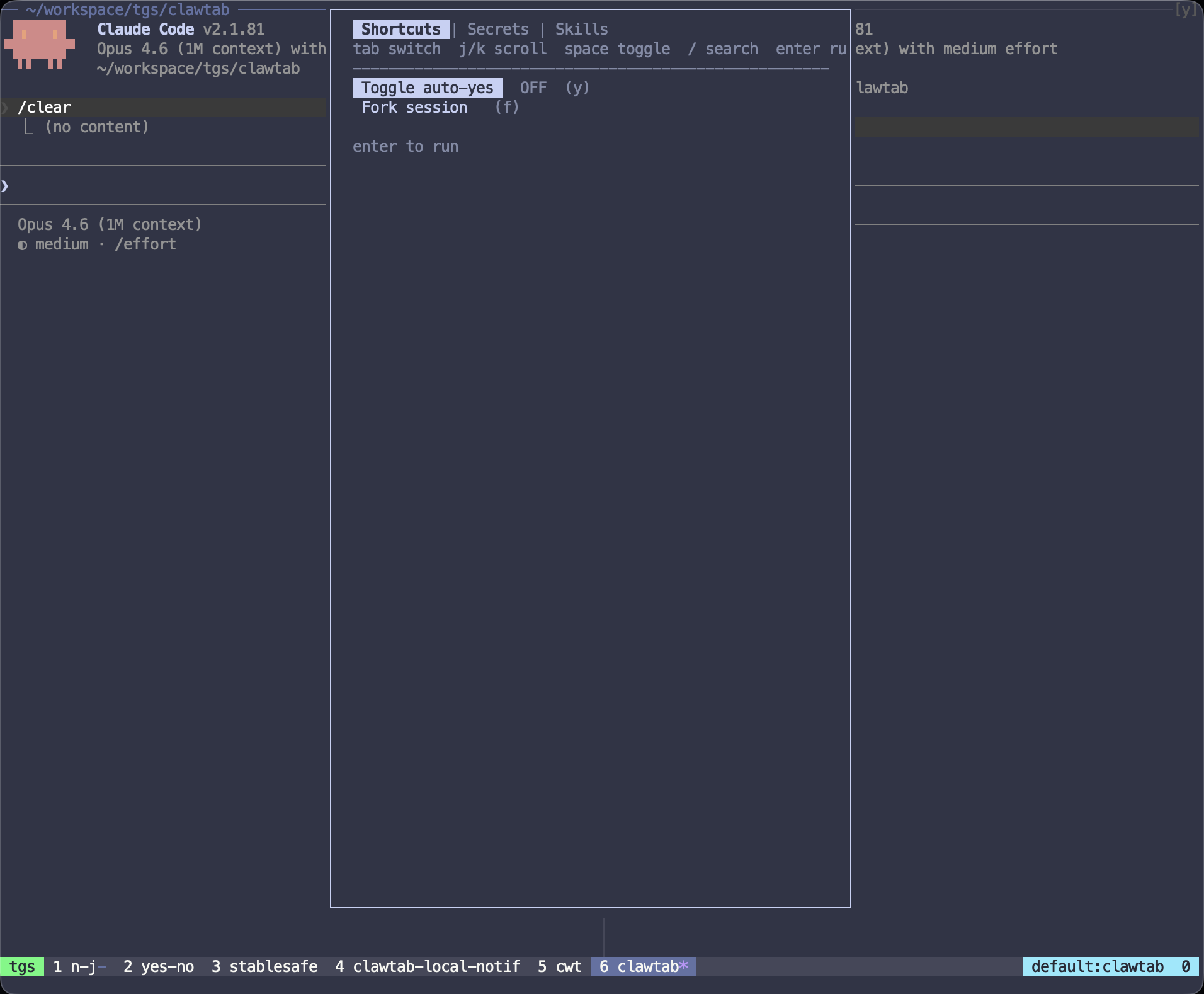
tmux pluginWorking/asking/idle markers, query titles, usage, per-pane auto-yes, secrets, forks, and restore identityThe original pane ID and terminal
Native desktop appAgent cards, workspace layouts, visual split panes, schedules, settings, and historyThe same panes you can attach to in tmux
Mobile and webLive output, question cards, tap-to-answer choices, approvals, and remote controlThe same waiting prompt in the local pane
cwtctl and daemonHeadless discovery, status, scheduling, remote streaming, restore commands, and automationGUI-independent local state
TelegramAttention notifications, logs, and short replies from an existing chat clientThe target pane and detected question

ClawTab does not force every pane into an automatically created worktree. That is intentional. Different repositories, read-only reviews, test watchers, and services do not need one. When two agents may write to the same repository, use one explicit Git worktree per writer. The dashboard then adds status and control without pretending that a pane alone isolates files.

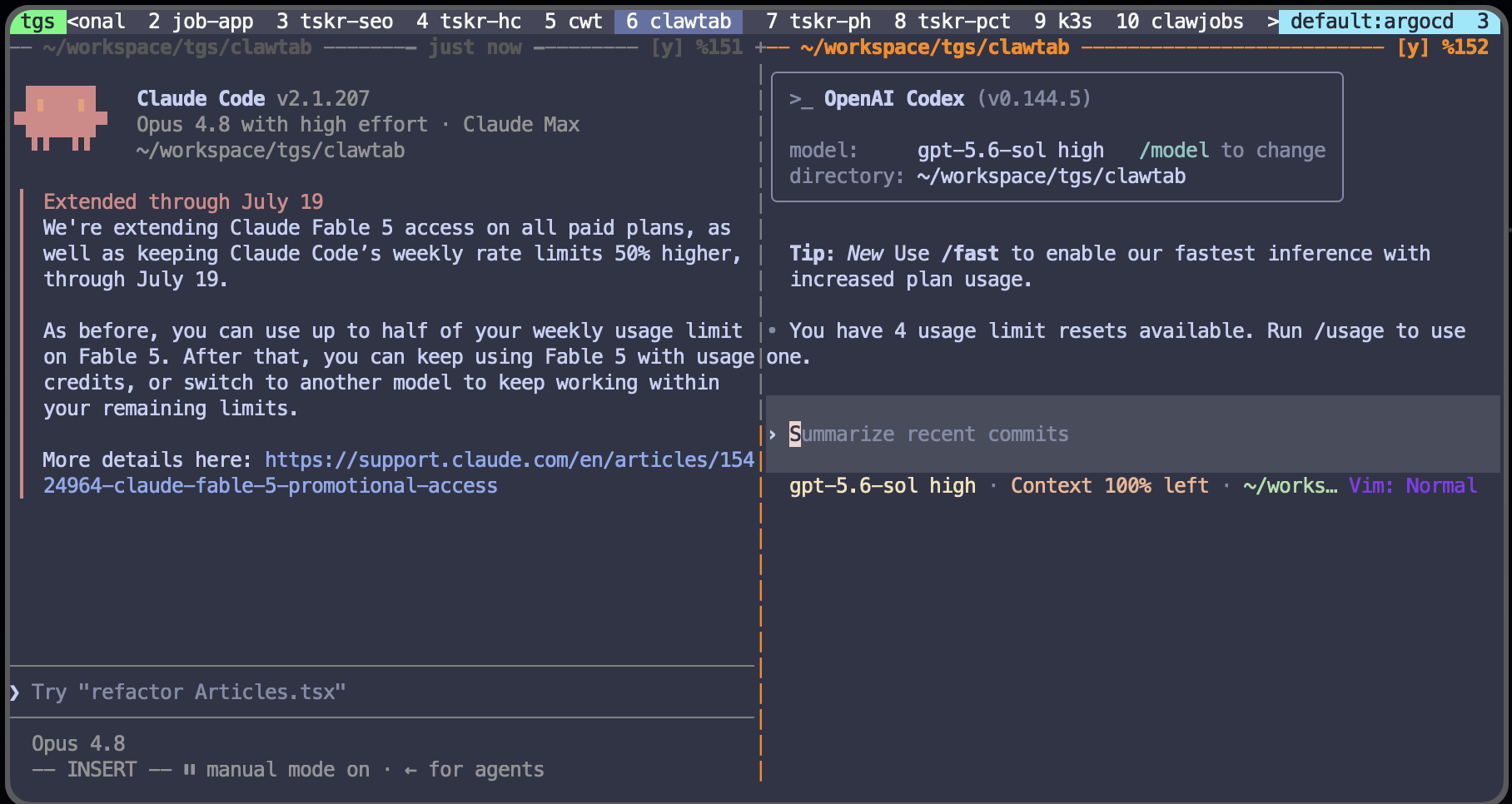
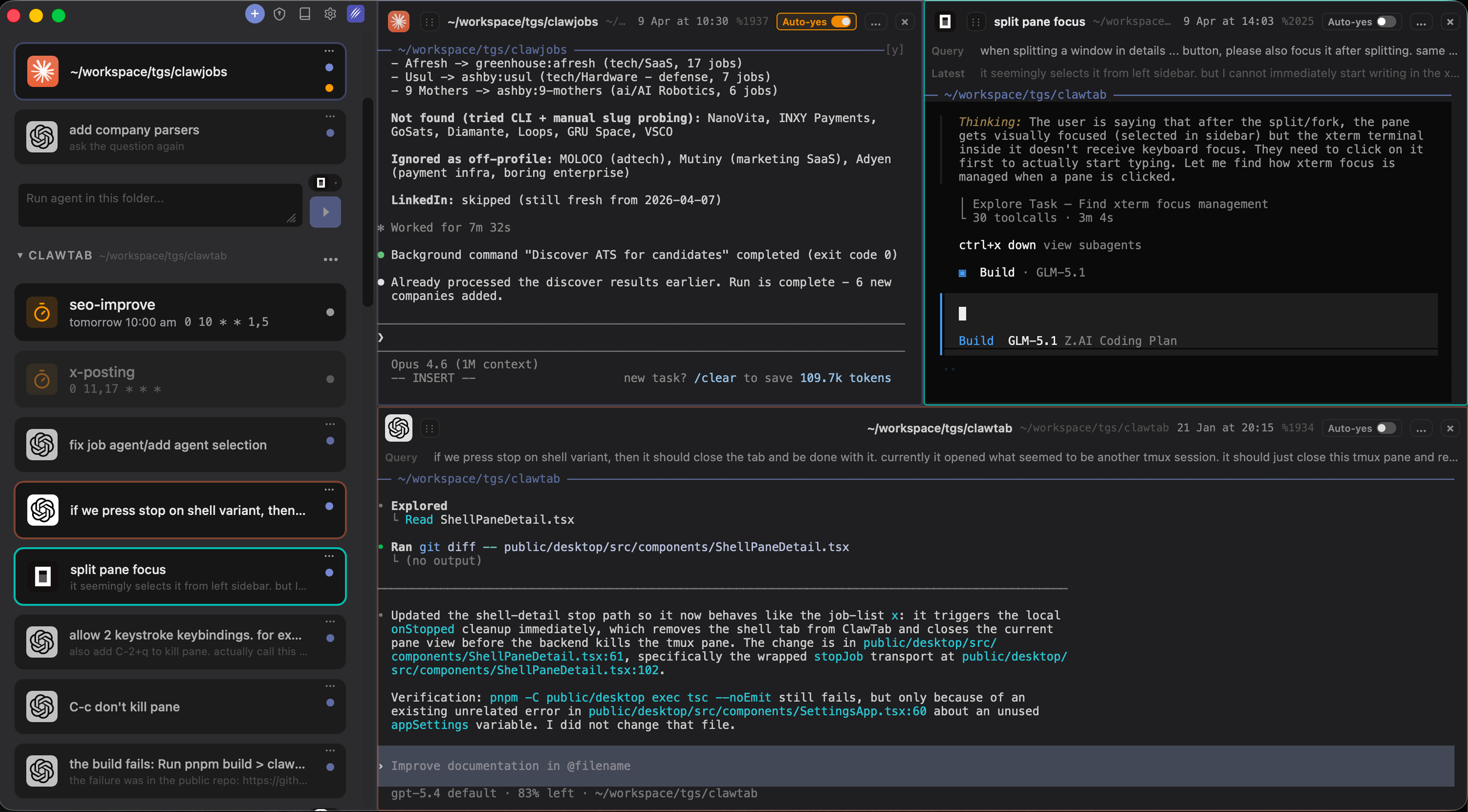
ClawTab desktop workspace with multiple Claude Code, Codex, and OpenCode panes visible together
ClawTab's desktop workspace renders several provider panes together while each process remains an ordinary tmux pane that can be attached from the terminal.

Mobile Control Is More Than a Small Terminal

A phone is good at triage, not dense terminal work. The useful mobile question is not “Can this page fit xterm.js?” It is “Can I see which agent needs me and answer safely in a few taps?”

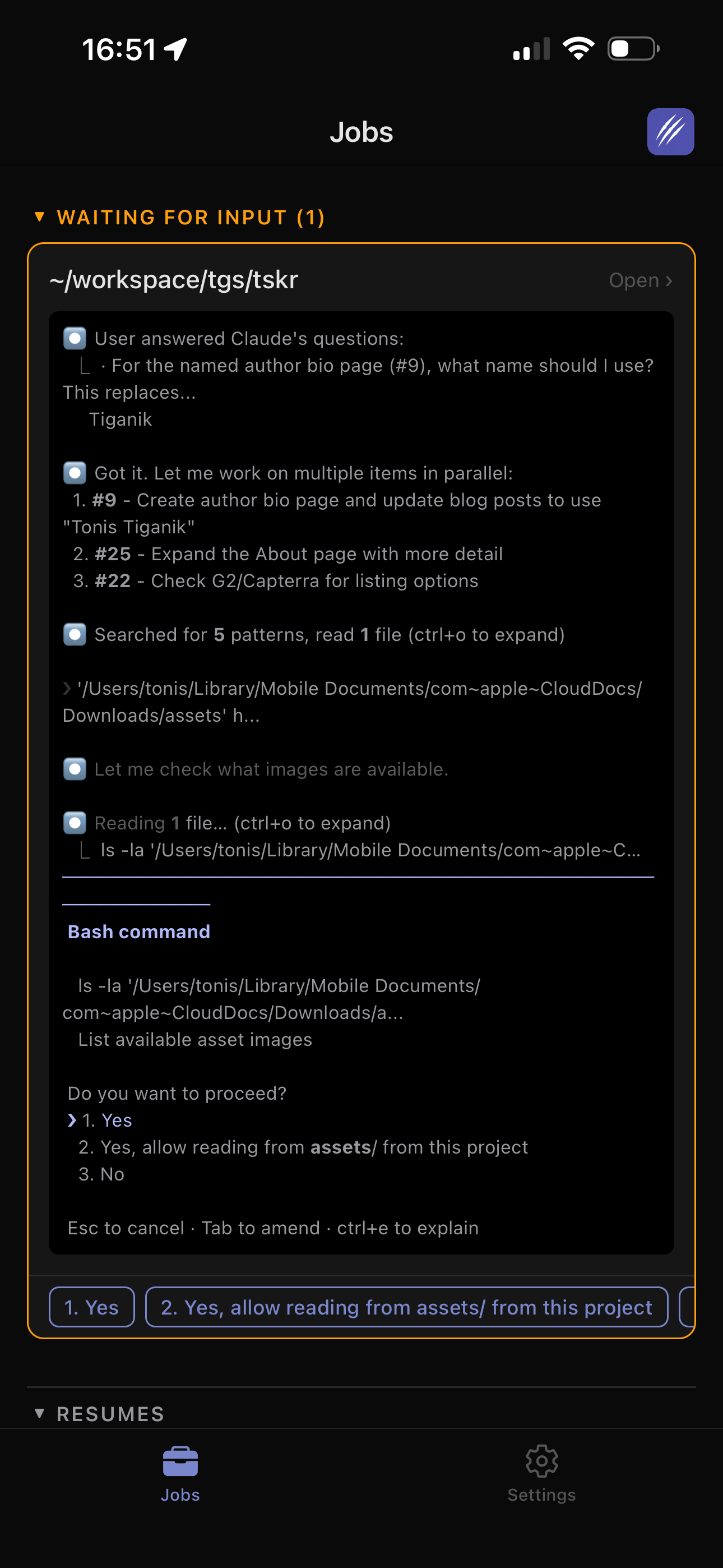
webmux provides a simplified mobile chat for Claude and Codex worktrees. AgentDock offers a mobile-optimized web dashboard. Agent of Empires provides a PWA with structured approvals and browser push. ClawTab converts detected terminal questions into action cards, supports live terminal access when raw context is necessary, and can route the same attention event through push or Telegram.

dmux and workmux can still run on a remote machine and be reached through normal terminal infrastructure, but their reviewed first-party material focuses on desktop terminal operation rather than a dedicated phone UI. If SSH plus tmux is enough, that simplicity is useful. If an agent frequently pauses while you are away, structured notifications and reply actions become part of the core dashboard rather than an optional extra.

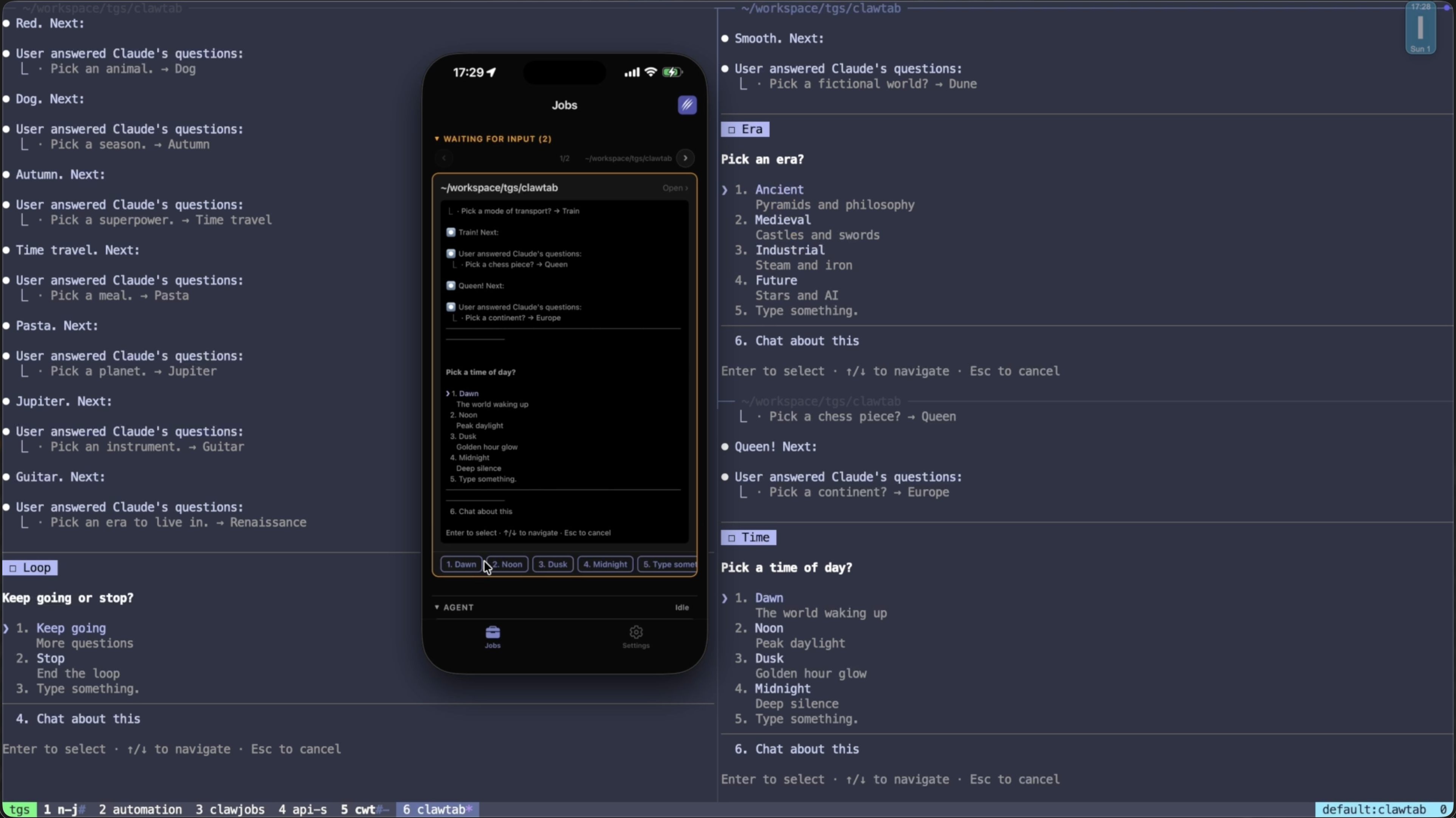
ClawTab mobile notification card with an AI coding agent question and tappable answer choices
ClawTab turns a question detected in the local tmux pane into a mobile action card; the selected answer returns to that same pane.

How to Choose Without Chasing the Longest Feature List

Start with the operating constraint that is hardest to change.

  • Choose dmux when you want an integrated tmux pane, worktree, agent, and merge lifecycle with a focused keyboard interface.
  • Choose workmux when worktree automation should fit an existing terminal multiplexer and editor layout.
  • Choose webmux when browser-based project operations, service health, PR state, sandbox profiles, and issue intake belong together.
  • Choose AgentDock when a self-hosted, Claude-first web dashboard and mobile browser view fit the team better than a TUI.
  • Choose Agent of Empires when you want both a rich TUI and a mobile PWA with structured agent state, worktrees, sandboxes, and push.
  • Choose ClawTab when existing tmux sessions should remain portable across terminal, native desktop, mobile, web, CLI, and Telegram, with scheduling and question handling owned by a headless daemon.

Then run one realistic test: start two writing agents in separate worktrees, leave one shell or dev server pane unmanaged by the agent launcher, force an approval prompt, disconnect the desktop client, answer from a phone, restart the machine, and verify which parts recover. That test reveals more than a large comparison table because it exercises the boundaries between terminal state, Git state, provider conversation state, and dashboard state.

No dashboard removes the need for ownership rules. tmux keeps sessions alive. Worktrees isolate checked-out files. Provider resume IDs recover conversations. The dashboard makes those layers visible and operable. Pick the one that preserves the layers you already trust.

Frequently Asked Questions

It is a control surface for multiple coding-agent sessions. Useful dashboards show which agents are working or waiting, connect each session to its repository or worktree, preserve the underlying terminal, and provide a safe way to inspect or answer prompts.

No. tmux is the general-purpose terminal multiplexer. dmux is a separate coding-agent product built on tmux and Git worktrees. ClawTab, webmux, AgentDock, and Agent of Empires also use tmux in different ways.

Use a separate worktree for every agent that may write to the same repository at the same time. You usually do not need separate worktrees for different repositories, read-only review panes, shells, logs, or development services.

The reviewed first-party documentation describes mobile or phone surfaces for ClawTab, webmux, AgentDock, and Agent of Empires. dmux and workmux focus on terminal-first desktop workflows, though their tmux sessions can still be reached through ordinary remote terminal infrastructure.

It depends on the control surface. dmux and workmux are strong terminal-first worktree managers. webmux provides browser worktrees and mobile chat. Agent of Empires provides TUI, web, and structured mobile views. ClawTab keeps Claude Code and Codex panes accessible from tmux, native desktop, mobile, web, CLI, and Telegram without moving the sessions.

Not reliably. tmux preserves terminals and exposes pane output, but it does not understand agent semantics. A dashboard adds hooks, provider events, terminal detection, or structured protocols to label working, waiting, idle, approval, and error states.

Related Articles

tmux AI Agent Status: Show Working, Waiting, and Done
-9 min read

tmux AI Agent Status: Show Working, Waiting, and Done

Show Claude Code, Codex, and OpenCode status in tmux. Learn how ClawTab detects working, waiting, idle, and finished agents—and why idle isn't done.

tmuxai-coding-agentsclaude-codecodexopencodestatus-barmonitoring
Why tmux Is a Good AI Agent Manager
-8 min read

Why tmux Is a Good AI Agent Manager

tmux gives coding agents durable terminals, scriptable pane creation, stable pane IDs, and a way to send commands or restart services without replacing the tools developers already use.

tmuxagent-managerai-coding-agentsclaude-codecodexopencodeorchestration
Run Claude Code and Codex CLI in tmux Without File Conflicts
-14 min read

Run Claude Code and Codex CLI in tmux Without File Conflicts

Run Codex CLI and Claude Code in tmux with one writer per Git worktree. Prevent file conflicts and build a safe parallel-agent review workflow.

claude-codecodex-clitmuxgit-worktreesmcpmulti-agentcode-review
Claude Code Parallel Agents in tmux: Run 8+ Sessions Side by Side
-10 min read

Claude Code Parallel Agents in tmux: Run 8+ Sessions Side by Side

Run 8+ Claude Code parallel agents in tmux panes with git worktrees per session. How worktrees, tmux panes, and Agent Teams compare in 2026, when 5x parallelism is worth 5x tokens, and two copy-paste swarm configs you can run today.

claude-codeparallel-agentstmuxgit-worktreesagent-teamsmulti-agent
Claude Code tmux Plugin: Auto-Yes, Forking, and Secrets
-7 min read

Claude Code tmux Plugin: Auto-Yes, Forking, and Secrets

Install the ClawTab Claude Code tmux plugin to toggle auto-yes, fork sessions, inject secrets, and search skills without leaving the terminal.

tmuxterminalskillssecretsauto-yesfork
Restore Claude Code, Codex, and OpenCode Sessions in tmux
-8 min read

Restore Claude Code, Codex, and OpenCode Sessions in tmux

How to restore exact Claude Code, Codex, and OpenCode conversations after a tmux restart. Use tmux-resurrect for panes, then ClawTab session ids for claude -r, codex resume, and opencode -s.

tmuxsession-restoreclaude-codecodexopencodetmux-resurrectcwtctl
Codex CLI Remote Control: Phone Setup and tmux Option
-10 min read

Codex CLI Remote Control: Phone Setup and tmux Option

Run codex remote-control, connect from your phone, and compare OpenAI's native Remote connection with ClawTab for existing tmux panes and mixed agents.

codexcodex-cliremote-controlmobiletmuxclaude-codeopencodelocal-agents
AI Agent Dashboard for Claude Code, Codex, OpenCode, and tmux Jobs
-7 min read

AI Agent Dashboard for Claude Code, Codex, OpenCode, and tmux Jobs

Use ClawTab's Mind Map as an AI coding agent dashboard for Claude Code, Codex, OpenCode, and scheduled tmux jobs. See active agents, permission prompts, recency, live terminals, and job status on one canvas.

agent-dashboardmind-mapclaude-codecodexopencodetmuxjobsrelease
Local vs Cloud AI Coding Agents: Claude Code, Codex, GitHub
-12 min read

Local vs Cloud AI Coding Agents: Claude Code, Codex, GitHub

Updated comparison of local terminals, remote-controlled sessions, desktop worktrees, cloud tasks, GitHub agents, browser runtimes, and hybrid coding workflows.

ai-coding-agentsclaude-codecodexgithubbrowser-agentscloud-agentslocal-agentscomparison