Why Claude Code Parallel Agents Matter in 2026
February 2026 was the month every major AI coding tool shipped multi-agent. Cursor announced Composer with up to 8 parallel agents running in isolated git worktrees. Claude Code Agent Teams rolled out behind the CLAUDE_CODE_EXPERIMENTAL_AGENT_TEAMS flag, with split-pane and tmux integration. Codex added subagents and parallel automations. OpenCode exposed multi-session as a first-class concept. Even Cursor's background agents moved to "10 parallel cloud workers per user" defaults.
The reason was the same everywhere: a single agent is I/O bound. It spends most of its wall-clock time reading files, calling APIs, and waiting on tool output - not burning CPU. Running 5 of them on independent tasks finishes 5x faster for roughly the same machine load. The rate-limiter is your token budget and your willingness to review the output, not your hardware.
Once parallel becomes routine, the ecosystem starts splitting along three axes:
- Where the agents run. Cloud VMs (Cursor background, Devin, Codex Automations) versus local tmux panes (Claude Code, OpenCode, ClawTab) versus a hybrid (Claude Code Agent Teams, which runs locally but assumes a live terminal).
- How the working tree is isolated. Git worktrees per agent (Cursor, Nimbalyst, Overstory, Agent Teams), separate clones per agent (Routines, GitHub Copilot coding agent), or a shared checkout where agents avoid each other (raw tmux setups).
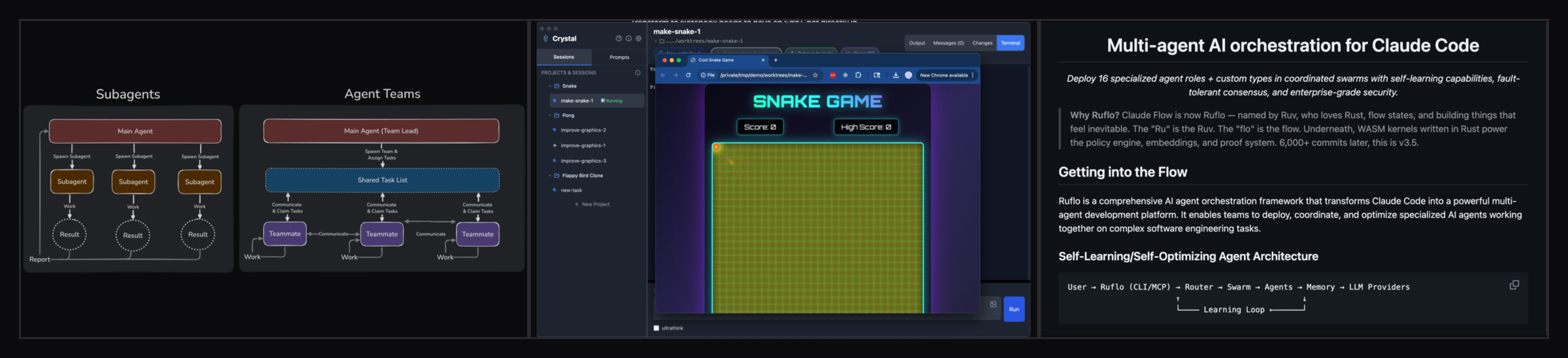
- Who orchestrates. An LLM team-lead (Agent Teams, Ruflo's Queen-Worker), a daemon (OpenClaw), or the human plus cron (ClawTab, Aider, plain tmux).
This article is about the local-tmux corner of that picture. Specifically: how to run Claude Code parallel agents on your own machine, how git worktrees fit in, and where Agent Teams stops being the right answer. The sibling multi-agent swarm guide covers the larger 10+ agent story; this one focuses on the practical 4-8 parallel range that almost every developer is now reaching for. For a cross-provider implementer-reviewer setup, use the dedicated Claude Code and Codex CLI tmux workflow.
Git Worktrees vs tmux Panes vs Agent Teams: Pick by Workflow
Three patterns dominate in 2026 for running multiple Claude Code sessions on the same machine. Each solves a different problem; mixing them up costs time.
Git worktrees per agent. Each Claude Code session works in its own git worktree rooted in the same repo. Every agent has its own branch, its own filesystem, its own node_modules if it wants one. There is zero merge contention while agents are running - you reconcile at the end via standard git operations. This is the model Cursor's "8 parallel agents" feature uses, the model Nimbalyst (formerly Crystal) built its UI around, and what Claude Code Agent Teams uses internally for split-pane teammates. Worktrees are the right answer when agents are working on the same codebase but should not see each other's intermediate state.
tmux panes per agent. Each agent runs in its own pane inside a single tmux window or session. Panes are cheap, persist across SSH disconnects, and the layout is exactly what you see. Panes do not isolate the working tree on their own - if two agents cd into the same repo, they will fight. The pattern composes cleanly with worktrees, though: point each pane's cwd at a different git worktree and you get the same isolation Cursor's 8 parallel agents and Agent Teams give you, with the layout fully under your control. tmux panes are the right answer when agents are working on different repos (a migration swarm across microservices), on different read-only views of the same repo (review, lint, doc-gen), or in worktrees you set up alongside the panes.
Claude Code Agent Teams. One Claude Code session is a team lead; others are teammates. Teammates message each other and the lead synthesizes. With display: split-panes, each teammate gets its own tmux or iTerm2 pane and its own worktree, automatically. This is the right answer when the work needs LLM-to-LLM coordination during the run - large feature builds with parallel tracks, "competing hypotheses" QA, multi-angle review. It is the wrong answer when the work is embarrassingly parallel or needs to run unattended on a schedule, because the team lead has to be there.
| Pattern | Isolation | Coordination | Unattended | Best for |
|---|---|---|---|---|
| Git worktrees | Per-agent branch + tree | You merge after | Yes | Same repo, conflicting writes, parallel features |
| tmux panes | None at the FS level | You arrange it | Yes | Different repos, read-only sweeps, monorepo subdirs |
| Agent Teams | Per-teammate worktree | LLM team lead | No | Live collaborative builds, multi-angle reasoning |
The decision usually collapses to two questions. Will the agents write to overlapping paths? If yes, you need worktrees. Will you sit at the keyboard for the whole run? If no, you cannot use Agent Teams alone - you need tmux + cron + auto-approval underneath, with or without worktrees on top. For everything else, raw tmux panes are the lightest tool that works.
For a deeper comparison of Agent Teams against the other 2026 multi-agent orchestrators (Ruflo, Overstory, Nimbalyst, ccswarm, Shire), see the Agent Teams alternatives guide.
How ClawTab Runs Claude Code Parallel Agents
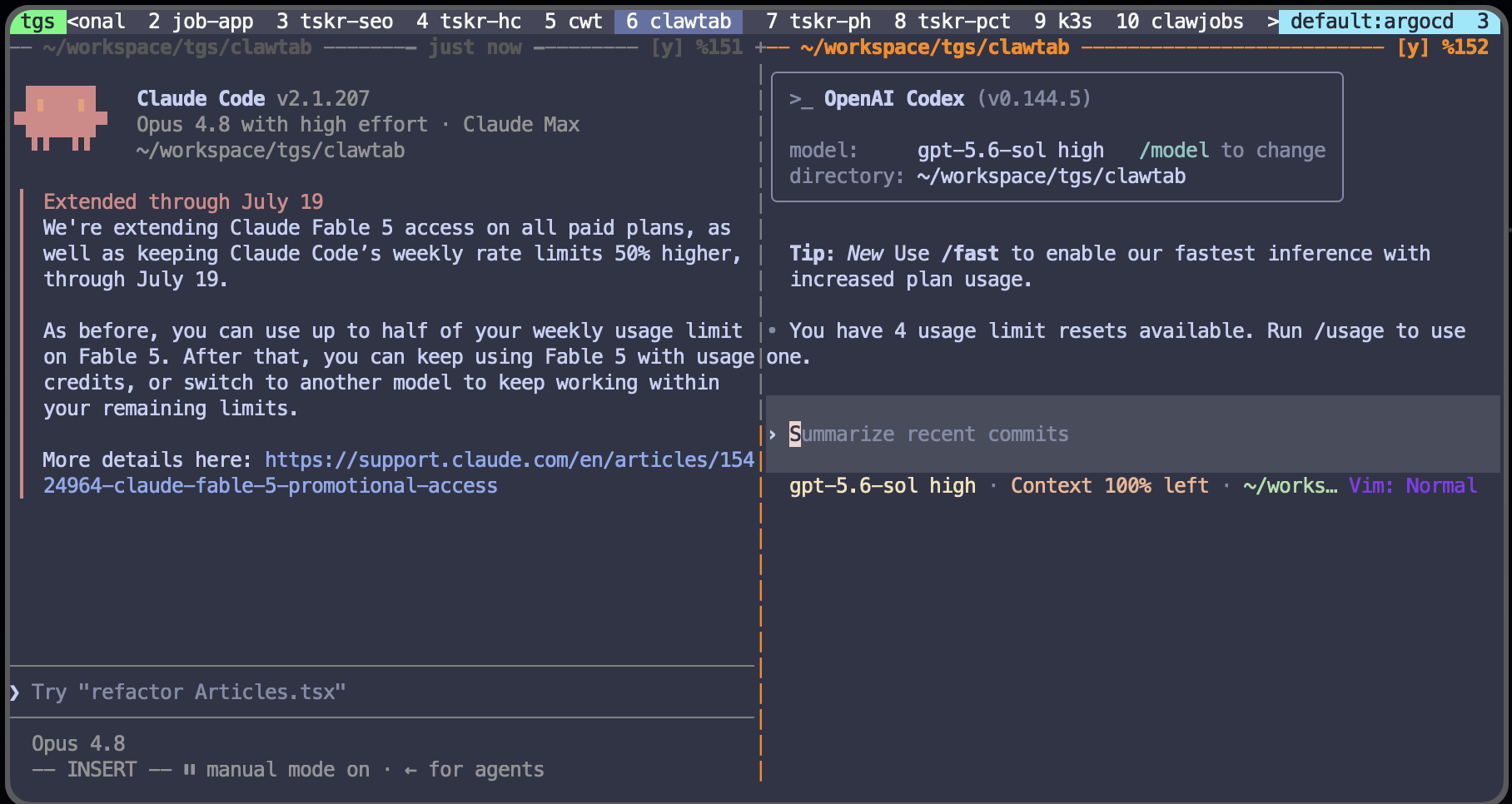
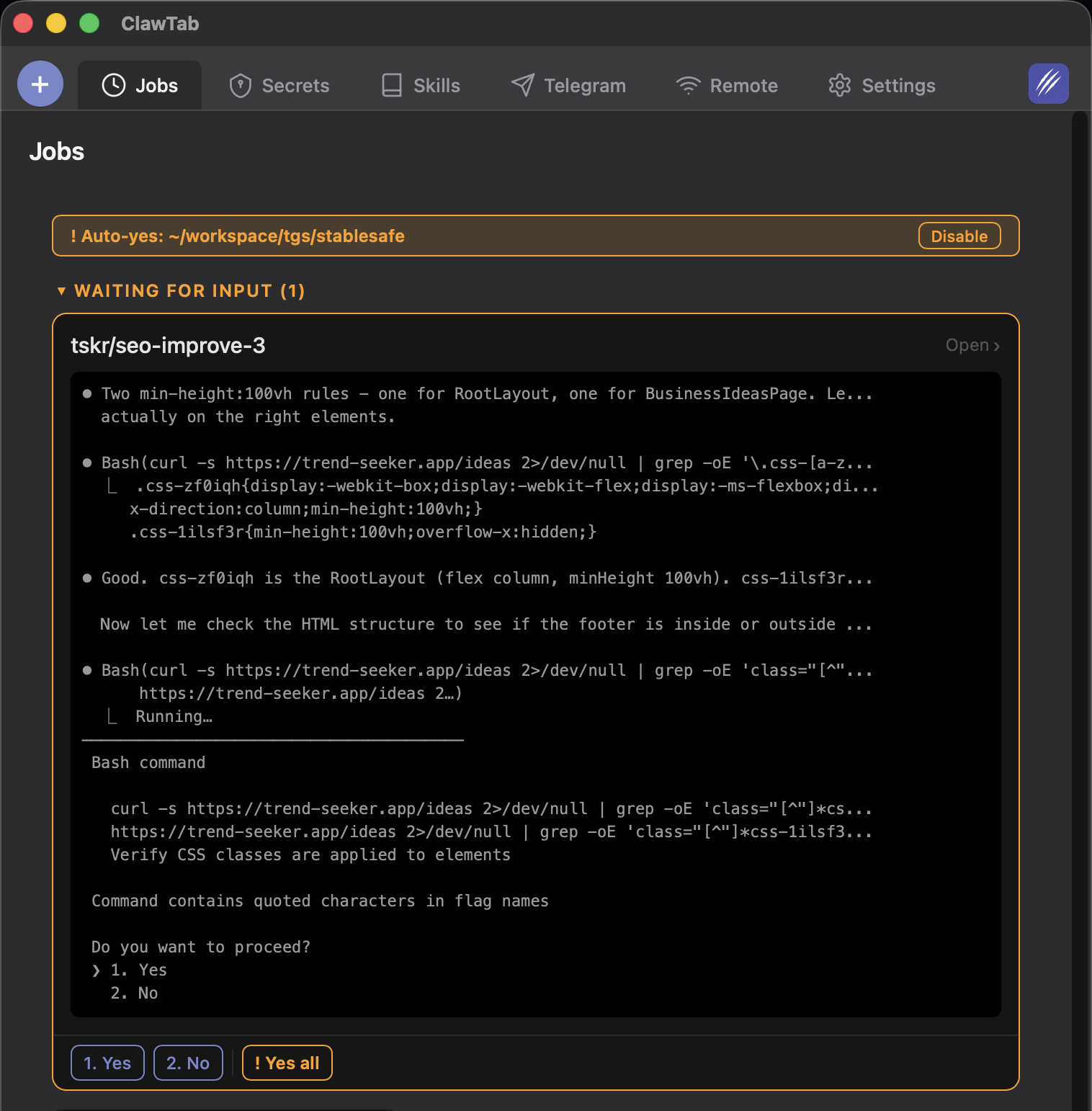
ClawTab is a macOS desktop app that treats every Claude Code session as a regular background job. There is no team-lead LLM and no special orchestration protocol. The point of the tool is the operational layer: tmux pane management, auto-yes, scheduling, secrets, and remote control. Worktrees are first-class - each job has its own working directory, so pointing four jobs at four git worktree paths gives you the Cursor-style "8 parallel agents in worktrees" setup with no extra plumbing.
The pieces that matter for running multiple Claude Code sessions in parallel:
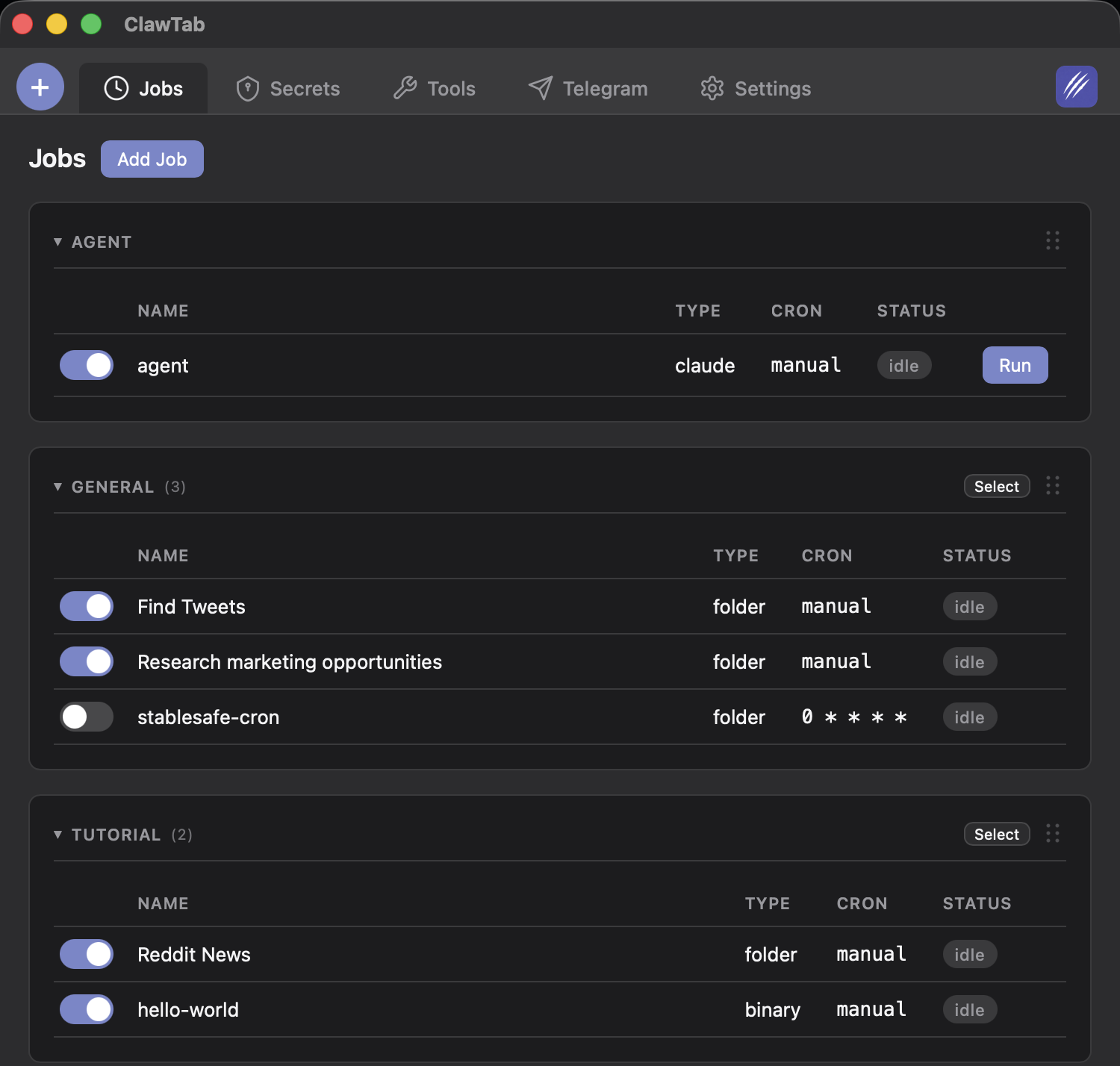
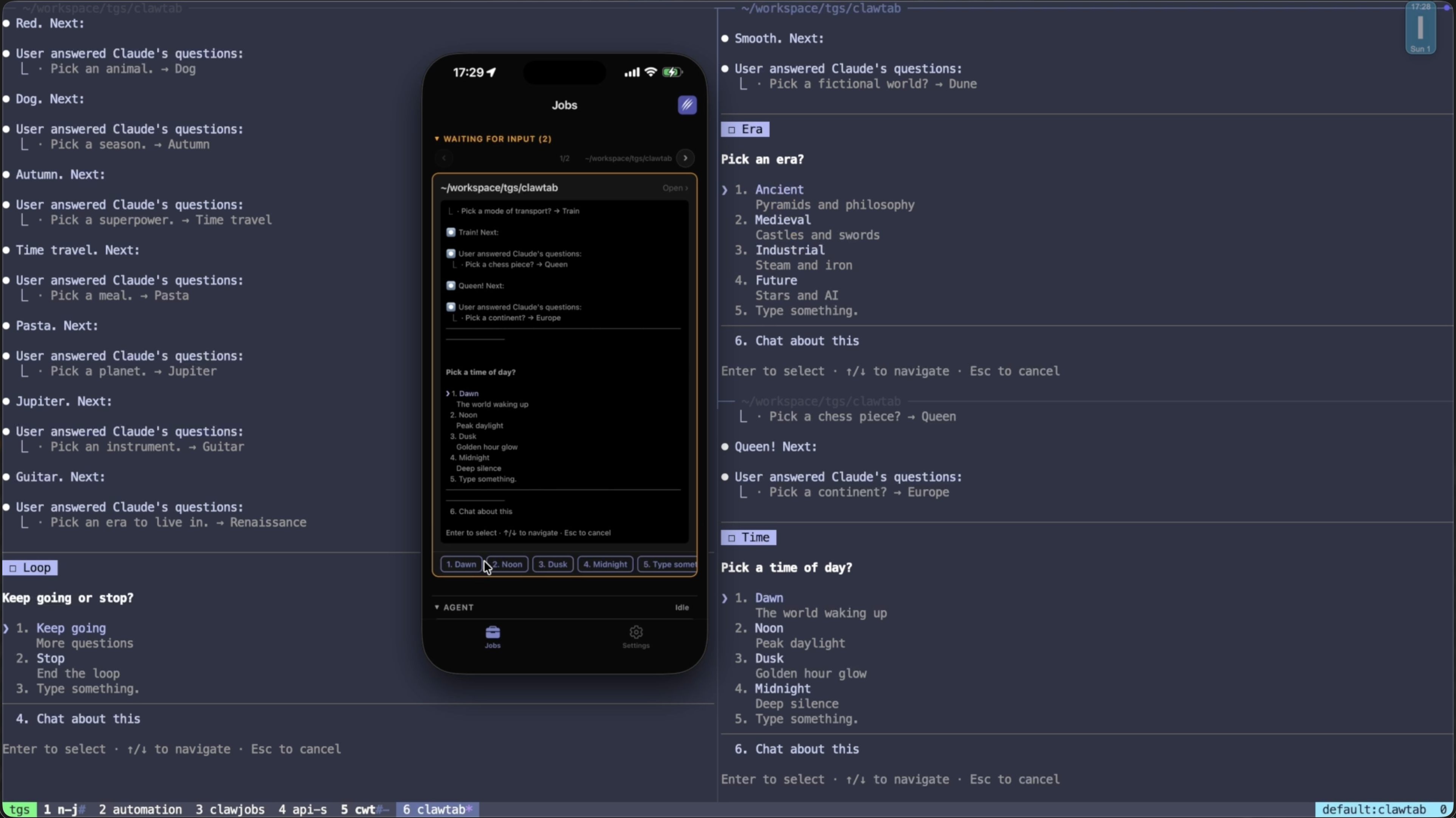
- Pane orchestration. Create N jobs, point them at the same tmux window, hit Run. ClawTab splits a new pane per job, assigns each a run id, and starts an async monitor task per pane. Output, status, and exit are tracked independently. The tmux integration article covers the splitting mechanics in detail.
- Per-pane auto-yes. Permission prompts kill parallelism. Auto-yes detects pending prompts every 500ms and accepts the most conservative option (prefers "Yes, during this session" over a blanket "Yes"). It is per-pane, so you can leave it off on the agent doing exploratory work and on for the four doing migrations.
- Cron and one-shot scheduling. Standard 5-field cron expressions, persisted to disk, survive reboot. The scheduling guide covers the syntax and the 30-second poll behaviour. Two jobs with the same cron fire simultaneously into adjacent panes - this is how a scheduled parallel sweep gets built.
- Per-job secrets and working directory. Each job has its own env vars (Keychain or gopass) and its own
cwd. Point job 1 at~/repo/wt-auth, job 2 at~/repo/wt-billing, and the worktrees stay isolated even though the agents share the same tmux window. - Mobile remote control. The iOS app and web remote stream live output for every pane and route prompts to push notifications when auto-yes is off. You answer from your phone; the other agents keep working.
- Multi-provider in the same swarm. Claude Code, Codex, and OpenCode jobs can sit side by side. Useful for "run the same prompt across three providers and diff the results" workflows.
For the big-picture comparison against Cursor, Devin, OpenClaw, and the other background automation tools, see the dedicated guide. The short version: ClawTab is the operational layer (panes, schedule, auto-yes, remote) that the IDE-bound and cloud-only tools leave to you.
Token Cost Reality: 5x Agents Burn 5x Tokens
Parallelism is not free. Every Claude Code teammate, every worktree session, every tmux pane runs its own context window. There is no shared cache that makes the second agent cheaper than the first. Agent Teams' own docs are explicit about this: "token cost scales linearly." The same is true for tmux pane swarms, Cursor's 8 parallel agents, and any other multi-agent setup that is not deliberately deduplicating prompts.
A useful mental model: parallelism is a wall-clock optimization, not a throughput optimization. You spend the same tokens; you just get the answer in 1/N the time. That trade is excellent when the work is independent and you are blocked on the result. It is wasteful when the work is sequential or when you are not actually waiting.
Concrete heuristics for when 5x agents is worth 5x tokens:
- Run parallel: migration sweeps across multiple services or packages, test-generation across untested modules, multi-repo PR review, "spike three approaches and compare", overnight refactors where you want the result by 9am.
- Don't run parallel: debugging a single bug (agents fight over context), strictly sequential work (B depends on A's output), small changes where pane-switching overhead beats the saved time, exploratory sessions where you are still figuring out the prompt.
- Reduce the cost when you do go parallel: use prompt caching for shared system prompts, scope agent context tightly per worktree, prefer Codex (roughly 3x more token-efficient than Claude on equivalent tasks per our 2026 IDE comparison) for tasks that don't need Claude specifically, and stop the run as soon as one agent finds the answer if you only needed one.
The other concrete cost is rate limits. Anthropic's per-account requests-per-minute and tokens-per-minute caps are shared across every parallel agent. Per the Anthropic rate-limits documentation, the Pro plan caps are noticeably tighter than Max, and once you hit them every agent stalls at once. Start at 3-4 parallel agents on Pro and 6-8 on Max; scale up only when you have measured headroom. OpenCode with a different provider (or a local Ollama model) is the cleanest way to side-step the cap without throwing money at it.
Memory is the other floor. Each Claude Code process holds 200-500 MB of resident memory. Eight parallel agents is comfortably under 4 GB of agent memory; sixteen starts to bite. If macOS begins paging, the wall-clock win evaporates - everything slows together.
Two Copy-Paste Swarm Configs
Both configs below run today on a Mac with tmux and Claude Code installed. The first is a worktree-based feature swarm; the second is a multi-pane research swarm. They illustrate the two patterns from the comparison table; pick whichever matches your work.
Config 1: 4-agent feature swarm with git worktrees. One repo, four parallel branches, four Claude Code sessions in adjacent tmux panes. Every agent has its own working tree so they cannot stomp each other. This is the Cursor "8 parallel agents" pattern, done locally with plain tools.
# Setup: create 4 worktrees off main
cd ~/code/myapp
for branch in auth-refactor billing-v3 search-rewrite onboarding-fix; do
git worktree add "../myapp-$branch" -b "$branch" origin/main
done

# Run 4 Claude Code agents in a 2x2 tmux layout, one per worktree
tmux new-session -d -s swarm -c ~/code/myapp-auth-refactor
tmux send-keys -t swarm "claude" Enter
tmux split-window -h -t swarm -c ~/code/myapp-billing-v3
tmux send-keys -t swarm "claude" Enter
tmux split-window -v -t swarm:0.0 -c ~/code/myapp-search-rewrite
tmux send-keys -t swarm "claude" Enter
tmux split-window -v -t swarm:0.1 -c ~/code/myapp-onboarding-fix
tmux send-keys -t swarm "claude" Enter
tmux select-layout -t swarm tiled
tmux attach -t swarm
From there, give each agent its prompt. When they finish, you have four branches ready to review, rebase, or merge - in any order. To run this from ClawTab instead of by hand, create four jobs (one per worktree path), set them to the same tmux window, and turn on auto-yes for the ones doing well-defined work.
Config 2: 6-agent overnight swarm, mixing read-only reviews with same-repo writers. Three agents review different repos read-only; two more agents share the same project folder but each gets instructed to work in its own git worktree, so they can write in parallel without colliding; a sixth tracks dependencies across all repos. Scheduled to run before standup.
# ~/.config/clawtab/jobs.yaml - simplified illustrative shape

# --- Read-only reviewers in different repos (no worktree needed) ---
- name: review-frontend
job_type: claude
tmux_window: nightly-swarm
cron: "30 7 * * 1-5"
path: ~/code/frontend
prompt: ~/.config/clawtab/prompts/review-open-prs.md
auto_yes: true
secret_keys: ["GITHUB_TOKEN"]

- name: review-backend
job_type: claude
tmux_window: nightly-swarm
cron: "30 7 * * 1-5"
path: ~/code/backend
prompt: ~/.config/clawtab/prompts/review-open-prs.md
auto_yes: true
secret_keys: ["GITHUB_TOKEN"]

- name: review-infra
job_type: claude
tmux_window: nightly-swarm
cron: "30 7 * * 1-5"
path: ~/code/infra
prompt: ~/.config/clawtab/prompts/review-open-prs.md
auto_yes: true
secret_keys: ["GITHUB_TOKEN"]

# --- Two writers in the SAME project, each in its own worktree ---
# Both jobs point at ~/code/myapp; the prompt tells each agent to
# create and work inside its own worktree so writes don't collide.
- name: myapp-test-gen
job_type: claude
tmux_window: nightly-swarm
cron: "30 7 * * 1-5"
path: ~/code/myapp
prompt: ~/.config/clawtab/prompts/test-gen-in-worktree.md
auto_yes: true

- name: myapp-lint-fix
job_type: claude
tmux_window: nightly-swarm
cron: "30 7 * * 1-5"
path: ~/code/myapp
prompt: ~/.config/clawtab/prompts/lint-fix-in-worktree.md
auto_yes: true

# --- Dependency tracker across all repos ---
- name: dep-audit
job_type: claude
tmux_window: nightly-swarm
cron: "30 7 * * 1-5"
path: ~/code
prompt: ~/.config/clawtab/prompts/dep-audit.md
auto_yes: true
The trick for the two same-folder writers is in the prompt. Each one starts with a short worktree-setup preamble that creates a fresh worktree off main, scoped to the agent's job, and instructs the agent to do all of its writes there:
# ~/.config/clawtab/prompts/test-gen-in-worktree.md (excerpt)
First, set up an isolated worktree for this run:

WT=../myapp-test-gen-$(date +%Y%m%d)
git worktree add "$WT" -b "test-gen/$(date +%Y%m%d)" origin/main
cd "$WT"

Do all subsequent file writes inside this worktree only. When you finish,
push the branch and open a draft PR. Do not touch the parent checkout.
The lint-fix prompt has the same preamble with its own branch name. Both agents start from ~/code/myapp, immediately move into their own worktree, and write in parallel without ever seeing each other's intermediate state. When they finish, two draft PRs are waiting alongside the three review summaries and the dependency audit.
Six parallel Claude Code sessions, six outputs in the same tmux window at 07:30. Push notifications fire if any agent hits a question that auto-yes cannot answer. The same pattern works for nightly dependency bumps, scheduled lint sweeps, and weekly architecture audits - swap the prompt, keep the shape. The worktree-setup preamble is a useful primitive in its own right: anywhere you want two agents to share a project root without colliding, drop it in the prompt and the rest takes care of itself.
For more shapes (migration swarm, refactor + test + lint pipeline, multi-provider compare), the 10+ parallel agents guide walks through several proven patterns. For a side-by-side against Cursor's cloud worker model and Devin's autonomous setup, see the 2026 AI coding agent comparison.