Run Remote Coding Agents With the Subscriptions You Already Have
Start with the included Relay workspace or connect your own host, then sign in to your existing agent accounts and work from your phone or browser.
Introduction
You already pay for an agent that works in your terminal. Making it available from your phone does not have to mean buying another model subscription or moving your repository into a new hosted development environment.
The shortest hosted path is to subscribe to Relay, let the included workspace connect automatically, and sign in there with your supported agent account. The same Relay subscription connects up to 100 agents on your own computers or servers. Your phone and browser become ways to operate the same terminal. This guide covers both paths and the accounts they use.
Codex, Claude Code, OpenCode, and Hermes can share the same host. You can choose a different CLI for the next task while keeping the repository, shell tools, and remote interface.
Keep the agent close to your repository
Start with an existing machine if it already has your checkout, dependencies, and provider login. A Mac works well when you need macOS tools. A Linux server is useful when work should continue while your laptop is asleep. ClawTab also has a native Windows host.
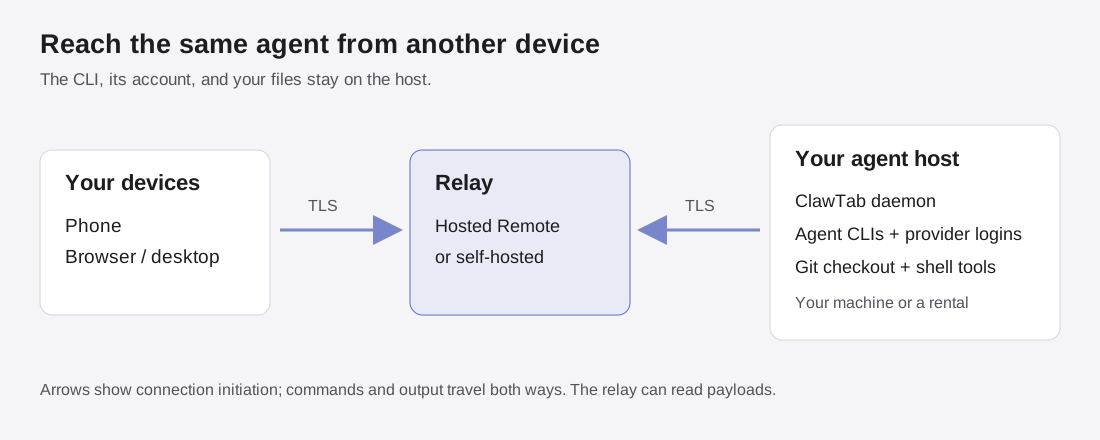
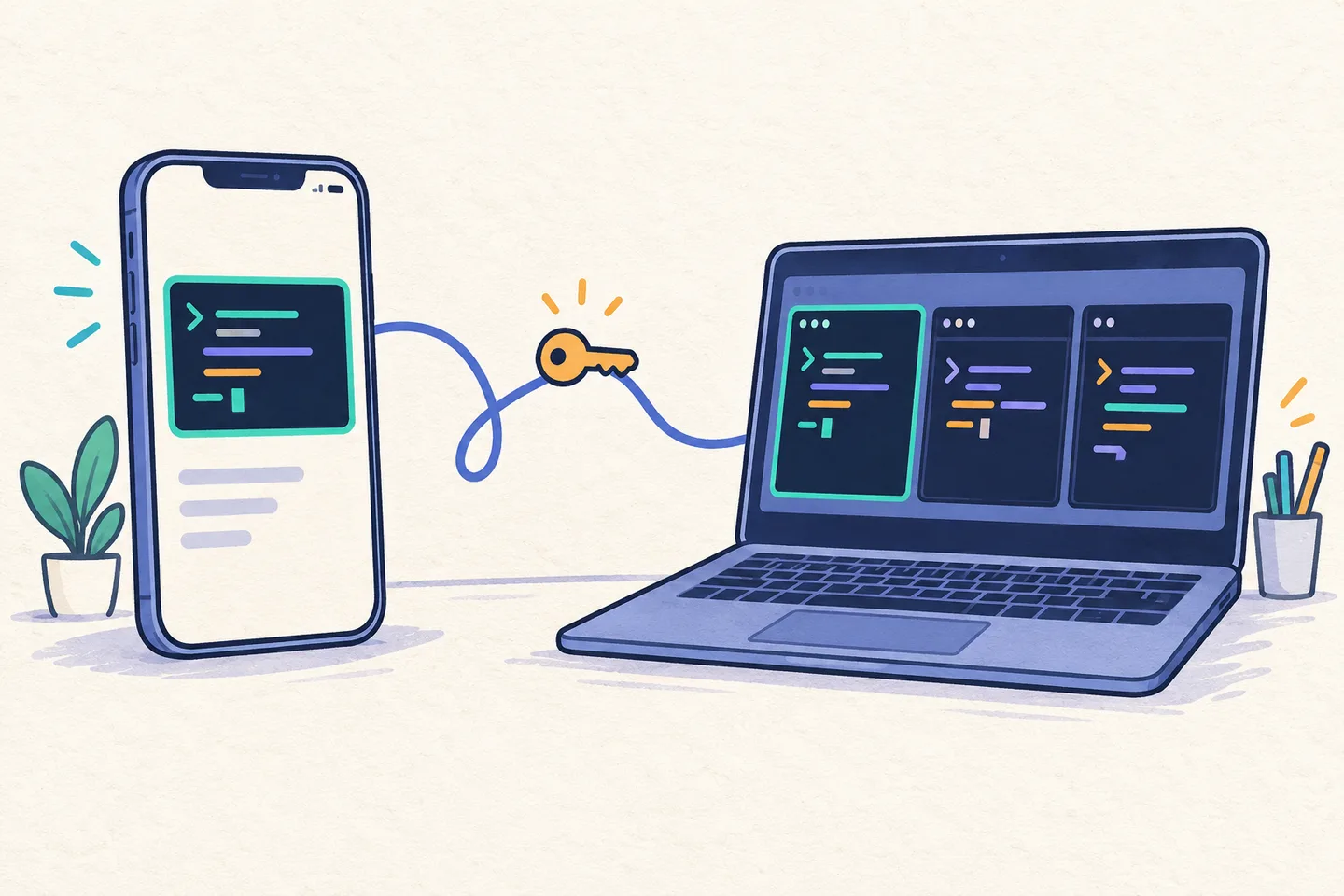
The diagram shows the arrangement: the host runs the CLI and owns the files; the relay connects it to your clients. Both sides connect outward. Closing the phone app leaves the host process running. Keeping the host awake and online is part of this setup.
You can also rent a prepared server from Add machine where checkout is available. The rental guide compares current catalog prices with other VPS providers. Choose the agent CLIs to install, then authenticate each one with your own account. Rental pricing includes the machine and relay access; AI usage remains with your AI provider.
ClawTab's host and relay model, drawn from the implementation. TLS protects connections; the relay can read the traffic it carries.
Start with the included Relay workspace
Open Relay workspace, sign in to ClawTab, and subscribe. After subscription confirmation, ClawTab creates the workspace and pairs it automatically. Codex, Claude Code, OpenCode, and Hermes are installed; select an agent and complete its provider sign-in.
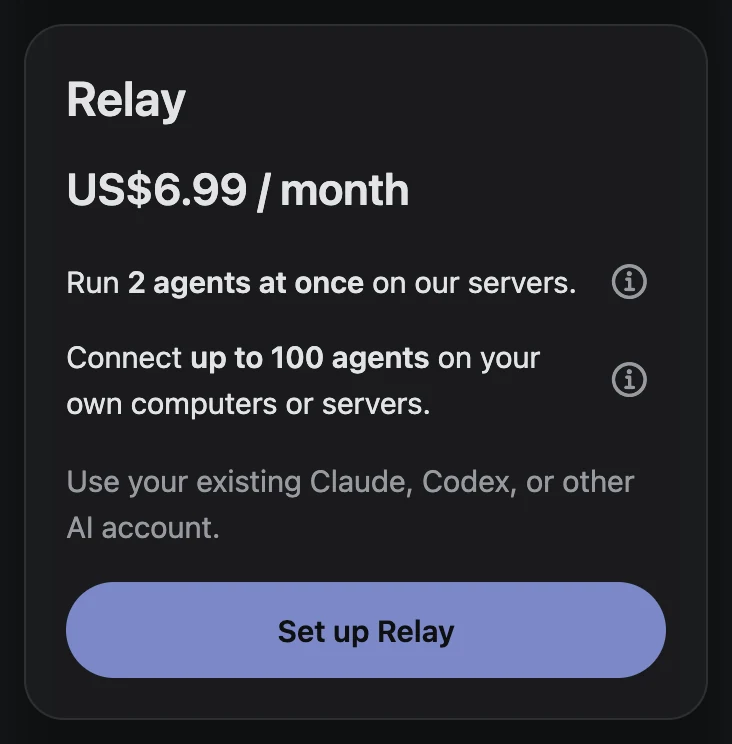
New website Relay subscriptions are billed $6.99/month worldwide. The included workspace has two parallel session slots, two saved jobs, 0.5 CPU, 500 MiB RAM, and 500 MiB storage. Larger projects need a larger host. See the workspace announcement for the full starting flow.
To use your own machine instead, open Advanced setup. Install ClawTab from the platform instructions. On the host, run the pairing command below and approve its code in Add machine using the same ClawTab account. You can also rent a larger box with relay access included, or configure a self-hosted relay.
On a Linux systemd host, --linger keeps the user service available after logout. Use the plain command on other platforms. The Linux setup guide covers packages, services, and containers.
# Run on the machine that will execute your agents.
cwtctl setup
cwtctl daemon ping

# On a Linux systemd host, pair with lingering enabled instead:
# cwtctl setup --name build-host --linger
Sign in to the agent on that host
ClawTab pairing connects the machine to your account. Authenticate your AI provider separately on that machine, as the user who will run the agent. Open its terminal and use the appropriate command:
Agent
Host command
Account to use
Codex
codex login --device-auth
Your eligible ChatGPT account; follow the device-code link.
Claude Code
claude auth login
Your Claude subscription account; follow the URL and terminal prompts.
In OpenCode, use /connect and /models to select your provider. Its provider documentation covers ChatGPT sign-in and other connections. For an existing Claude subscription, using Claude Code directly keeps that account's usage in its native CLI. Hermes has its own provider setup and remote login flow.
Launch a small task and open it on your phone
Clone your repository on the host, or open a checkout that is already there. Confirm that Git access and the project's normal test command work. In ClawTab, select that machine, its project folder, and an installed agent, then send a small prompt such as: “Explain this repository's test setup and suggest one small improvement.”
You can also start a managed session directly from the host terminal:
cd ~/workspace/my-project
cwtctl session start -- codex

# Choose another installed CLI for a separate task:
# cwtctl session start -- claude
# cwtctl session start -- opencode
# cwtctl session start -- hermes
Use one remote view for different agents
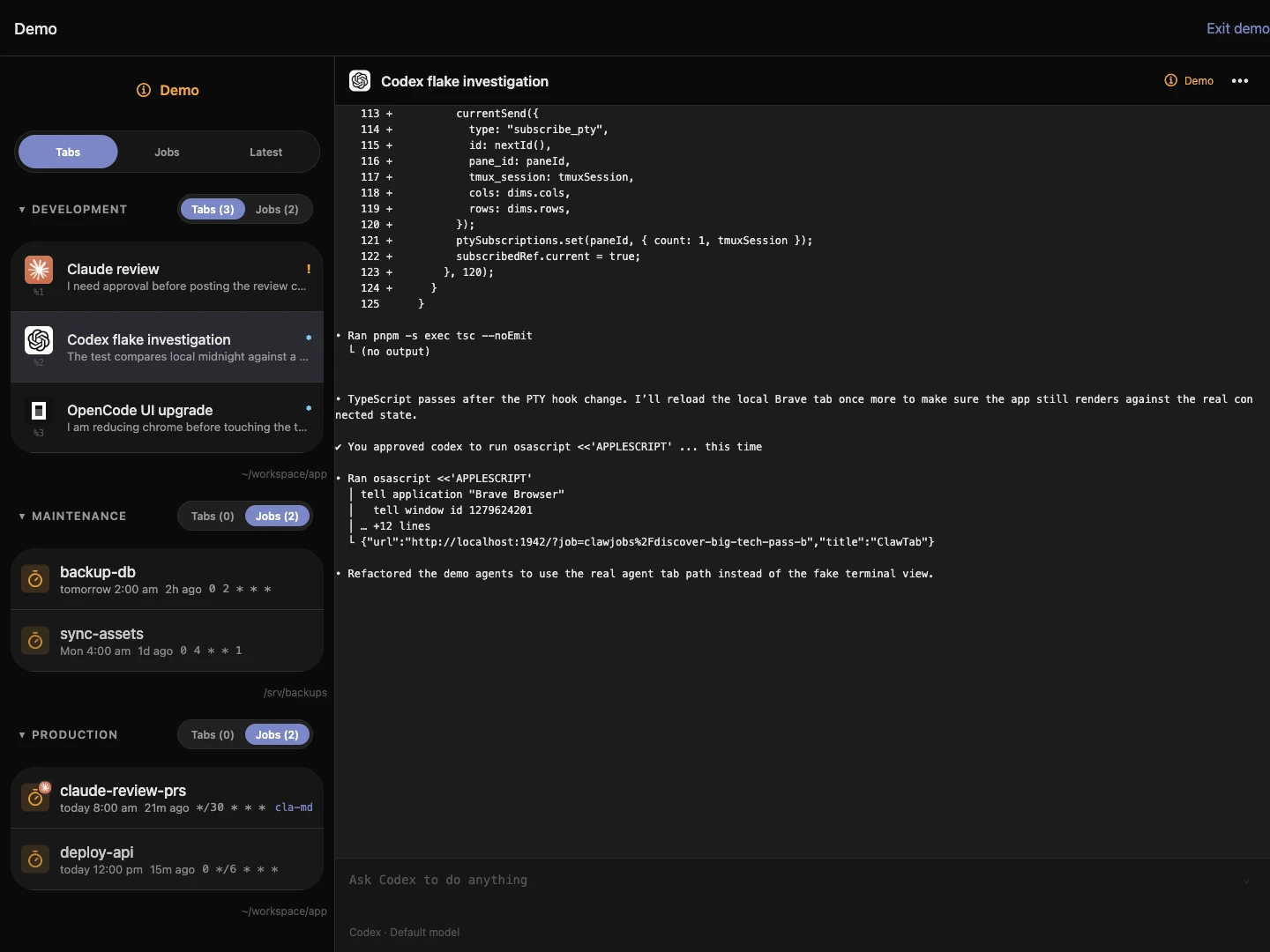
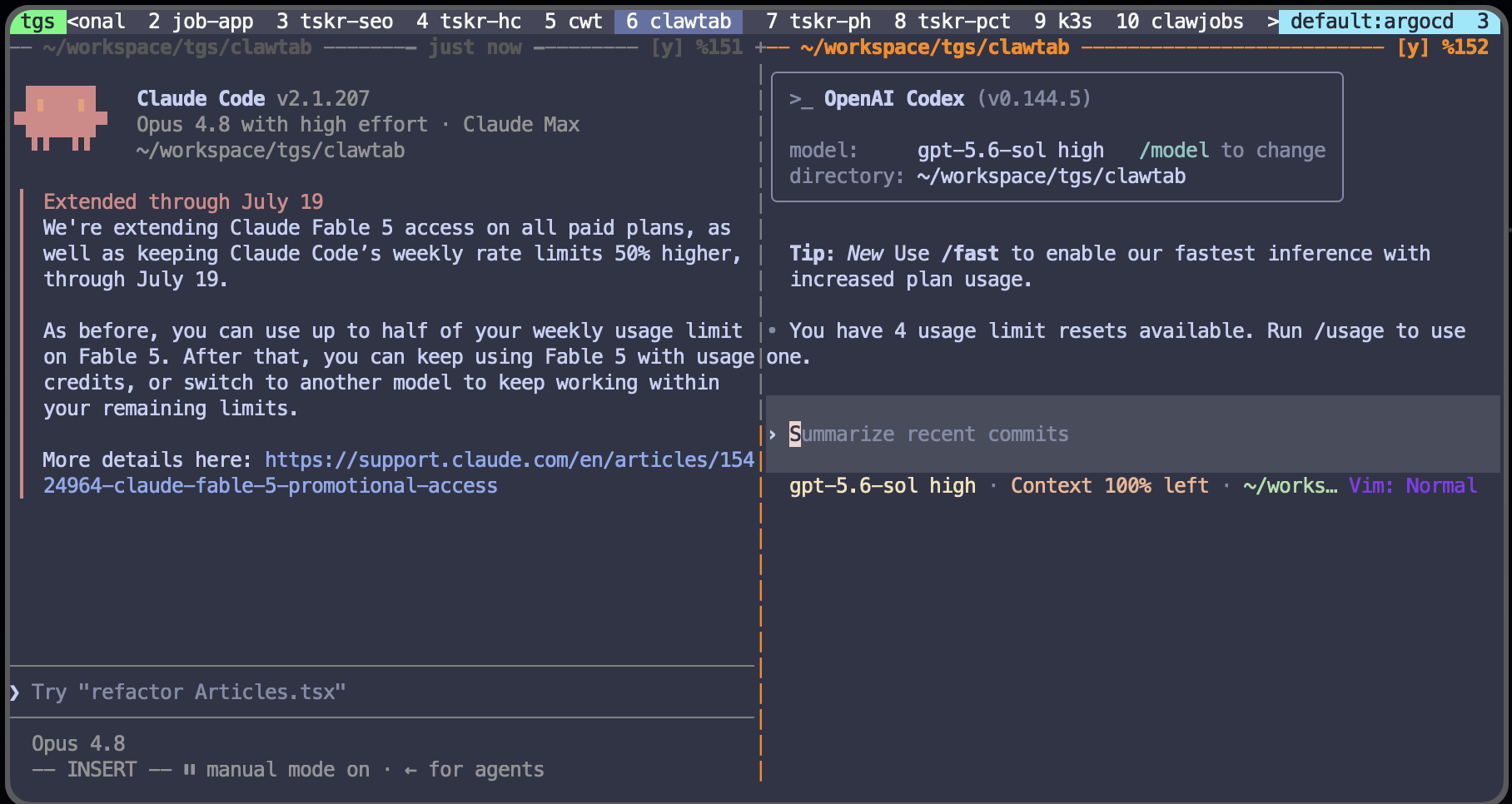
Open the running agent from mobile or web to read output, send a follow-up, and answer prompts. The screenshot shows the sample view with several agent types in one interface. Those are demo sessions; your connected host supplies the real terminals.
Install more than one CLI when different tasks benefit from different agents. For concurrent edits to the same repository, give each writing agent a separate Git worktree. Keep reviewing diffs and running the project's checks whichever CLI made the change.
ClawTab's sample web view with Claude Code, Codex, and OpenCode, captured on October 24, 2026.
Know which bill you are adding
There are three separate costs: AI usage, the host, and remote connectivity. If you already pay for an eligible agent plan and keep using your existing computer, the optional hosted relay is the new subscription. Self-hosting the relay replaces that service charge with your own infrastructure and maintenance.
For a USD example, an existing $20/month ChatGPT Plus plan plus $6.99/month hosted Remote totals $26.99/month, before any applicable tax and additional usage. Only $6.99 is new if you already had Plus. Add the host's quoted price if you rent a server; ClawTab rentals already include relay access.
The useful kind of portability is practical: keep the repository in Git, run ordinary provider CLIs, and retain direct terminal access to the host. You can use another CLI for the next task, move the checkout to another machine, or switch between hosted and self-hosted relay access.
Provider subscriptions still belong to their providers. Switching CLI does not carry over an allowance or automatically translate a conversation. Keep handoff notes, tests, and project instructions in the repository so another agent can pick up the work.
Start with the included Relay workspace or a machine you already use. Authenticate one agent and verify a small task from your phone. Add a second agent or a larger server when the workflow calls for it.
Frequently Asked Questions
Use the provider's supported login on the server: Codex supports device-code ChatGPT sign-in, and Claude Code supports eligible Claude subscription sign-in. Your plan's usage limits still apply.
ClawTab manages agent processes and remote access. Sign in to your own AI provider on the agent host; that provider supplies and bills the model usage.
Yes. Select one or more of Codex, Claude Code, OpenCode, and Hermes during box setup, then authenticate each selected agent on the host.
You can choose another installed CLI, move your Git checkout to another host, or self-host the relay. Provider allowances and conversation histories remain specific to their provider and CLI.