Remote Coding Agents Compared: Setup, Pricing, and Portability
Compare agent subscriptions and remote access options. See what you pay for models, hosting, and connectivity, and which setup keeps your tools portable.
Introduction
A $20 agent subscription, a rented server, and a remote terminal app solve different parts of the same workflow. Comparing their sticker prices as if they were interchangeable makes it easy to buy something you already have, or leave out a cost you still need.
This comparison starts with the bill, then looks at setup and portability. It covers Codex, Claude Code, OpenCode, and Hermes as agent choices, and native clients, SSH, and ClawTab as ways to reach them. Prices were checked on October 24, 2026.
Separate model usage, the machine, and remote access
Ask three questions: Who supplies the model? Where does the agent process run? How will you reach that process? An existing subscription can answer the first question. Your current computer may answer the second. You can then choose remote access independently.
Layer
What you pay for
Common choices
AI usage
Models and the provider's usage allowance
ChatGPT, Claude, OpenCode Go, another model provider, or API usage
Host
CPU, memory, disk, and uptime
Your computer, your own server, or a prepared rental
Remote access
Reaching and operating the running process
A provider's client, SSH, a self-hosted relay, or hosted ClawTab Remote
A ClawTab rental combines the host and relay layers. It uses your AI accounts for the model layer. With your own machine, hosted Remote is optional; the apps and local tools are free and MIT licensed.
Compare the agent plans you can bring
These are published USD prices checked on October 24, 2026. The table uses monthly billing for individual plans where stated. Local currency, tax, promotions, eligibility, and included usage can change the checkout total. The linked provider pages are the source for each plan.
Model and tool costs depend on your connected services
Provider credentials, tool configuration, and host resources
An allowance is not a fixed number of finished tasks. Context size, model choice, tool calls, and task length affect usage. Run a representative task in the CLI you intend to use and inspect its usage before choosing a larger plan.
The remote interface is a separate choice from the agent. Start with the narrowest setup that supports the devices and CLIs you use.
Approach
Setup effort
Good fit
Tradeoff
Provider's own remote clients
Usually the shortest path when your account and host are already supported
One provider, with its own conversation and review interface
The remote workflow follows that provider's supported sessions and clients
SSH with tmux
Configure host access, SSH keys, and a terminal client
Developers comfortable operating everything in a terminal
You arrange agent discovery, phone navigation, and notifications yourself
ClawTab with your own host
Install ClawTab, pair the machine, and authenticate the agent CLIs
Several providers in one phone, browser, or desktop view
The host and relay must remain available
ClawTab prepared rental
Choose a box and agents, complete checkout, then sign in to the providers
An agent host that stays online independently of your laptop
A recurring host bill and responsibility for retaining your work
For example, Claude Code Remote Control exposes a process that continues running on your host. It is useful when Claude is the whole workflow. ClawTab becomes useful when Codex, Claude Code, OpenCode, Hermes, and shell tools need one operational view. Plain SSH remains a reasonable choice when a terminal is all you need.
Work out the incremental monthly cost
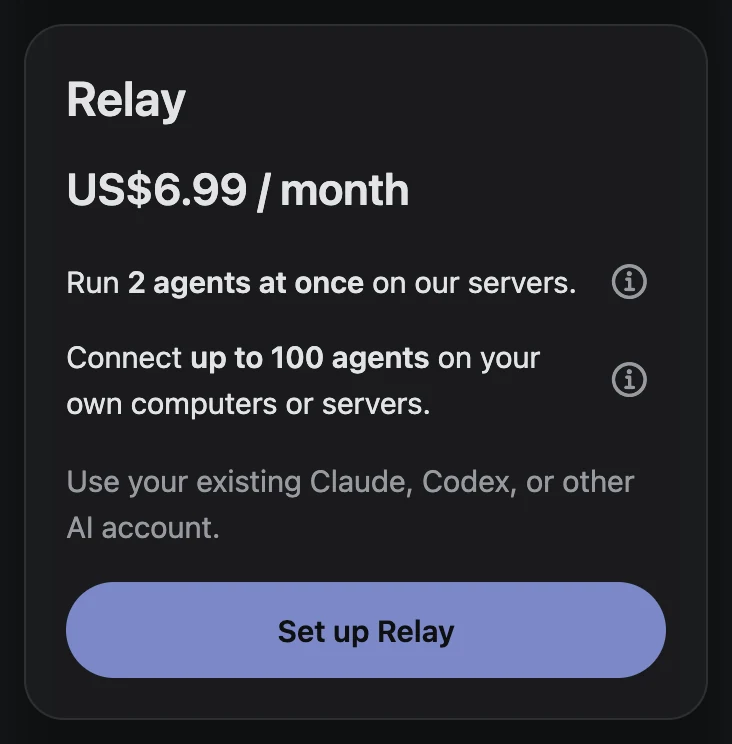
The cheapest next step often uses the machine and subscription you already own. These examples use USD list prices and ClawTab's optional $6.99/month Relay subscription. Relay includes a workspace for two parallel sessions and two saved jobs, with 0.5 CPU, 500 MiB RAM, and 500 MiB storage. The same plan connects up to 100 agents on your own computers or servers. They exclude tax, extra usage, electricity, and server rental.
Example
Total listed subscriptions
New cost if the AI plan is already paid
ChatGPT Plus + hosted Remote
$26.99/month
$6.99/month
Claude Pro + hosted Remote
$26.99/month
$6.99/month
OpenCode Go + hosted Remote
$16.99/month
$6.99/month
ChatGPT Plus + Claude Pro + hosted Remote
$46.99/month
$6.99/month if both AI plans already exist
New website Relay subscriptions are billed $6.99/month worldwide. Existing subscriptions keep their original price and currency. Rentals keep their quoted currency, and AI providers set their own regional prices.
For a prepared rental, see our live catalog and VPS price comparison. Add the current box quote to your AI plan and leave out a separate new relay purchase: relay access is included. For your own VPS with hosted Remote, add both the VPS bill and the relay charge. Self-hosting the relay has its own server and maintenance cost.
Choose how much setup you want to own
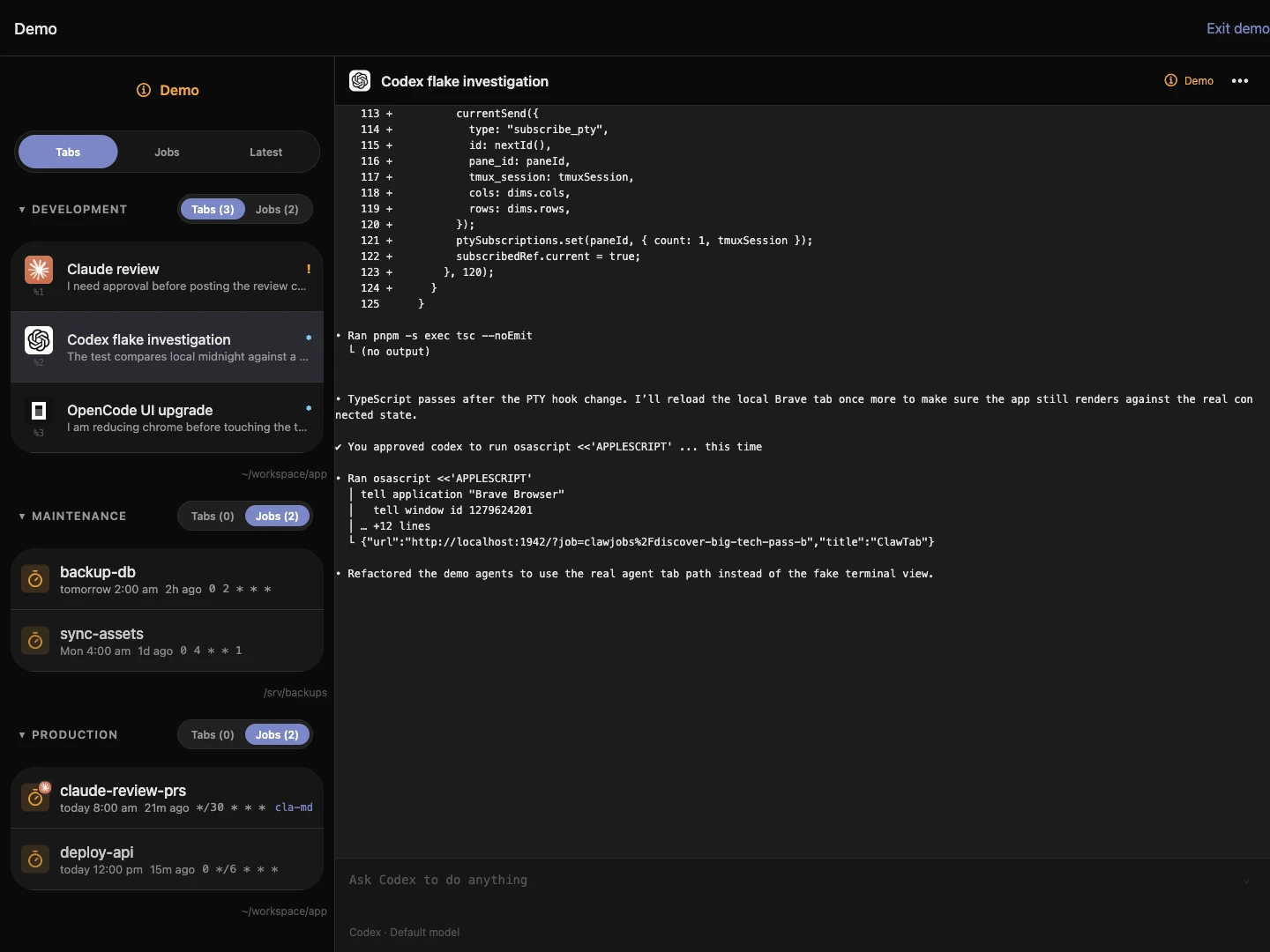
The included Relay workspace is the simplest hosted starting point: subscribe, let the workspace create and pair automatically, then sign in to an installed agent. An existing workstation is useful when the repository, dependencies, and tools already work there. Advanced setup holds the options to connect that machine, rent a larger box, or run your own relay.
The screenshot shows the Relay card with both included features, captured October 26, 2026. Provider authorization and project access still happen on the selected host. The platform comparison covers how this differs from Codex Cloud, Claude Code, Cursor, Copilot, and Happy.
ClawTab web onboarding, captured October 26, 2026. The workspace connects automatically; AI provider sign-in follows.
Evaluate portability at each layer
“No vendor lock-in” is most useful as a set of concrete questions. Can you reach the files directly? Can another agent work in the same repository? Can you replace the machine or relay without adopting another development environment?
Part of the workflow
What makes switching practical
What you still need to move or repeat
Repository
Ordinary Git history and a reproducible setup
Uncommitted work, local data, and machine-specific dependencies
Agent CLI
Several supported CLIs on the same host
Provider login and any CLI-specific instructions or conversation context
Host
A normal checkout and documented tools
Files, credentials, and environment setup
Relay
Open-source self-hosting and direct host access
Relay deployment, account configuration, and machine pairing
ClawTab lets you keep these choices separate. Provider plans remain provider plans, and changing CLI starts a different agent conversation. Git, project instructions, and concise handoff notes carry the work across that change.
Start from the workflow you already use
Use a provider's own clients when one agent and its native interface cover the job. Use SSH and tmux when terminal access is sufficient. Choose ClawTab when you want several agent CLIs and hosts in one remote view. Consider a rental when keeping your laptop online has become the inconvenient part.
Before upgrading an AI plan or adding a server, connect one existing host and try a representative task. The step-by-step setup guide shows how to use an existing subscription, pair the host, and open the agent from your phone.
Frequently Asked Questions
ClawTab manages processes and remote access. The agent's configured provider still supplies and bills AI usage.
Try the machine and eligible agent subscription you already use. Local ClawTab tools are free; hosted Remote is optional, and self-hosting has its own infrastructure cost.
Relay includes two parallel sessions and two saved jobs in its included workspace. The same subscription connects up to 100 agents on your own computers or servers. A larger ClawTab rental includes Relay access. AI usage is billed by your provider.
ClawTab supports several agent CLIs in the same interface. Install and authenticate each CLI on the host; provider allowances and conversation histories remain separate.