ClawTab 0.5.9: Remote Agents, Recurring Schedules, and Better tmux Control
ClawTab 0.5.0 through 0.5.9 adds live remote agent activity, calendar recurrence, a stronger tmux control surface, richer agent context, and more reliable macOS builds.
Introduction
ClawTab 0.5.9 completes a ten-release run that began with 0.5.0. The work connects four parts of the product that used to feel more separate: agent awareness, remote control, scheduled jobs, and the tmux-native workflow.
The result is a steadier operating layer for Claude Code, Codex, OpenCode, Antigravity, and ordinary shell panes. ClawTab can see what an agent is doing through lifecycle hooks, keep the real terminal in tmux, surface current work on a phone, and launch recurring local jobs without forcing every schedule into cron.
From the 0.5.0 tag to 0.5.9, the public history contains 53 commits touching 151 files. This article explains the user-facing changes and why they matter as one upgrade rather than a list of patches.
The 0.5.x Upgrade Map
The release series started with lifecycle-aware agents in 0.5.0, then filled in the surrounding workflows. The table shows where each visible capability landed; it is based on the tagged release history and the public GitHub releases.
Release
Main user-facing change
0.5.0
Lifecycle hooks for Claude Code, Codex, OpenCode, and Antigravity; richer tmux status and popup controls; reduced polling; stronger Remote continuity.
0.5.1
The tmux control surface moved into a floating pane, with follow-up IPC and question-state fixes.
0.5.2-0.5.4
Desktop disconnect handling and mobile foreground PTY refresh became more reliable.
0.5.5
Remote gained live activity, authentication recovery improved, and job settings were reorganized.
0.5.6
Calendar-based weekly recurrence arrived alongside cron, with improved secret editing and model labels.
0.5.7
Remote gained the Latest agent summary, pinned groups, better search and mobile layouts; tmux and cwt gained richer agent context and controls.
0.5.8-0.5.9
macOS helper architecture and nested signing order were corrected for notarized desktop builds.
The important pattern is continuity. Hooks improve detection, tmux preserves the session, Remote presents the state, and the desktop app configures the automation. Each interface is looking at the same agent rather than creating its own copy.
Remote Now Shows What Needs Attention
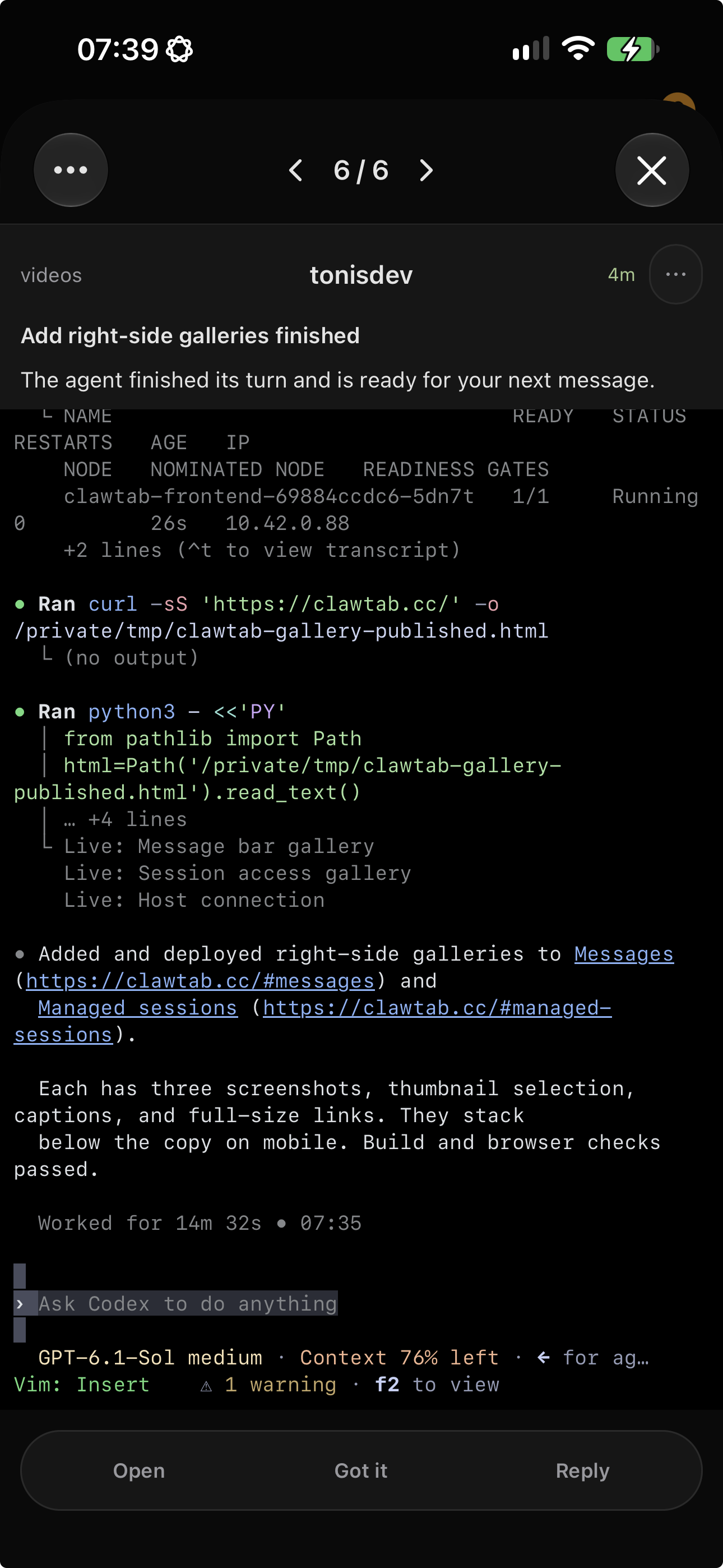
The Remote changes are more than a visual refresh. Live activity from the desktop now reaches the relay and mobile clients, while the new Latest view collects recent agents into a quick operational summary. Pinned agents are separated from the rest, matching groups open during search, and pane-ID search makes it possible to jump from a technical identifier to the correct terminal.
Mobile navigation and compact layouts were also tightened across the release series. Titles collapse more predictably, timestamps are corrected, groups sort consistently, and the web client handles remote navigation and search without losing the current context.
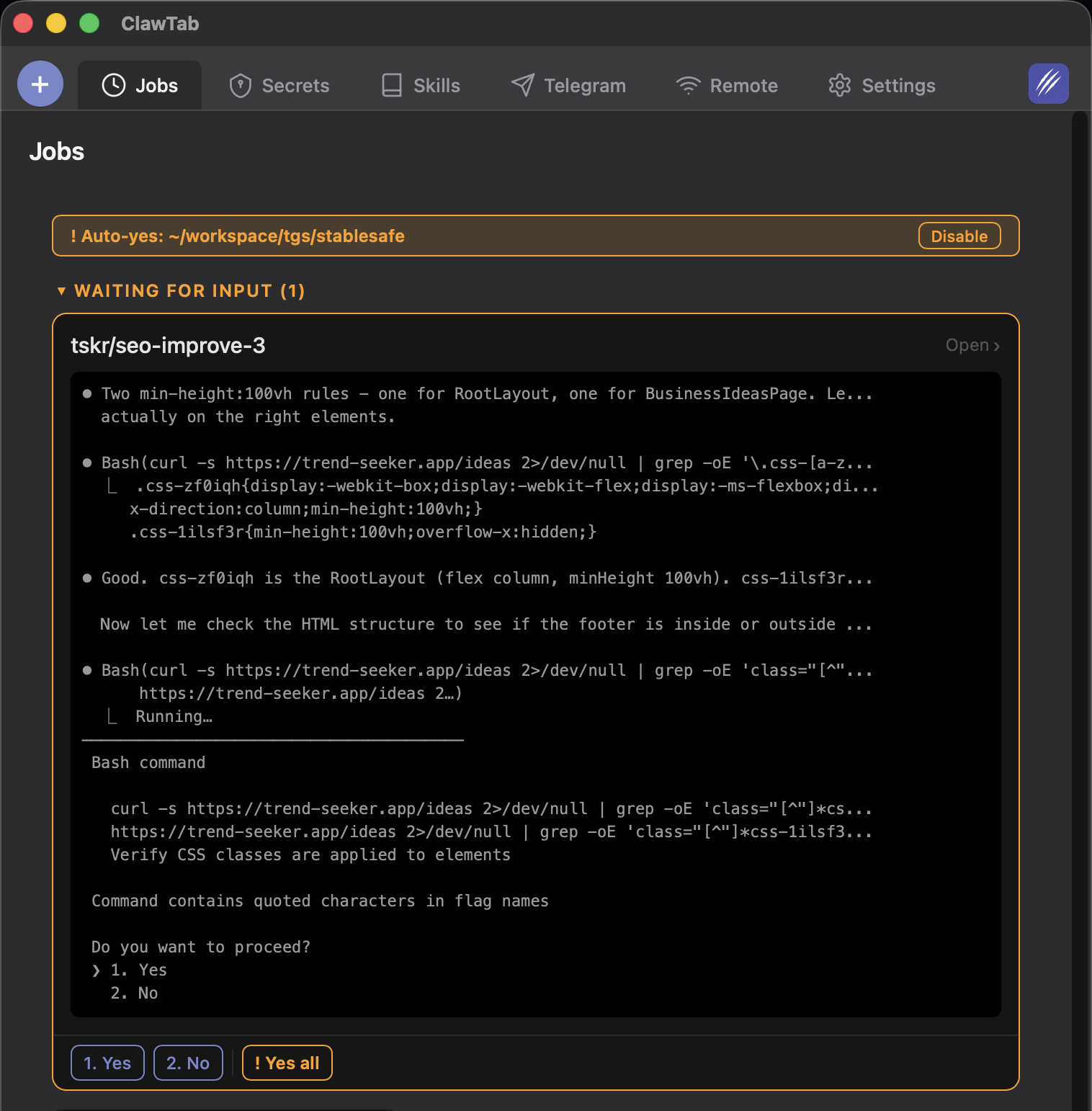
Control improved too. The mobile auto-yes menu toggle lets you change the policy without waiting for the next question. For the full safety model, see how ClawTab auto-yes works.
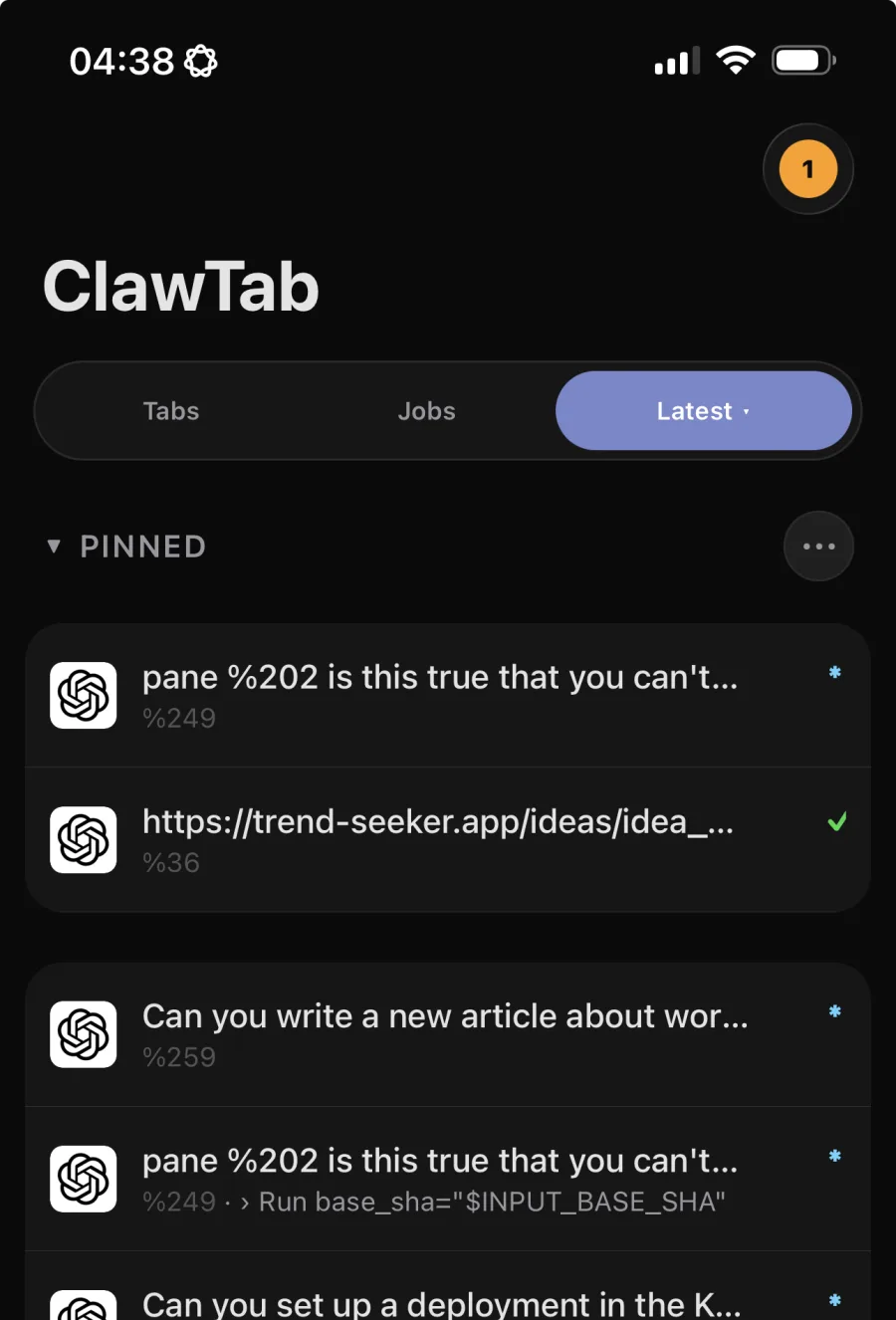
The screenshot shows the new operational view in context: pinned sessions stay at the top, current agent state appears at the right edge, and the Latest tab collects work from different projects without flattening it into a generic log stream.
The 0.5.9 Latest view keeps pinned agents above recent sessions and shows working, idle, and attention states. Real product screenshot; task names are truncated by the mobile layout.
Reconnects Preserve the Real Terminal
A useful mobile dashboard is only trustworthy if a reconnect does not duplicate or silently replace the session. Versions 0.5.2 through 0.5.5 addressed desktop disconnects, stale sockets, foreground PTY refresh, terminal snapshots, and authentication refresh retries.
Connection attempts are serialized so an old socket callback cannot overwrite a newer connection. Shared PTY streams remain alive until their final subscriber leaves, and snapshots are emitted as a coherent unit. In practical terms, reopening ClawTab Remote after changing networks should return you to the current tmux pane instead of a stale terminal view.
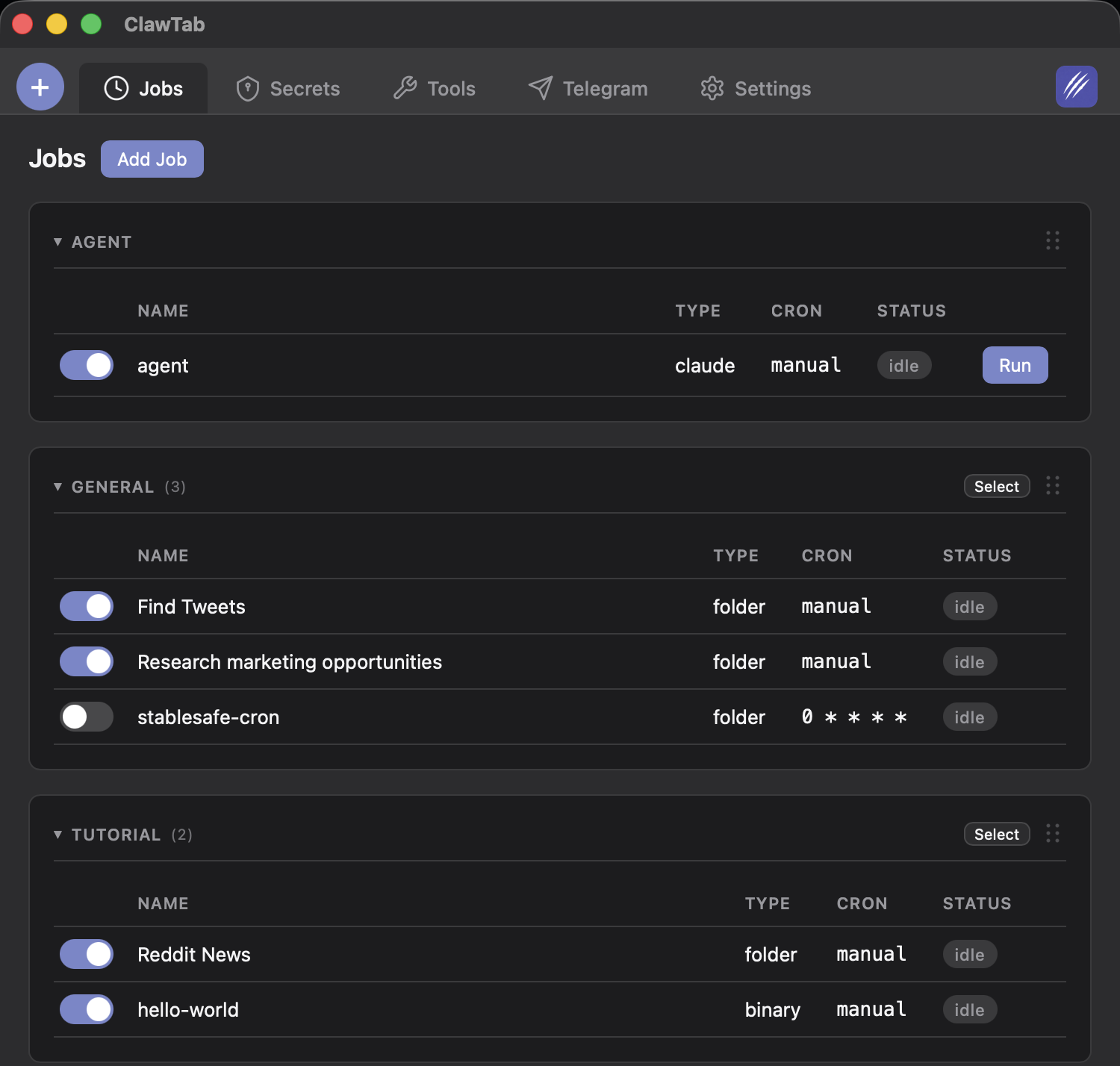
ClawTab already supported cron expressions for local automation. Version 0.5.6 added a second scheduling model: local date-anchored weekly intervals, including every-other-week recurrence.
That distinction matters because cron describes matching points on a calendar, while an interval schedule can preserve the date from which a cadence began. A fortnightly review that starts on a particular Tuesday is now a direct configuration instead of a cron workaround or external wrapper.
Scheduling model
Best fit
Example
Cron
Repeated calendar patterns
Weekdays at 09:00
Weekly interval
A cadence anchored to a local start date
Every Tuesday from the selected start date
Every-other-week
Fortnightly work that must keep its phase
Alternate Friday release review
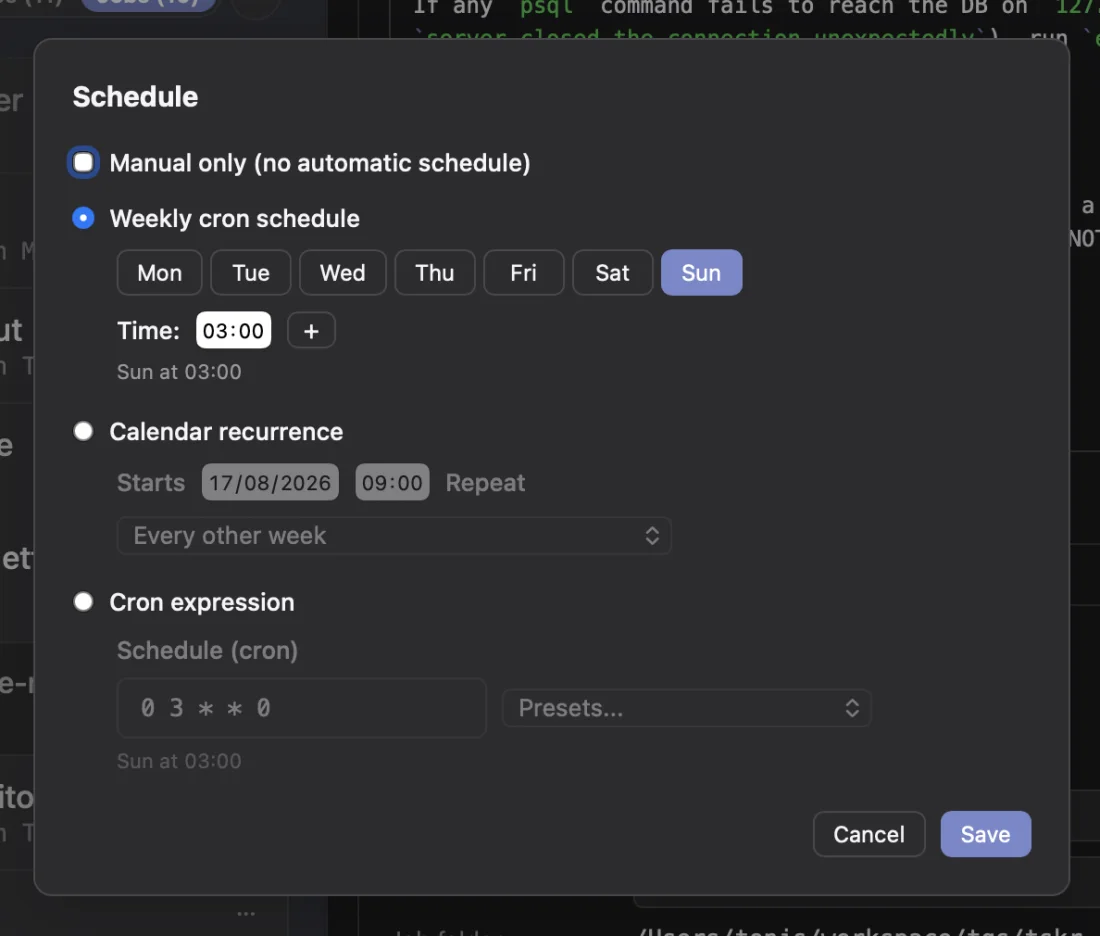
The new model is supported end to end: YAML serialization, validation, the native editor, relay messages, and Remote display all understand it. Cron remains available, so existing jobs do not need to change. See the scheduling guide for the broader local automation workflow.
The 0.5.9 schedule editor presents weekly cron, date-anchored calendar recurrence, and raw cron expressions in one place. Real product screenshot; weekly cron is selected while the every-other-week option remains visible for comparison.
tmux Became a Faster Control Surface
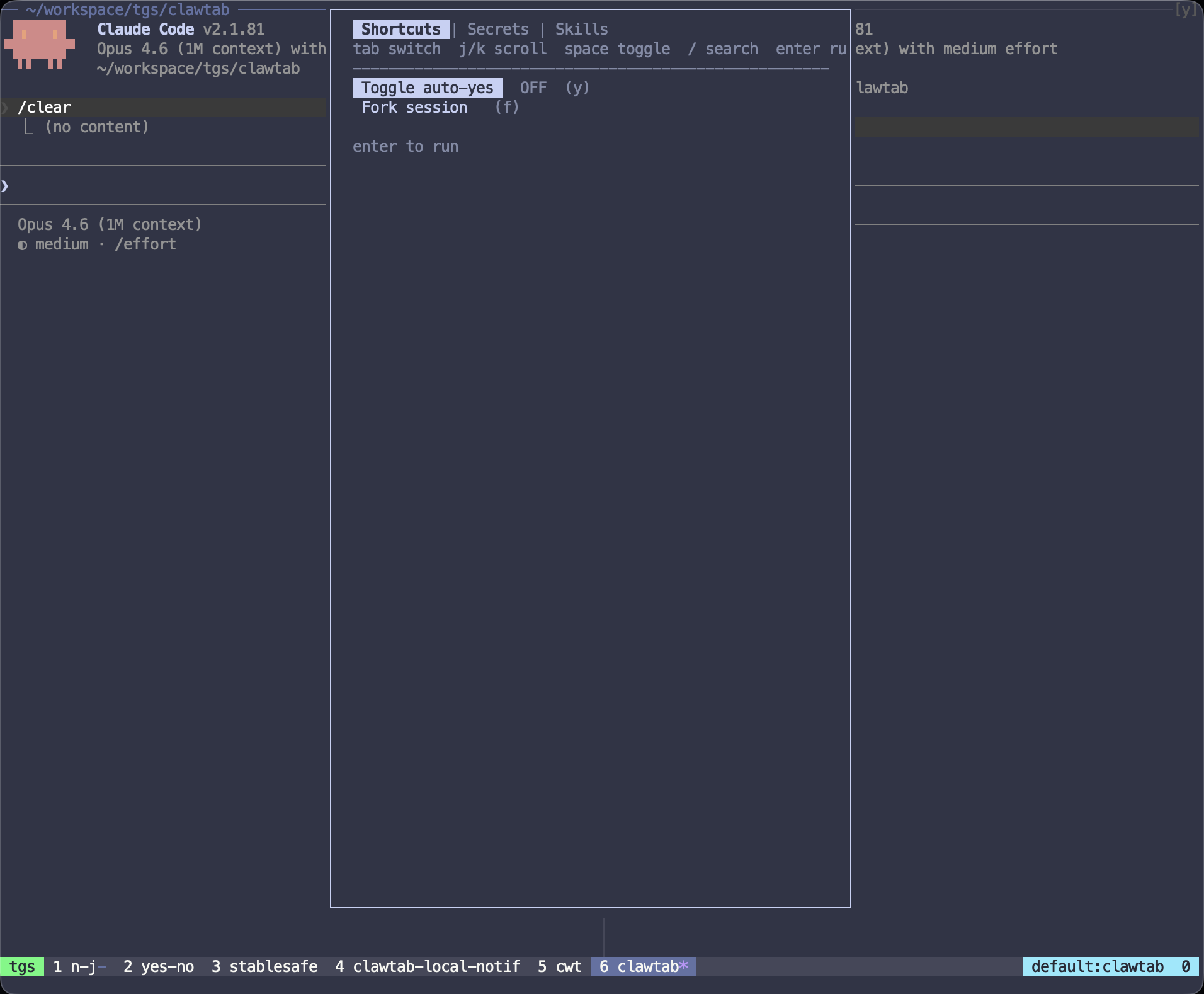
In 0.5.1, the ClawTab tmux menu moved into a floating pane. That gives the control surface a real terminal context and avoids depending on a separate desktop window. Later releases refined movement for single-pane windows and made window switching focus the pane that is actively asking for an answer.
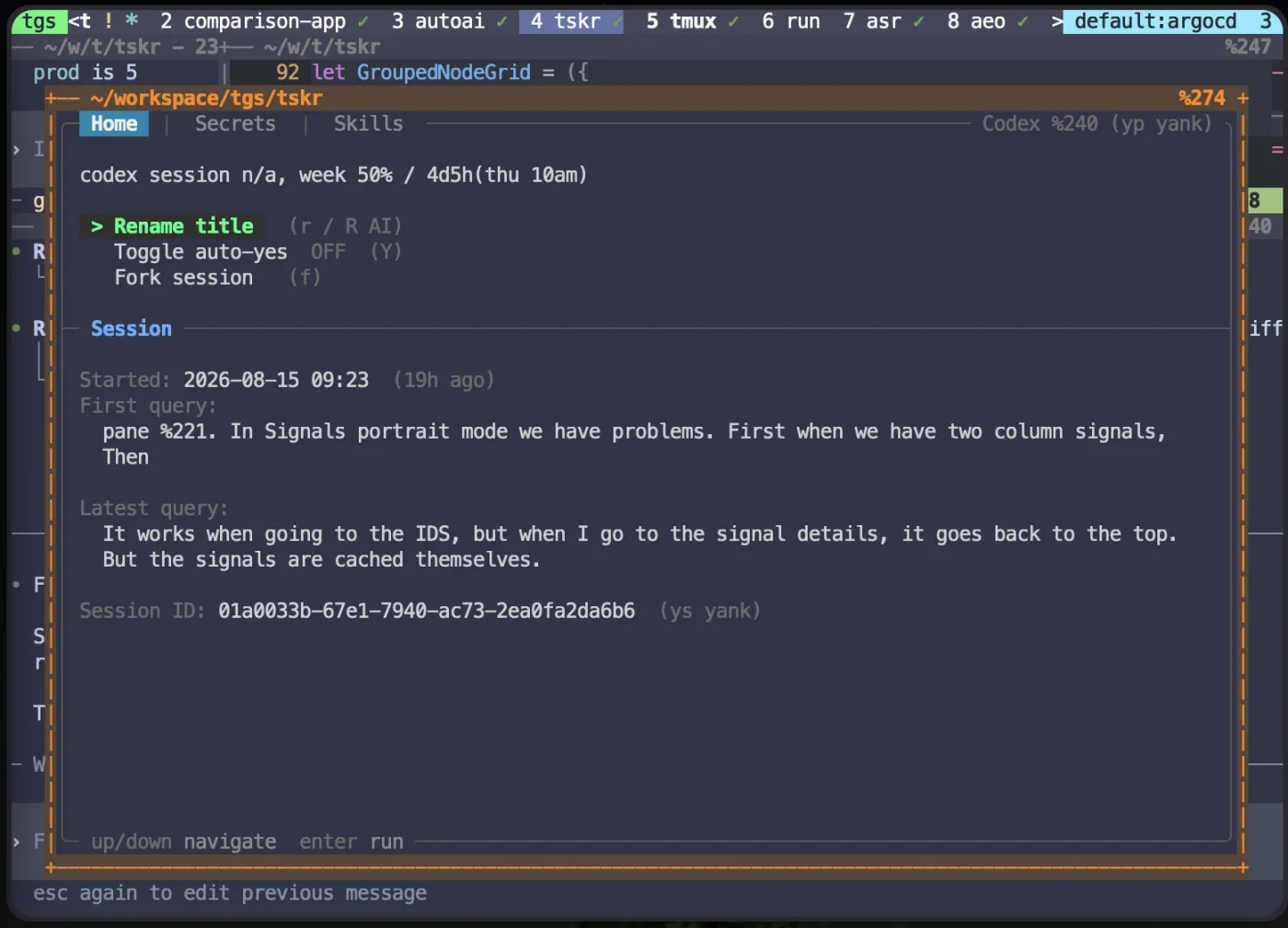
The popup brings session context and high-frequency actions together: rename the task, toggle auto-yes, fork the session, inspect the first and latest query, select secrets, and search skills. The 0.5.x work also added richer model and session summaries, agent attribution in cwt info, and bundled zsh completions for cwt.
The floating tmux pane keeps agent identity, first and latest queries, and actions beside the pane they control. Real 0.5.9 product screenshot; provider fields vary by session.
Job Context Is Clearer Before Launch
The desktop and shared job views received a substantial cleanup between 0.5.5 and 0.5.7. Agent and provider selection is more consistent, models appear in list items, notification settings are clearer, and job details expose more of the configuration without forcing an edit-first workflow.
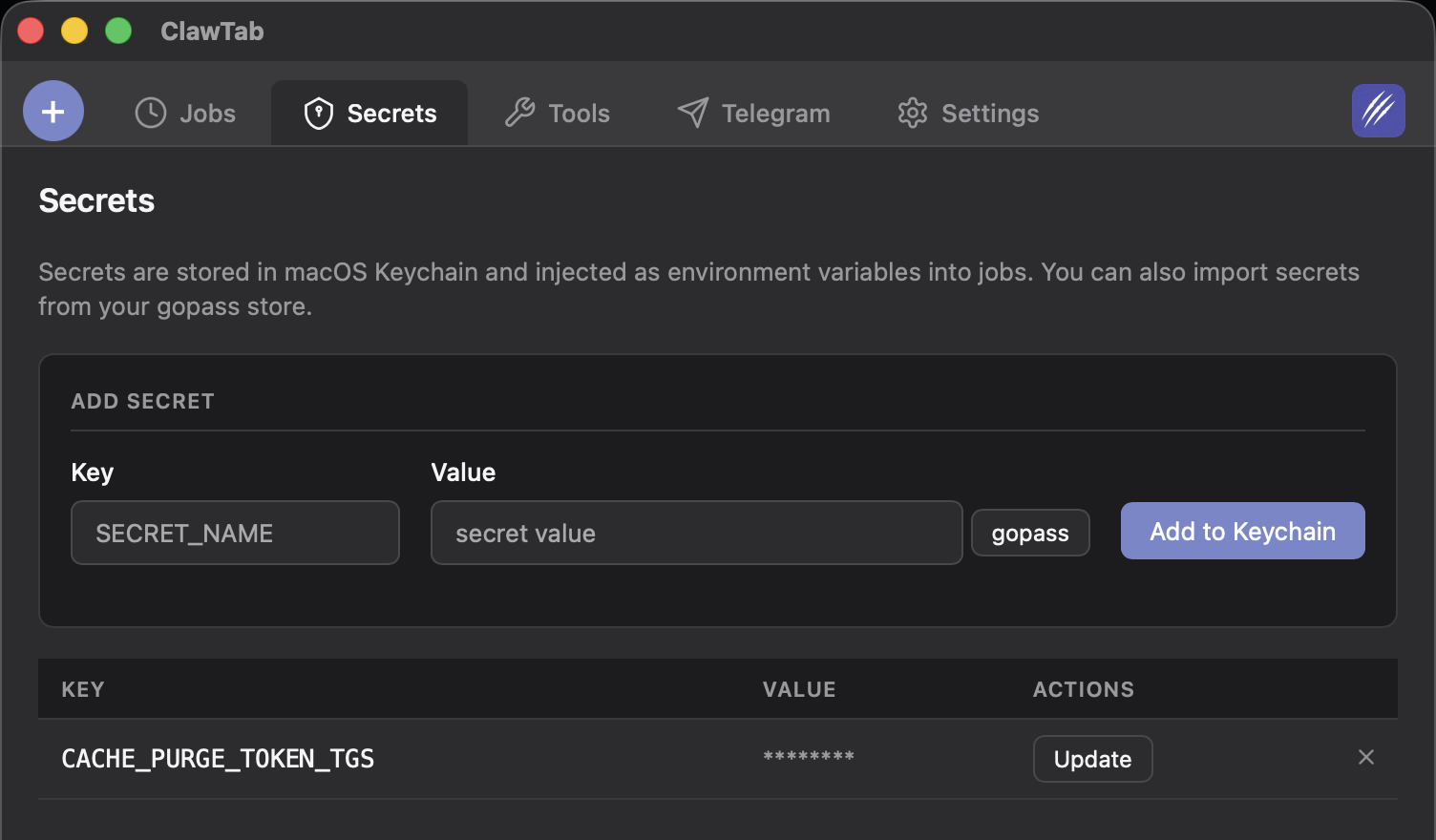
Secret handling also became less surprising. Explicit none notification targets are preserved instead of being replaced by defaults, secret selections are easier to edit, and ClawTab refreshes secrets immediately before launching a job. That last change matters for long-lived desktop sessions: a credential updated after the app opened can still reach the next scheduled run.
These changes build on the existing Keychain and gopass secret workflow. ClawTab passes selected values into the local process environment; it does not require placing credentials in the job prompt or YAML file.
How to Get ClawTab 0.5.9
If you installed ClawTab with Homebrew, run brew upgrade --cask tonisives/tap/clawtab. You can also download the notarized desktop build from the ClawTab 0.5.9 release page.
After updating, open the tmux popup once to confirm the plugin and cwt helpers are current. Existing cron jobs continue to work unchanged; choose a calendar interval only when a date-anchored weekly or every-other-week cadence better matches the task.
Frequently Asked Questions
ClawTab 0.5.9 completes the 0.5.x upgrade series: live Remote activity and a Latest agent view, calendar-based weekly recurrence, improved mobile and tmux controls, richer agent and model context, more reliable reconnects, and corrected macOS helper signing.
No. Cron remains supported. ClawTab 0.5.6 added local date-anchored weekly intervals, including every-other-week schedules, as an additional option for jobs whose cadence should start from a specific date.
Remote gained live activity updates, a Latest view for recent agents, pinned-group organization, pane-ID search, matching-group expansion, a mobile auto-yes menu toggle, better compact layouts, and stronger reconnect, PTY snapshot, and authentication recovery behavior.
The control menu moved into a floating pane, single-pane behavior improved, asking panes receive focus when switching windows, and agent model, session, attribution, and query context became easier to inspect through the popup and cwt.
Run brew upgrade --cask tonisives/tap/clawtab if you installed with Homebrew, or download ClawTab Desktop v0.5.9 from the project's GitHub releases page.