Two Weeks Rebuilding ClawTab Around a Daemon and tmux
How ClawTab made tmux the durable workspace for Claude Code, Codex, and OpenCode: a headless daemon, coherent PTY views, live agent state, useful pane titles, and control from terminal, phone, or GUI.
Introduction
For the last two weeks, we have been changing the center of gravity in ClawTab. The product started as a macOS interface that happened to run agents in tmux. The new direction is the reverse: tmux is the durable workspace, the daemon is the control plane, and every interface is a client.
Claude Code, Codex, OpenCode, and normal shells continue running when the GUI closes. You can enter through a tmux terminal, start or inspect work with cwtctl, answer from ClawTab Remote, and open the same pane in the GUI when a visual layout is useful. The process, scrollback, session identity, and current task still belong to one tmux pane.
This was roughly two weeks of focused engineering: 16 commits across the daemon, IPC layer, command-line client, and tmux plugin, with about 2,400 changed lines in those surfaces. The visible result is compact. The architectural result is much larger.
Why tmux Became the Source of Truth
The tmux project describes its core advantage plainly: programs run inside terminals managed by the tmux server, and clients can detach and later reattach from another terminal. That is exactly the durability an interactive coding agent needs.
An agent is not just a background subprocess. Its terminal contains permission prompts, full-screen UI state, partial input, scrollback, and provider-specific controls. Recreating a terminal view from logs is never quite the same as preserving the real terminal. ClawTab therefore treats the tmux pane ID as the stable identity shared by all surfaces.
Layer
Responsibility
Can it close?
tmux pane
Agent process, terminal state, scrollback, working directory
Terminal-native launch, attach, control, and inspection
Yes
Remote
Mobile and web terminal view, questions, input, job control
Yes
GUI
Visual splits, groups, mind map, settings, terminal views
Yes
A Daemon That Does Not Need the GUI
The ClawTab daemon is a standalone Rust process installed as a macOS LaunchAgent. Its job definition uses RunAtLoad and KeepAlive, following the same launchd model documented in Apple's launch daemon and agent guide.
It owns the parts of ClawTab that must not disappear with a window: cron scheduling, job execution, process discovery, question detection, per-pane auto-yes, Telegram polling, the Remote relay connection, and PTY subscriptions. It exposes a request socket for cwtctl and a separate event stream for clients that need live updates.
The GUI has its own small IPC socket for UI-only actions such as focusing a visual pane. This separation is intentional. A command such as cwtctl jobs run project/job talks to the daemon and can attach your terminal to the resulting pane. Opening the desktop application is optional.
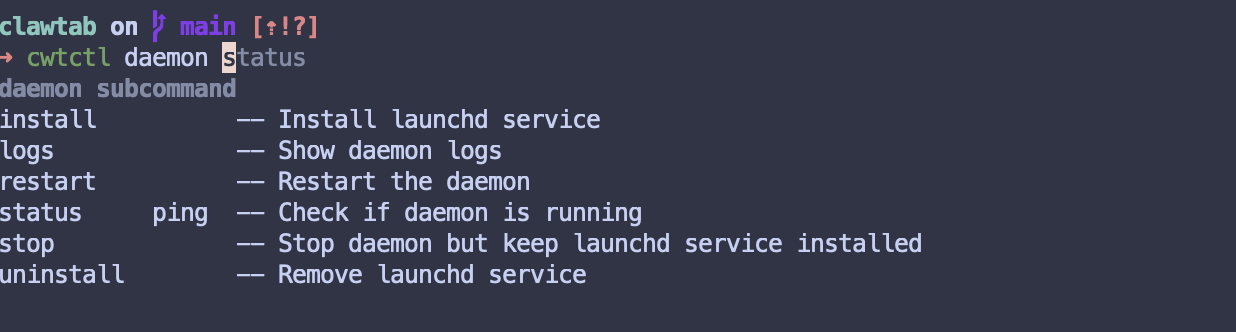
Daemon installation, health, logs, restart, and removal are available directly through cwtctl.
cwtctl Is the Terminal Front Door
The CLI now has explicit command groups for agents, the daemon, jobs, panes, secrets, and Telegram. It selects the correct local socket for each action: daemon-owned operations go to /tmp/clawtab.sock, while the few GUI-only pane focus actions go to /tmp/clawtab-desktop.sock.
Running an interactive agent job is deliberately terminal-native. cwtctl jobs run asks the daemon to start the job, waits for the pane ID to be published, and then either attaches to the owning tmux session or switches the current tmux client to it. Binary jobs stream their logs until completion.
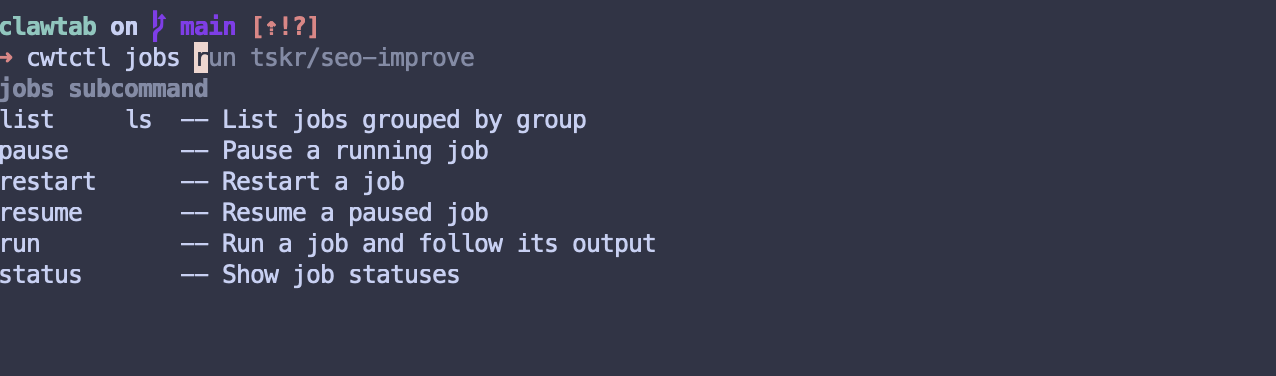
That makes cwtctl useful both as an everyday interface and as a composable automation surface. You can list grouped jobs, inspect status as JSON, pause or resume work, manage auto-yes, read agent session metadata, generate pane titles, and retrieve exact provider restore commands without launching a desktop window.
Job lifecycle controls are available in the same terminal where the resulting tmux pane opens.
Working and Asking State Now Lives in tmux
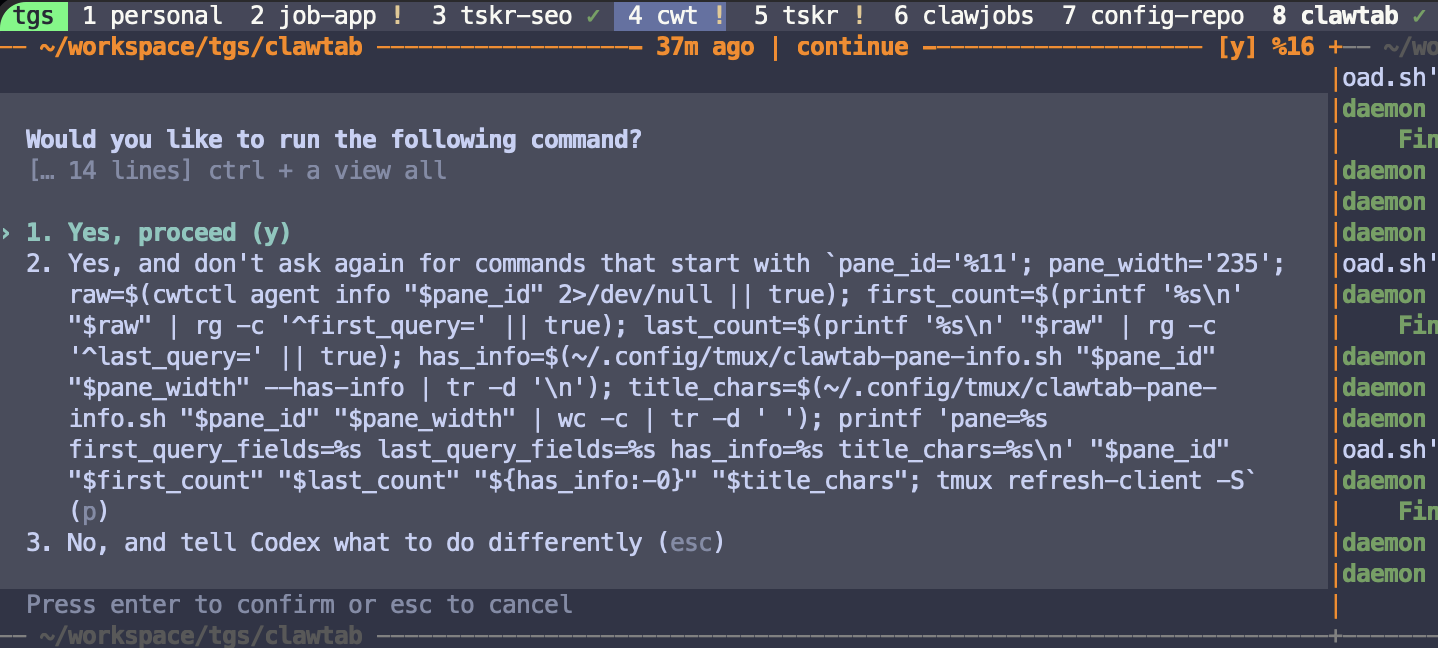
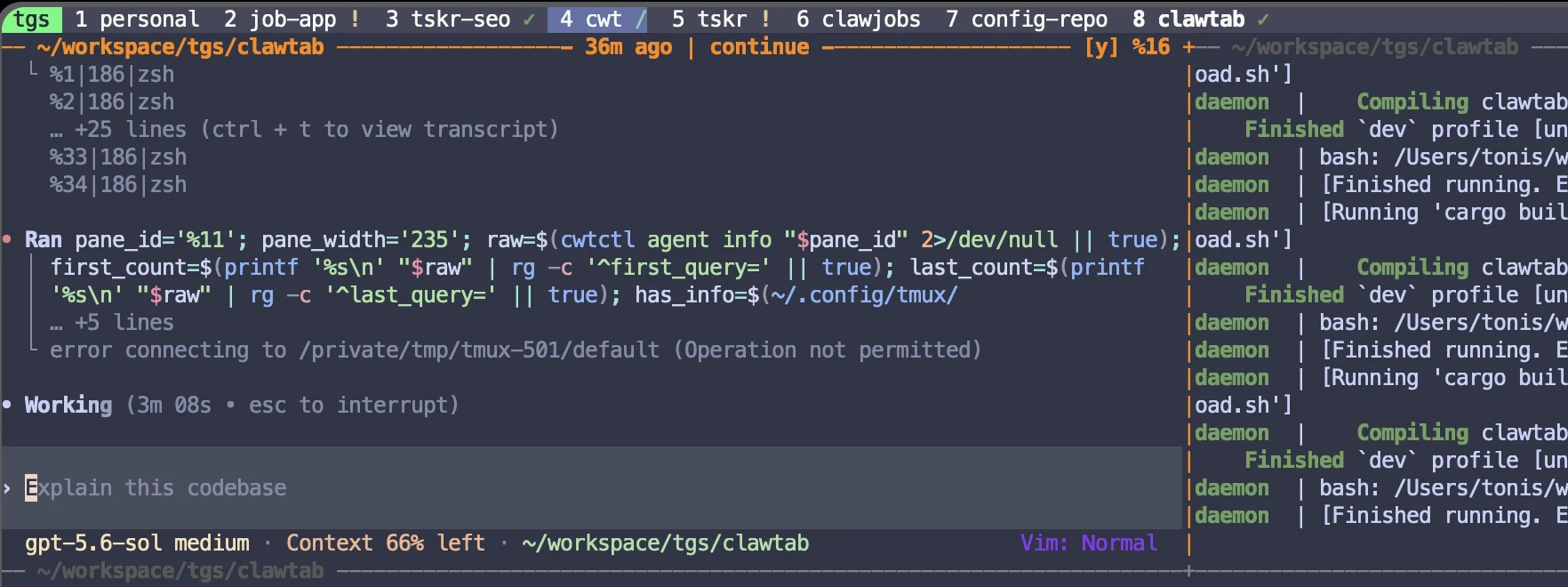
A terminal tab named zsh is not enough when eight agents are running. The daemon now turns agent activity into a compact local event stream. The tmux plugin listens to that stream and adds state to the existing status format without replacing the user's theme.
Asking gets a yellow attention marker. A permission prompt can be spotted before you enter the window.
Working gets a cyan activity marker while new meaningful terminal output is detected.
Present but idle gets a green check, so you can distinguish a quiet agent from an ordinary shell.
The activity detector ignores echoed input and layout-only reflow. It also recognizes color-only progress changes used by full-screen agent interfaces. Asking takes precedence over working because a blocked agent is the state that most needs a human. The separate tmux agent-status guide documents the exact marker meanings, provider signals, eight-second activity window, and the difference between idle and finished.
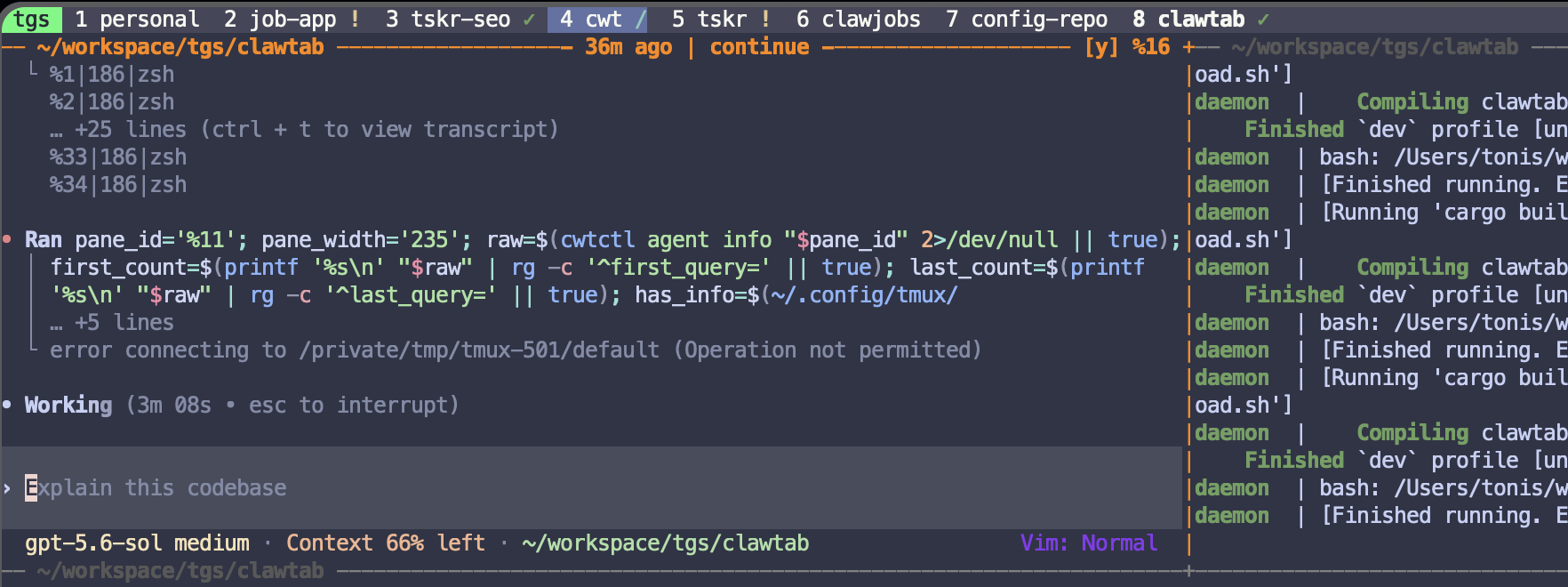
The status line surfaces active, waiting, and idle agent windows without opening each pane.
Questions Are Visible Before You Enter the Pane
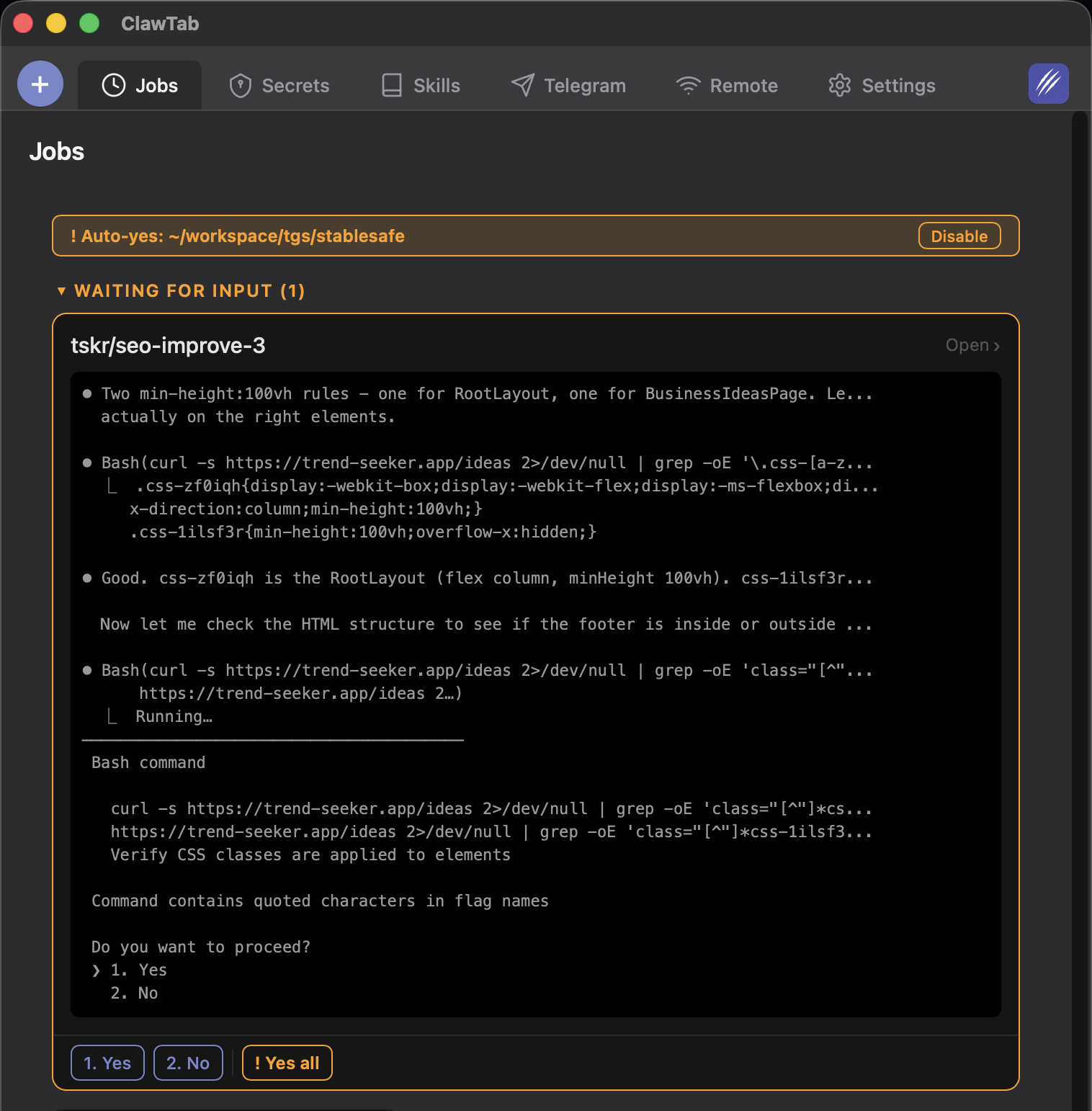
When an agent stops for permission, ClawTab already knows the pane ID, provider, detected choices, and whether auto-yes is active. That same state can become a push notification, a mobile action card, a Telegram reply target, or a marker in tmux.
This is a useful example of the new architecture: detection happens once in the daemon, then every client presents the same state in a form suited to its environment. tmux needs one character in the window list. Mobile needs large answer buttons. The GUI can show a full terminal and rich question card. None of them invents a second session.
The exclamation mark in the project list tells you an agent is waiting before you switch windows.
Pane Titles Carry the Task, Not Just the Shell Name
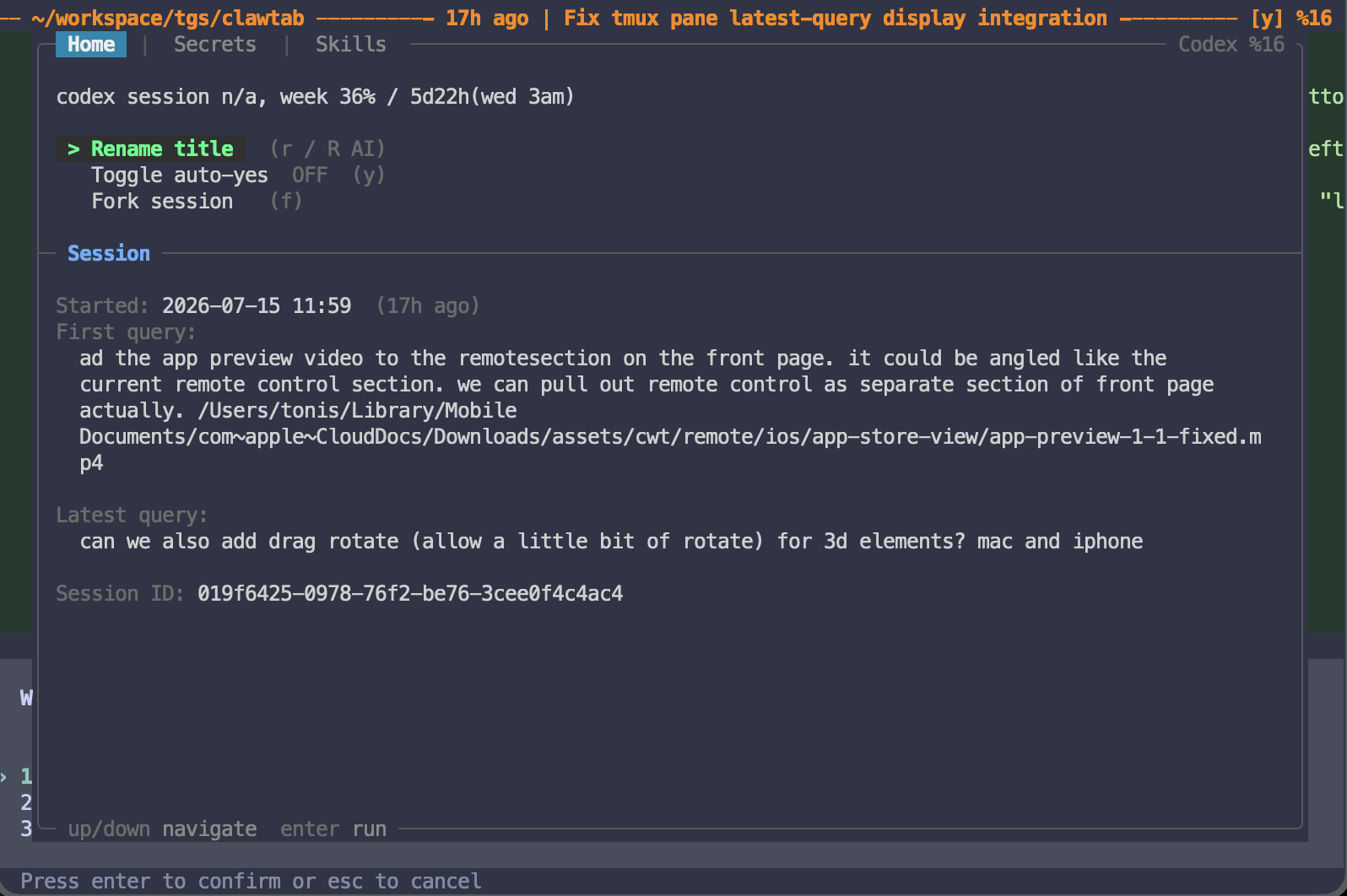
ClawTab now resolves provider session metadata for Claude Code, Codex, and OpenCode, including the first query, latest query, session ID, and start time. The plugin popup displays that context directly in tmux. A new AI rename action can compress the first and latest prompts into a concise pane title.
The title is stored as tmux pane metadata and as a ClawTab process override, so it stays consistent in the terminal and the GUI. When the agent exits and the pane returns to an ordinary shell, the listener clears the agent title rather than leaving stale context attached to a new process.
This changes how a large tmux session feels. Instead of windows named zsh, node, or codex, the status line can say what the agent is actually doing: fixing pane query display, reviewing a release, or continuing a migration.
A concise task summary in the pane title makes a busy multi-agent tmux session navigable.
One Pane, Independently Sized Views
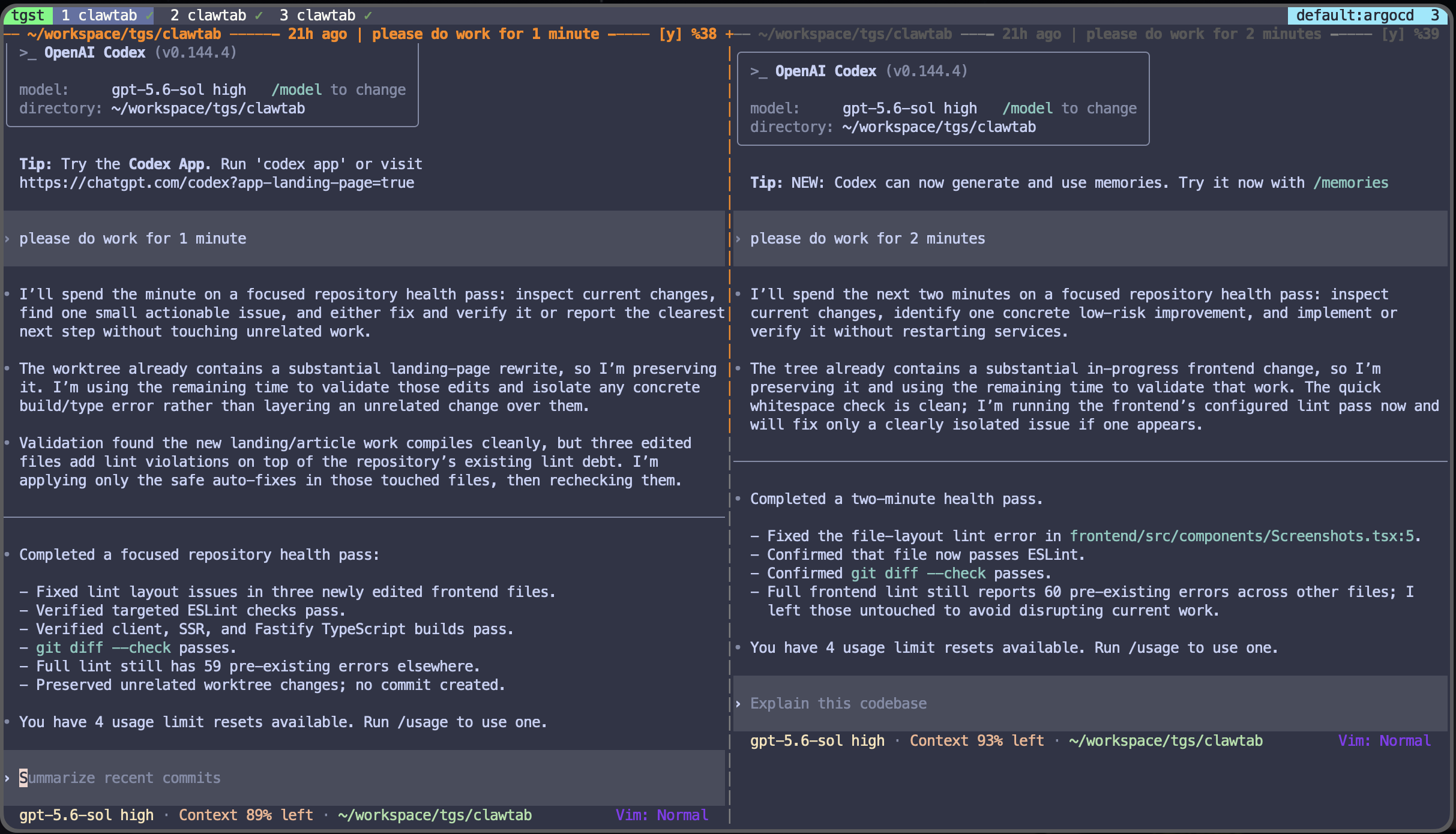
The hardest part was keeping terminal content coherent while different clients want different dimensions. A phone, a wide terminal, and a GUI split do not have the same rows and columns. Attaching every client directly to the same current tmux window would make them fight over selection and layout.
ClawTab uses tmux's own window and session primitives, documented in the tmux manual:
When a rich terminal view opens, ClawTab isolates the target pane into a dedicated ct-* window with break-pane.
It records the original session, window, index, and name in a tmux window option.
It creates an ephemeral grouped view session that shares the real window but has its own current-window selection.
A local PTY runs tmux attach-session against that view. Output is sent to xterm.js in the GUI or base64-encoded through the relay to Remote.
When the view changes size, ClawTab resizes the dedicated window and sends a fresh terminal snapshot.
When the pane is released, join-pane returns it to its recorded origin. If the old session or window disappeared, ClawTab recreates a safe destination.
The agent process never restarts during this movement. Its pane ID remains the anchor for input, auto-yes, questions, title, provider session metadata, and restore commands. A monotonic attachment generation also prevents a stale GUI unmount from destroying a newer viewer.
The tmux Popup Is Becoming the Primary Control Surface
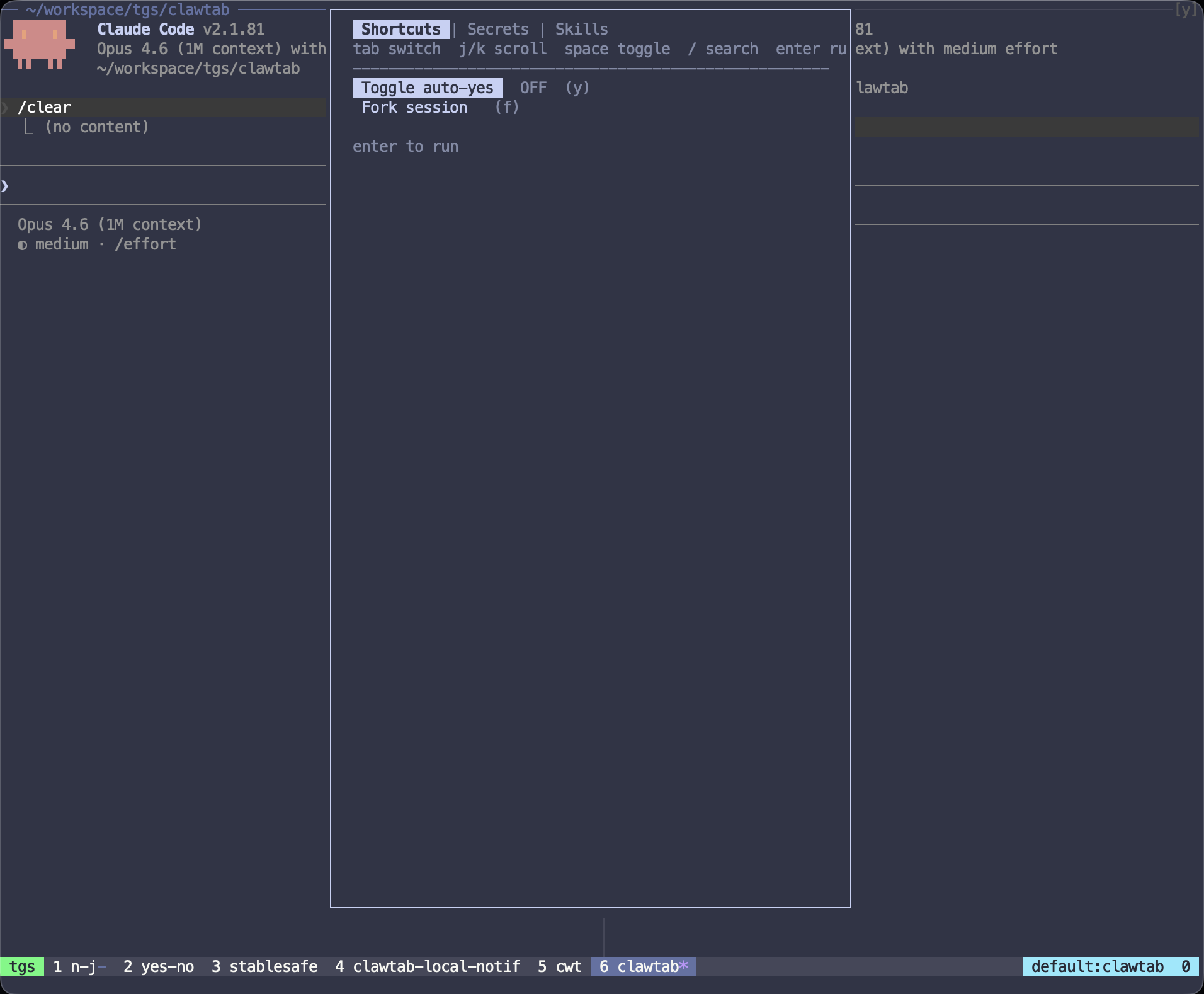
The ClawTab tmux plugin now opens a full in-terminal popup around the active pane. The Home tab shows provider usage, session age, first query, latest query, restore identity, and the controls used most often:
Generate or edit a pane title.
Toggle per-pane auto-yes.
Fork the current agent session.
Select Keychain or gopass secrets and inject them into the fork.
Search local skills and insert one or more commands into the agent prompt.
These actions call cwtctl where daemon-owned state is required, but stay inside tmux. The plugin degrades by capability: a missing GUI does not matter, and a feature that needs the daemon reports that dependency instead of pretending the state changed.
The popup combines session context and high-frequency controls without leaving the terminal.
Moving From Phone to Terminal to GUI
A practical workflow now looks like this:
Start a Codex job from cwtctl. The daemon creates the tmux pane and your current terminal attaches to it.
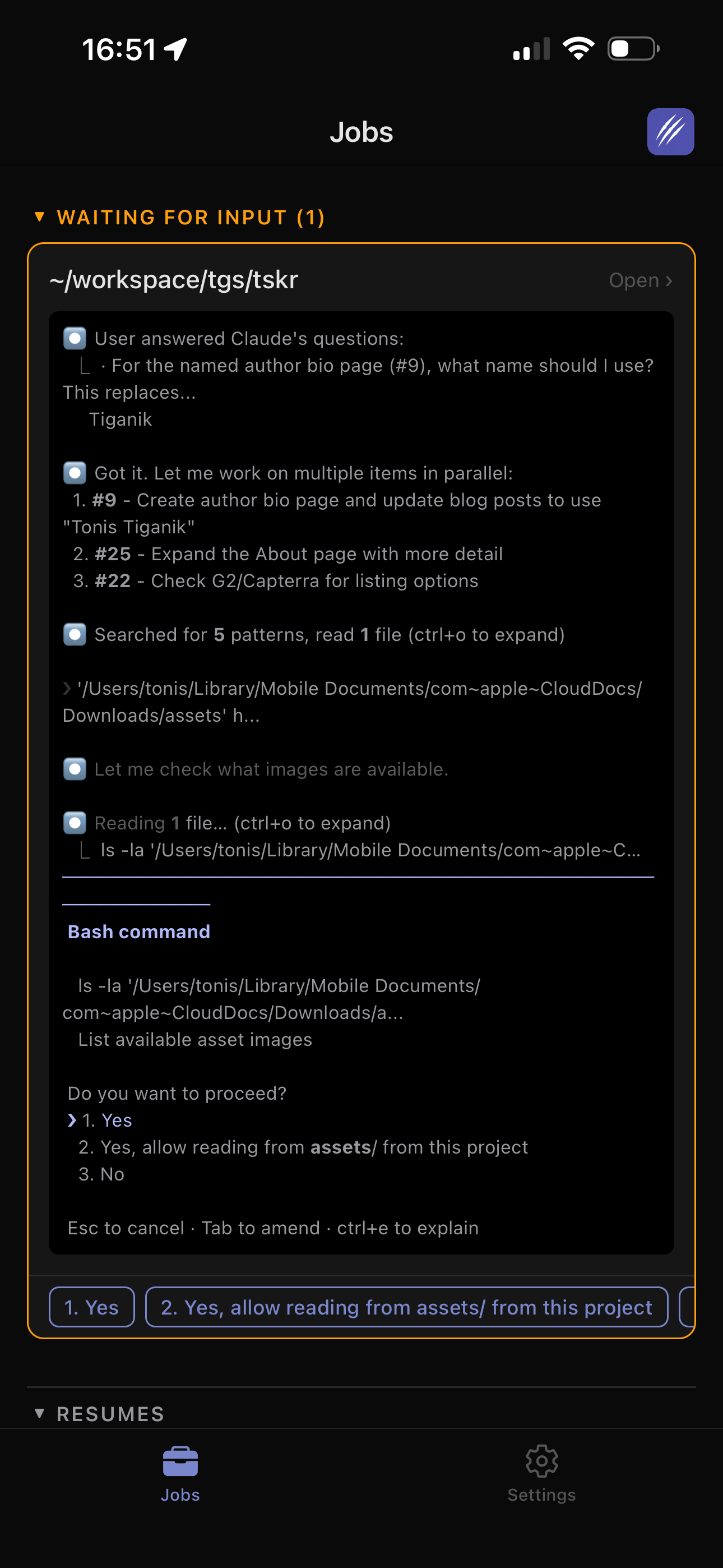
Leave your Mac. Remote subscribes to that pane's PTY through the daemon and shows the live full-screen terminal on your phone.
Answer a permission question from mobile. The response is sent to the same pane ID and Codex continues.
Return to your terminal. The tmux status line already shows whether the agent is working or waiting, and the pane title still describes the task.
Open the GUI only if you want visual splits or the Mind Map. ClawTab reuses the existing viewer when possible and sends a fresh snapshot, rather than launching another agent.
This is the new promise: the interface may change, but the terminal session does not.
Where the GUI Fits Now
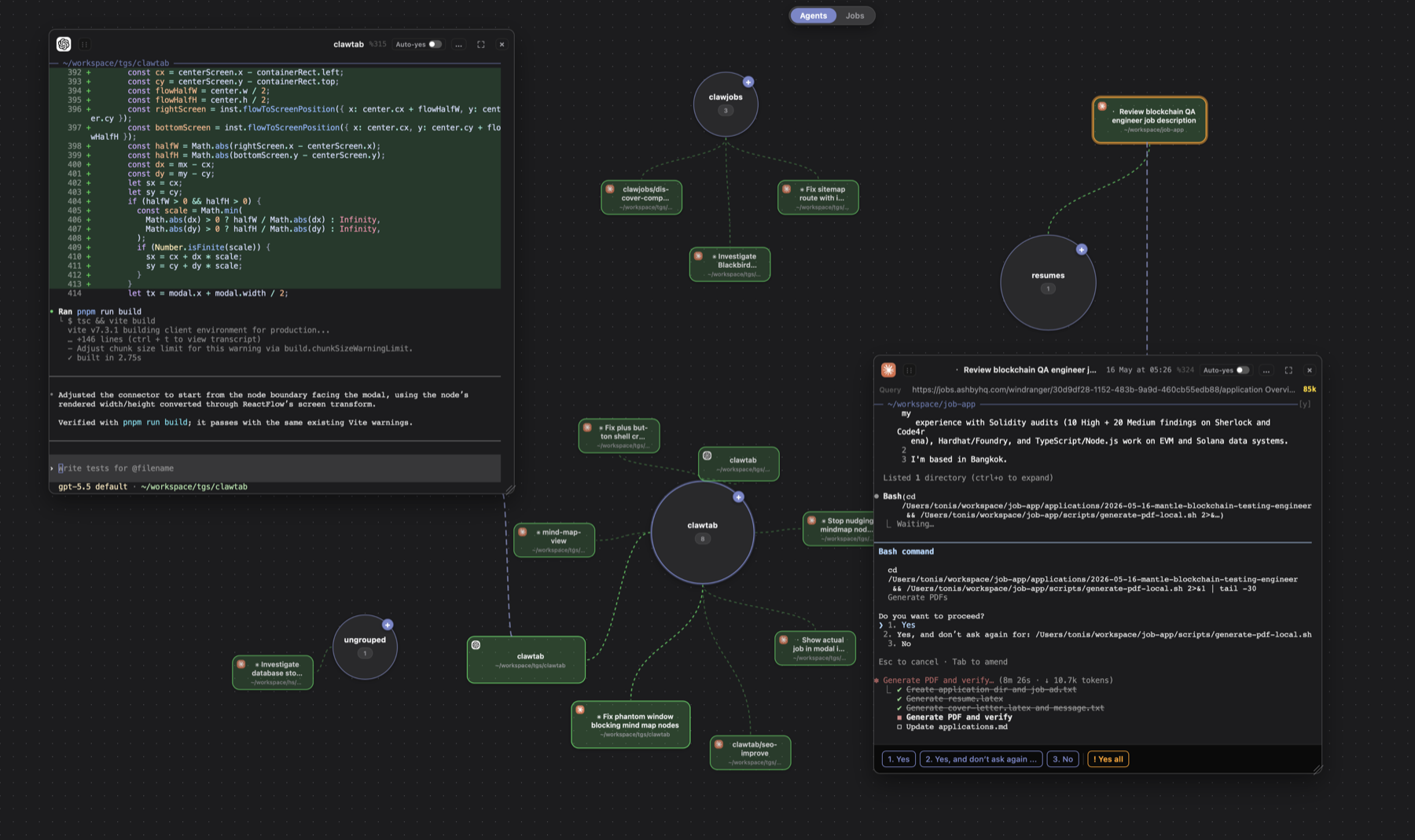
The GUI is not going away. It remains the best surface for visual workspace grouping, split layouts, the agent Mind Map, settings, history, and discovering features for the first time. What changed is its role.
ClawTab is no longer positioned as a desktop app that must stay open to make everything else work. The GUI is one client of a tmux-native system, alongside cwtctl, the plugin, Remote, Telegram, and the TUI. That makes the terminal workflow stronger without giving up the visual tools that are genuinely better in a window.
Next, we are continuing in this direction: clearer daemon installation, more terminal-native job controls, better pane movement and recovery, and tighter continuity between tmux, Remote, and the GUI.
Frequently Asked Questions
No. Claude Code, Codex, OpenCode, and shell processes run in tmux. The standalone ClawTab daemon owns scheduling, discovery, question detection, auto-yes, relay connections, and remote PTY streaming. The GUI is an optional client for visual splits, settings, history, and the Mind Map.
Yes. Every surface targets the same tmux pane ID. ClawTab can create an independently sized view for the GUI or Remote while preserving the underlying pane, process, scrollback, session metadata, and input path.
The daemon detects working, asking, and present-but-idle agent state and publishes it over a local event socket. The tmux plugin listens for changes and updates tmux window options, which are rendered as compact attention, activity, and ready markers in the existing status format.
It adds status indicators, per-pane auto-yes, session forking, secret injection, skill search, AI-assisted pane titles, provider usage, and first/latest query context. Most actions are available from a popup opened inside tmux.
cwtctl is the terminal client for the ClawTab daemon. It can list and run jobs, attach to agent panes, manage the daemon, inspect agent session information, toggle auto-yes, retrieve secrets, generate pane titles, and expose exact provider restore commands.
ClawTab isolates a viewed pane into a dedicated tmux window, records its origin, and attaches an ephemeral grouped view session through a local PTY. The view can resize independently, receive a fresh snapshot, and later return the pane to its original tmux window with join-pane.