ClawTab September Update: Agent Plugins, Model Controls, and Mobile Fixes
Since 0.5.9: local agent plugins, draft-aware Codex model switching, weekly usage pace, and fixes for mobile notifications and terminals.
Introduction
Since the August 16 update covering ClawTab 0.5.9, we have added local agent plugins, more reliable Codex model switching, and weekly usage pace indicators. Mobile has received a series of fixes for answering agent questions, reconnecting, and typing into terminals.
This roundup covers that work through September 10. Desktop releases have reached 0.5.13; mobile changes are described separately below. The focus is the everyday loop: check what an agent is doing, give it input, inspect its work, and continue from another screen.
What Changed Since 0.5.9
The table groups the changes by the part of a session they help with. It summarizes the public commit history, rather than treating each patch as a separate feature.
Area
Change
Where it helps
Agent actions
Optional executable plugins with parameters, progress, and cancellation
Repeat a session action from ClawTab or cwt
Codex models
Live model confirmation and protection for composer drafts
Change model and effort in an existing session
Usage
Weekly consumption compared with elapsed time in the usage window
See how quickly you are using the available allowance
Mobile attention
Full query previews and navigation to the next pending notification
Move through agents that need an answer
Mobile terminal
Reconnect, redraw, keyboard, paste, and punctuation fixes
Resume the terminal and send the text you intended
Local Plugins Turn Session Actions into Repeatable Commands
ClawTab now supports local executable agent plugins. A package contains a manifest and the scripts it runs. The manifest describes the supported provider, optional version constraints, parameters, and the ClawTab operations the action needs. ClawTab discovers packages when listing or starting actions, so installing or editing one does not require a daemon restart.
These are optional local packages. No plugin actions are installed by default. The repository includes a local.session-shortcuts example for Codex and Claude with plan/normal mode, compaction, conversation forking, and Claude model selection. Compaction, forking, and Claude model selection require an idle agent and an empty composer. Completion of the shortcut means the command was sent; the terminal still shows any follow-up dialog or ongoing compaction.
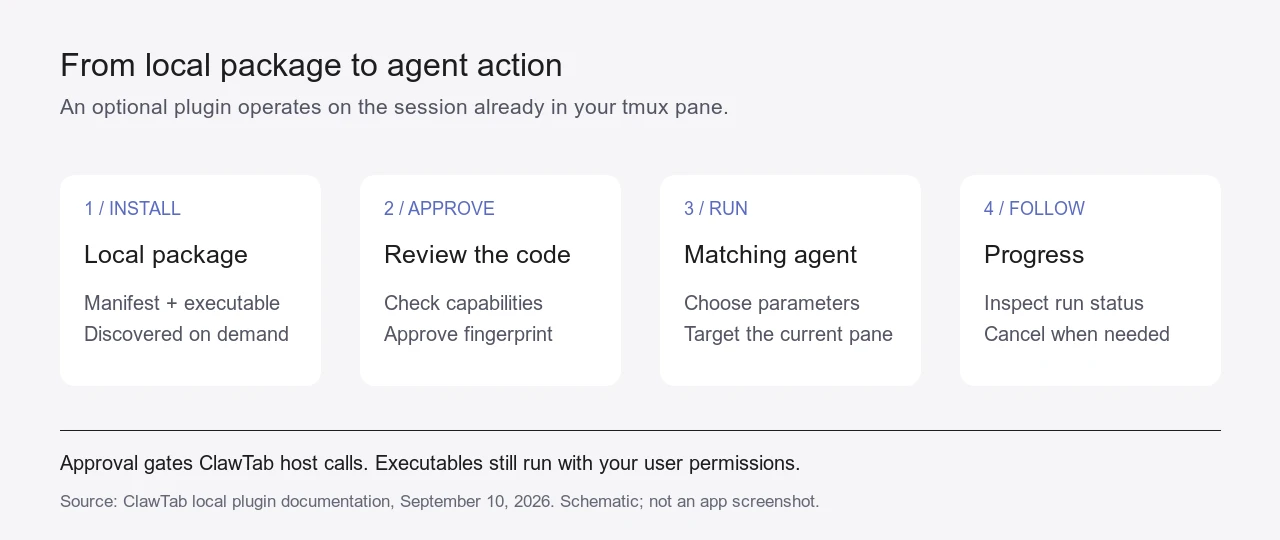
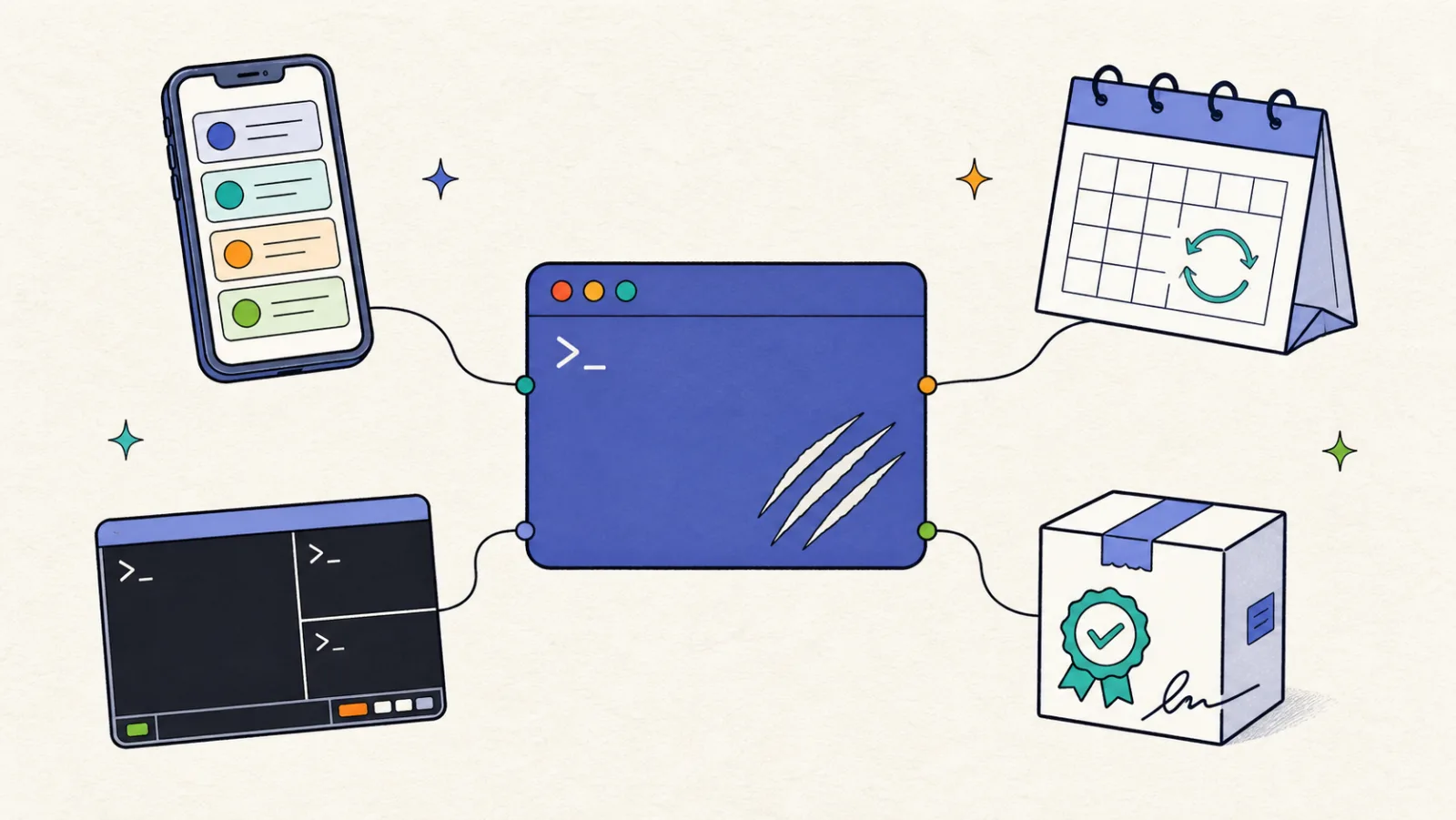
The diagram shows the path from a local package to an action on the current pane. You review and approve the package fingerprint first. Its declared capabilities control access to ClawTab's host operations, but the executable itself runs with your user permissions; this is not an operating-system sandbox.
Plugin lifecycle, drawn from the September 10 plugin documentation. Approval gates ClawTab host operations; local executables retain the user's operating-system permissions. This is a diagram, not a product screenshot.
The Same Plugin Actions Are Available from Mobile and the CLI
On mobile, the pane's menu opens Agent actions and pane details. It exposes the matching actions, provider-specific parameters, run progress, and cancellation. Native process screens and running-job screens use the same action list.
From a terminal, cwt plugin list lists actions for the current pane. Runs have IDs that you can inspect or cancel. Packages that do not match the current provider or version stay out of the action list, and matching packages need approval before they can run. See the local plugin documentation for installation, approval, and manifest examples.
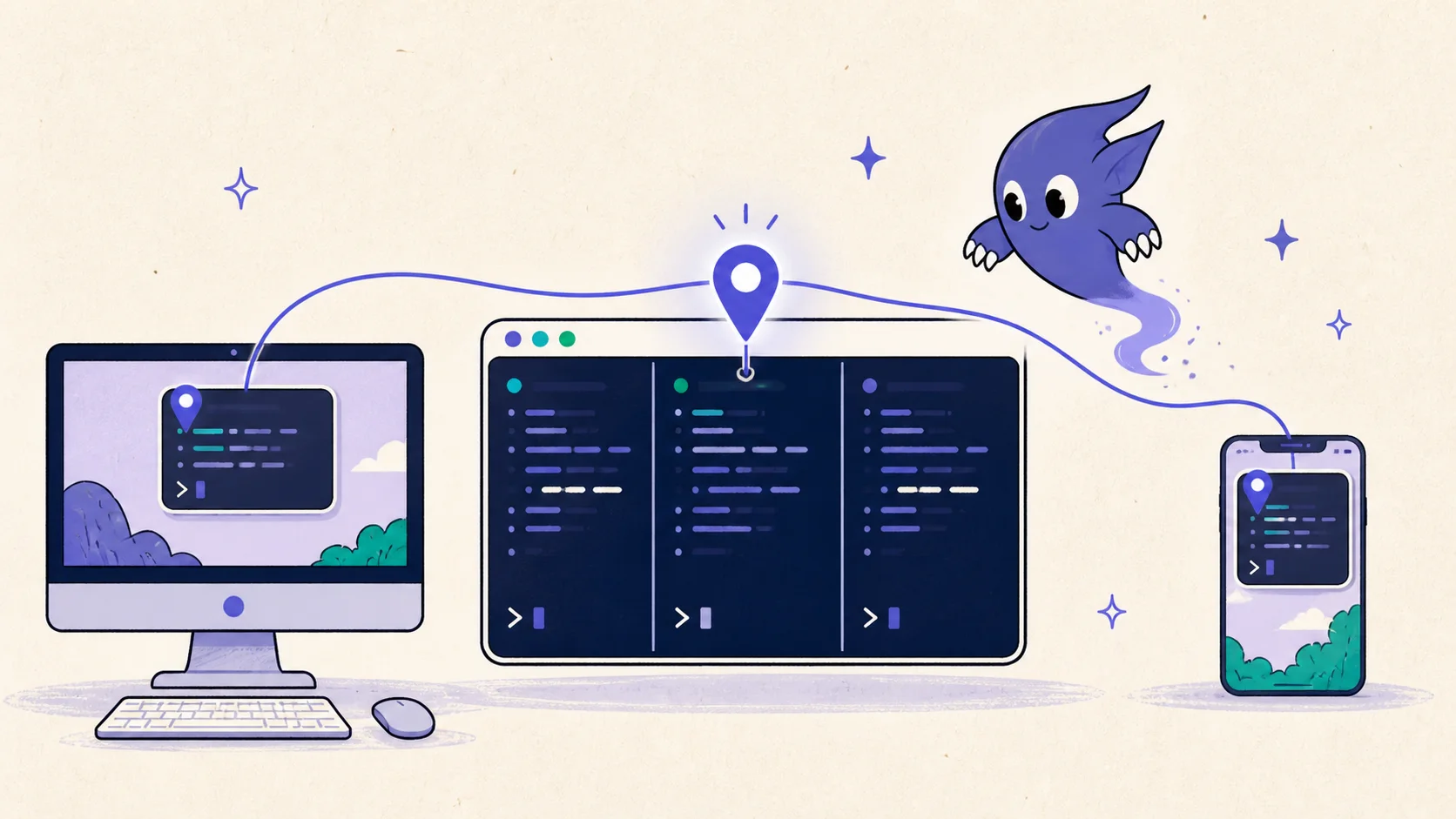
This extends the workflow in our cross-device session guide: the action targets the agent already running in its tmux pane. You can use a phone or a local command to operate that session.
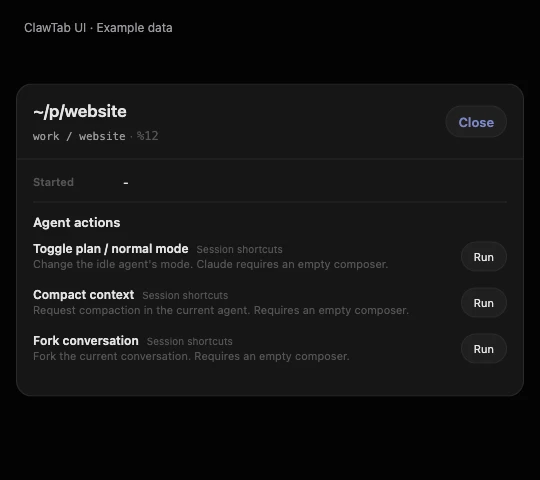
The screenshot shows the pane overview rendered with the example Session shortcuts package. Its three Codex actions appear together, with a Run button for each.
Actual ClawTab shared UI from the 0.5.13 release source, rendered in a browser with the repository's example plugin and sample pane data. The package is optional; this is not a live installed-plugin capture.
Codex Model Switching Checks the Live Session
A model picker closing does not necessarily mean the requested model is active. The recent Codex work checks the live terminal state, handles additional confirmation screens, and recognizes model footers even when they do not include context-usage text.
ClawTab also has a direct cwt codex set-model command for local shortcuts. It waits for the Codex terminal to confirm the selection and preserves the composer draft. Follow-up fixes cover switching during active turns, queued drafts, Vim-mode input, and restoring the original model after a plugin temporarily changes it. The implementation also removed unnecessary waits from the switching path.
Model selection is more consistent across the app. Enabled models and custom models are respected by the pickers, mobile refreshes desktop selections while connected, and explicitly disabling every model no longer silently restores the default list. These controls build on the model-switching shortcut workflow, with more of the confirmation handled by ClawTab.
Weekly Usage Has a Pace Reference
Usage views on desktop, mobile, and the tmux popup now compare weekly consumption with elapsed time in the usage window. When the provider supplies a reset timestamp, ClawTab uses it to position the week. The desktop view falls back to a calendar-week reference when that timestamp is unavailable.
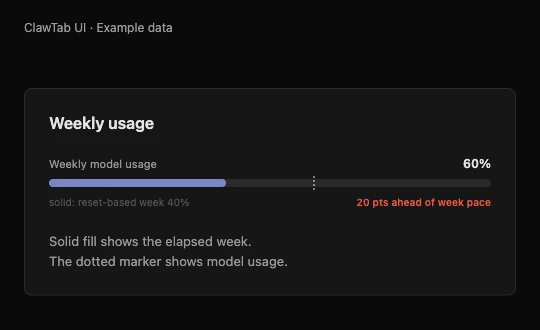
For example, 60% used with 40% of the week elapsed is 20 percentage points ahead of a steady pace. That is an illustrative calculation, not a measured account value. The indicator helps explain a percentage; it does not predict the cost of the next task or guarantee when a provider will limit requests.
The tmux popup also loads session and usage information with less startup work. It retains cached usage if cwt is temporarily unavailable, so a failed refresh does not immediately erase the previous reading. Cached values remain a previous snapshot.
The screenshot renders that example in ClawTab's usage component: the solid bar marks 40% of the week, while the dotted marker sits at 60% used.
Actual ClawTab usage component from the 0.5.13 release source, rendered with illustrative values. These percentages are not account measurements.
Mobile Makes It Easier to Work Through Pending Questions
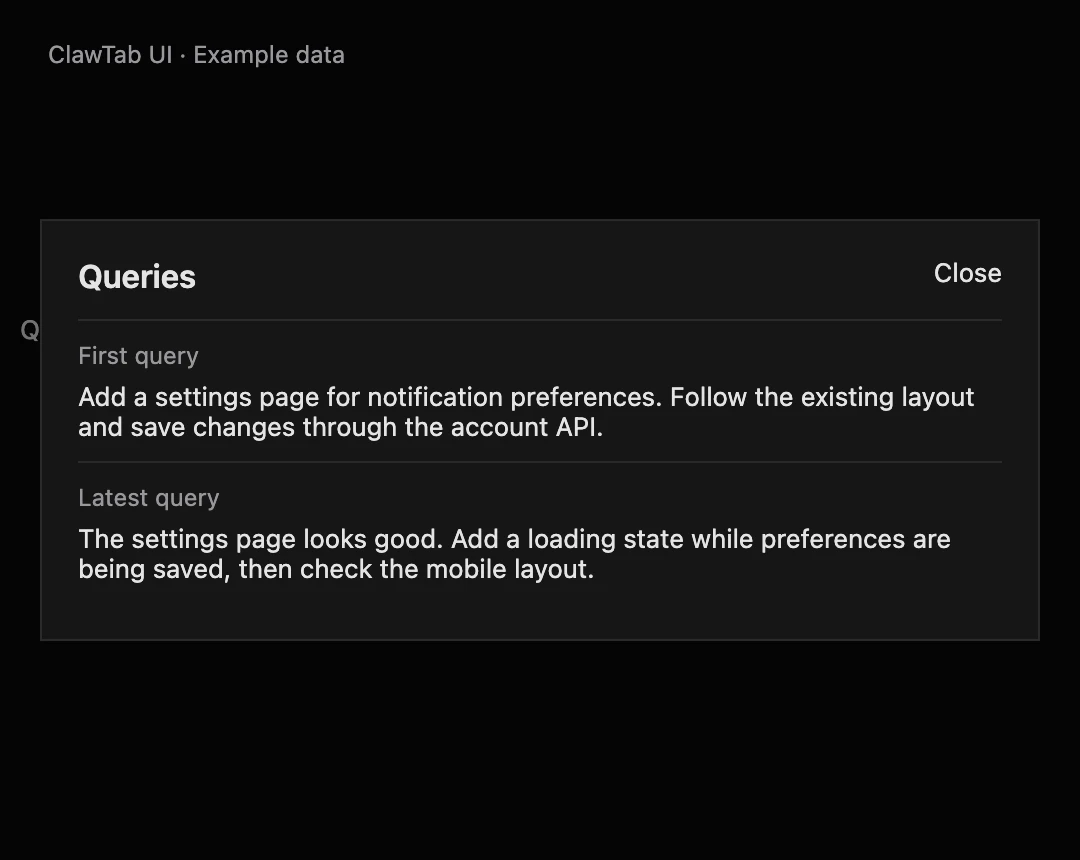
Query previews now lead to a combined Queries view with the full first and latest query text. This gives more context than a truncated list row, while keeping the detail screen compact. It is a summary of those two queries, not a complete conversation history.
A Next notification control lets you move from agent details to another pending question. After answering one agent, you can continue to the next without returning to the notification list each time. Other fixes address modal navigation, missing answer choices, and collapsed content in the iOS details view.
The underlying question state received attention too. Codex plan prompts are detected more reliably, resolved questions are cleared, and interrupted turns no longer leave the same stale activity state. Auto-yes state survives daemon reloads, and auto-yes panes suppress attention indicators and terminal bells for questions being handled automatically. See the auto-yes guide for how that policy works.
The screenshot shows the Queries dialog with an example initial request and follow-up. Both remain readable in the same view.
Actual ClawTab shared Queries component from the 0.5.13 release source, rendered in a browser with example prompts. Native presentation may differ.
Mobile Terminals Recover More Reliably
The terminal fixes cover several different failure points: stalled connection attempts, returning after a long background suspension, startup and redraw synchronization, and the space left around the keyboard. Transient authentication-refresh failures also preserve the login instead of immediately discarding it.
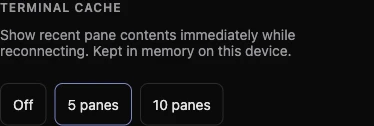
Mobile can keep a bounded in-memory cache of recent panes, with Off, 5, or 10 available in Settings and five as the default. The cache helps when returning to recent terminals. It clears on logout, device changes, and pane exits; it is not persistent terminal history.
Input now uses UTF-8 before transport encoding, native iOS paste uses the system paste control, and the iOS terminal uses an ASCII-capable keyboard with smart insertion disabled. That last change addresses a small but disruptive problem: smart quotes and dashes altering shell strings and flags even when autocorrection was already off.
The live Settings capture below shows the three cache choices, with five panes selected.
Cropped screenshot of the live ClawTab Remote web Settings on September 10, 2026. It shows the cache preference, not a reconnect test.
Updating and Source Notes
Desktop 0.5.13 is available from the release page. If you installed with Homebrew, use brew upgrade --cask tonisives/tap/clawtab. Update ClawTab Remote separately for the mobile changes. Local plugins still require installation and approval after updating the app.
This article was checked against the public revisions recorded by the website repository at the previous roundup and on September 10: the source comparison. The comparison contains other development work too; the sections above cover the session controls, usage indicators, and mobile fixes.
Frequently Asked Questions
The September update adds optional local executable agent plugins, draft-aware Codex model switching, weekly usage pace indicators, and improvements to mobile queries, notifications, terminal input, and connection recovery. Desktop releases have reached 0.5.13.
No. Plugins are optional local packages. Install a package, review it, and approve its fingerprint before running its actions. They execute with your user permissions and are not sandboxed by ClawTab.
Yes. The cwt codex set-model command changes model and effort in a target pane, waits for confirmation from the live Codex terminal, and preserves composer drafts. Recent fixes also cover active turns and model restoration.