Introduction
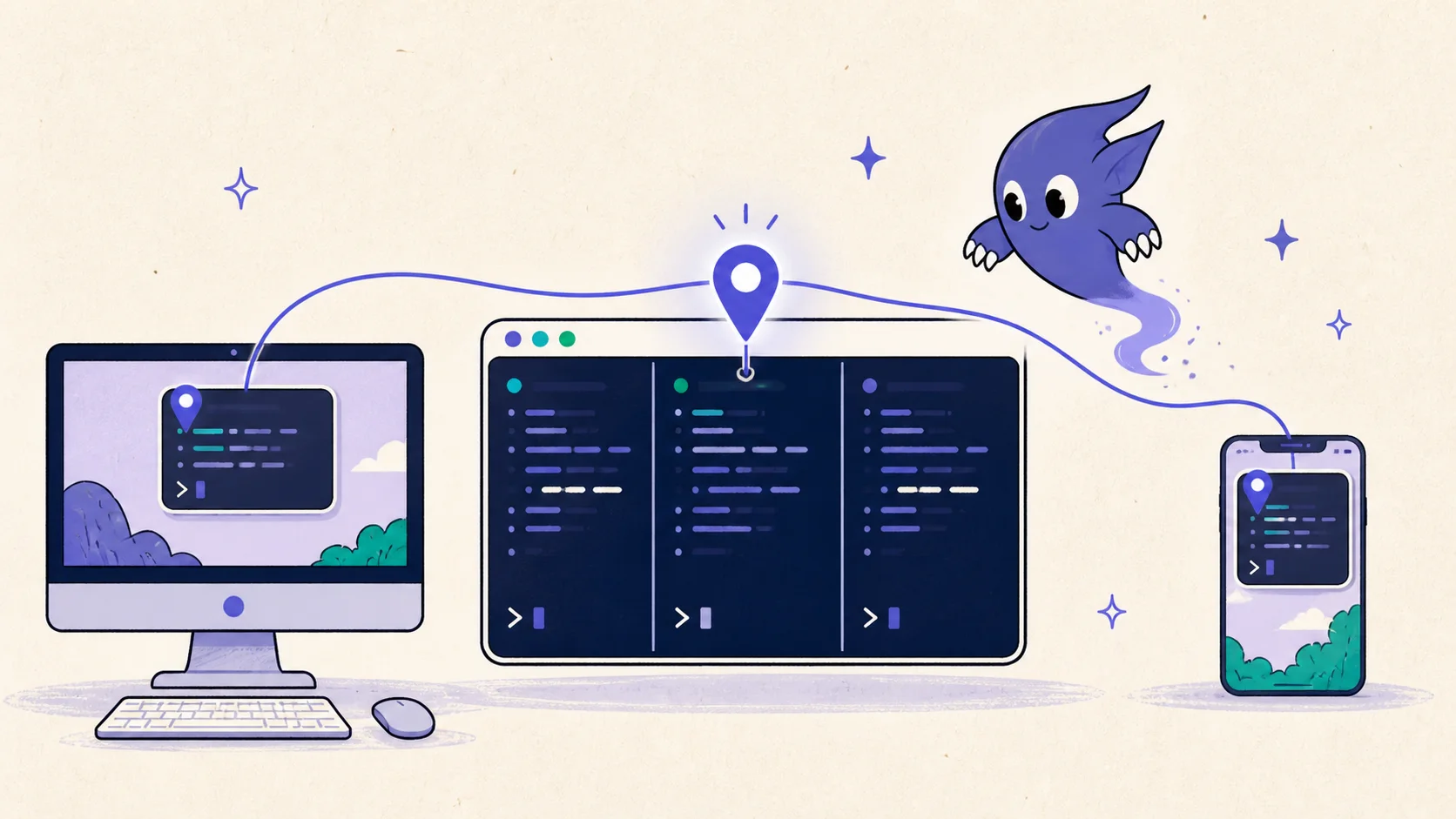
An AI coding agent should not become a different task when you move from a terminal to a desktop app or phone. The process, terminal history, working directory, and pending question already exist in one tmux pane. What changes is only the surface you use to reach it.
ClawTab now makes that continuity explicit with shared agent pins. Pin a Claude Code, Codex, OpenCode, or ordinary shell pane from cwtctl, the tmux popup, desktop, web, or mobile, and that item stays at the top everywhere you own the workspace. Scheduled and one-off job pins use the same shared list.
A pin is a priority marker, not a command to open a session. The agent stays where it is, keeps running locally, and remains available through every connected ClawTab client.
The Pane ID Is the Workflow Address
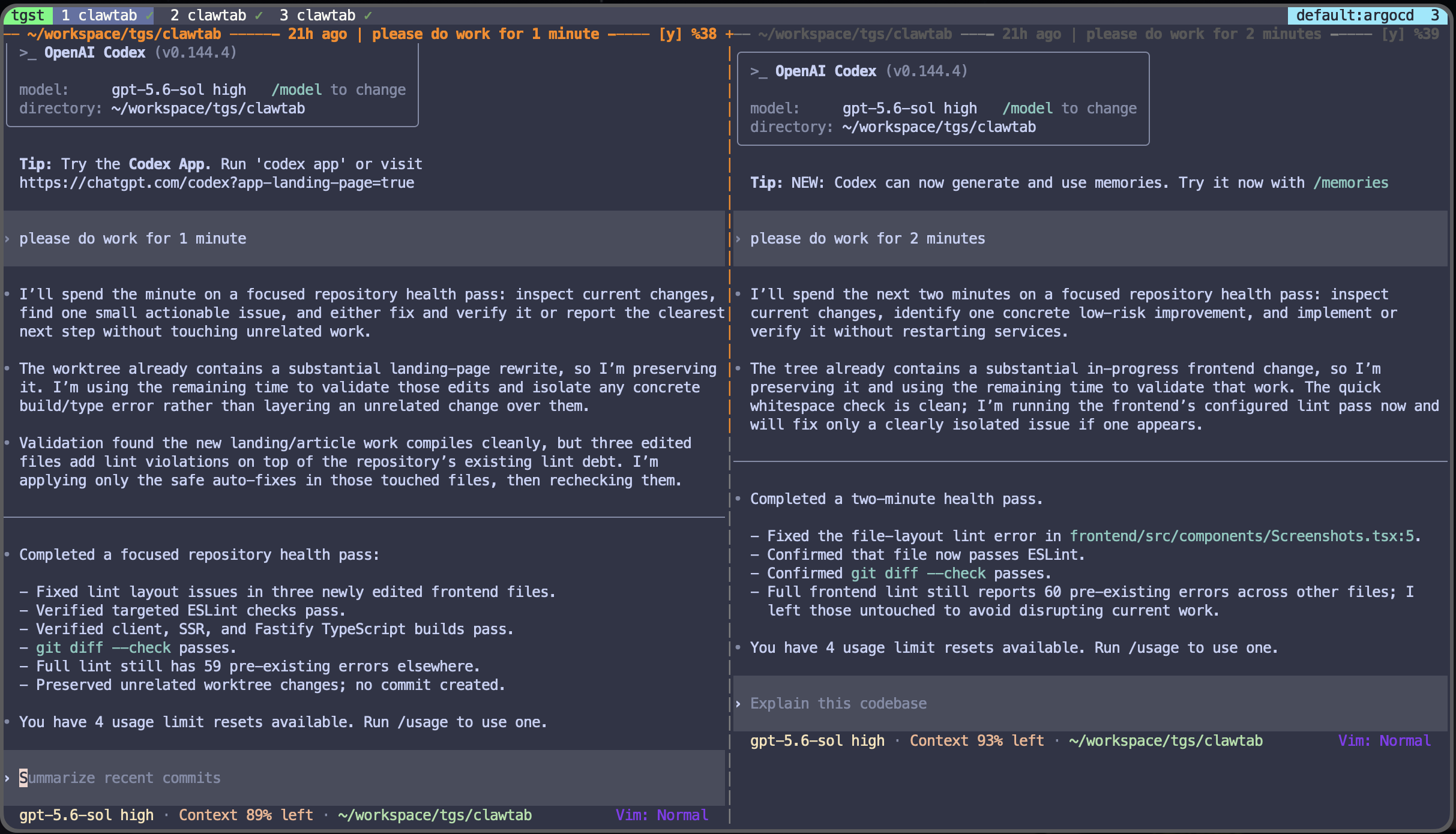
tmux gives each pane a compact identifier such as %17. Inside a pane, the same value is available as $TMUX_PANE. The official tmux manual documents pane IDs as unique identifiers for the lifetime of a tmux server, which makes them a better control-plane address than a window title or process name.
ClawTab displays the pane ID in its interfaces and uses it across the daemon, relay, desktop, browser, and mobile app. A local agent workflow described by a developer as agents running through tmux already has the persistence needed for remote continuation; the shared pin adds a consistent way to keep the important panes within reach.
| Identity | Example | Why it matters |
|---|---|---|
| tmux pane ID | %17 | Targets the exact live terminal containing the agent |
| Pin key | pane:%17 | Uses one canonical format across every client |
| Pane identity guard | server PID + pane PID | Prevents a recycled pane number from inheriting an old pin |
| Job pin | job identifier | Keeps scheduled and one-off jobs in the same ordered list |
Pin an Agent From cwtctl or tmux
From inside the agent pane, run cwtctl agent pin. With no argument, cwtctl reads $TMUX_PANE, so the current pane becomes the shared target. From another shell or a script, pass the ID explicitly with cwtctl agent pin %17.
| Command | Result |
|---|---|
cwtctl agent pin | Pin the current tmux pane |
cwtctl agent pin %17 | Pin a specific pane |
cwtctl agent unpin | Unpin the current pane |
cwtctl agent unpin %17 | Unpin a specific pane |
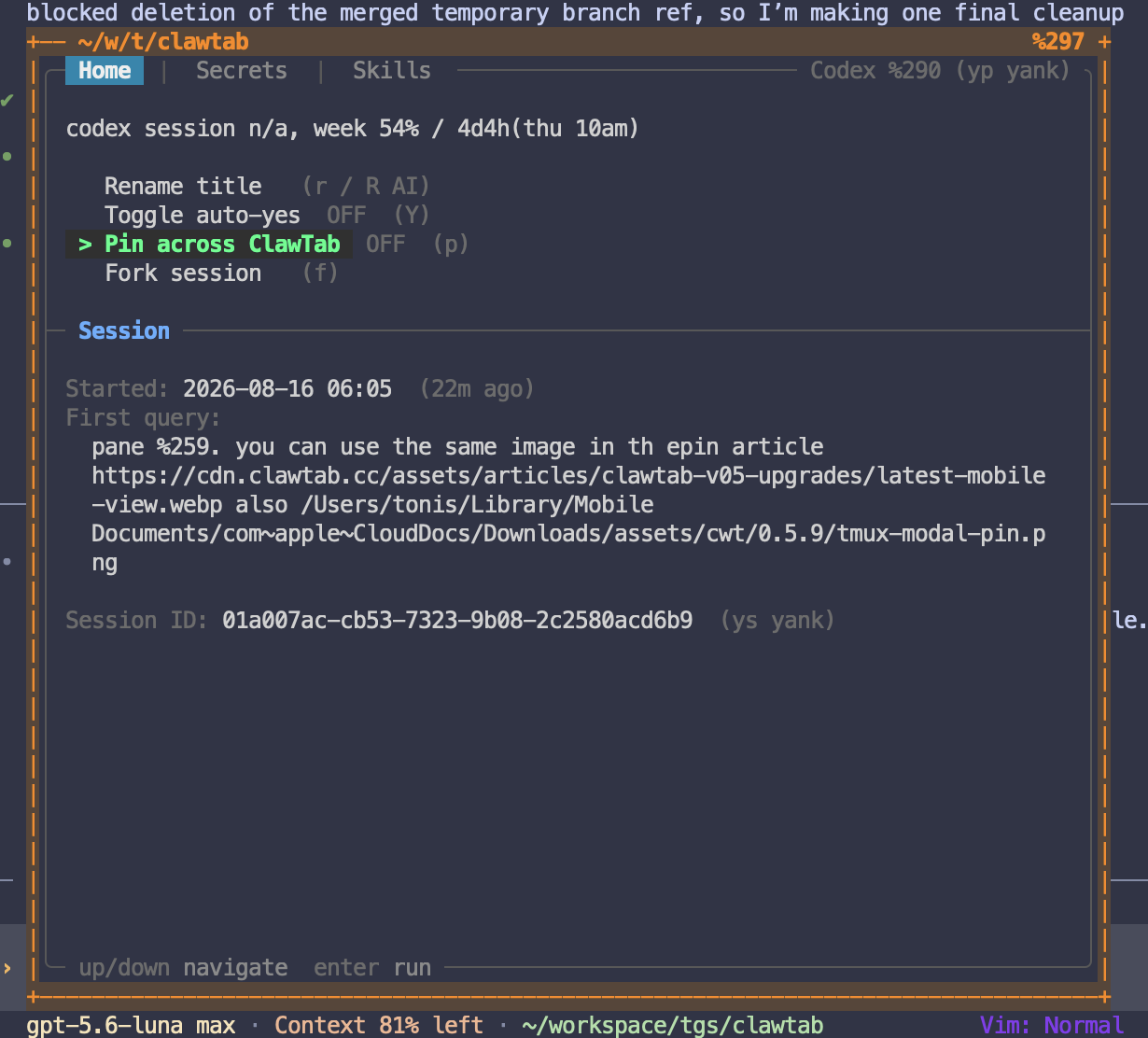
The ClawTab tmux popup exposes the same action as Pin across ClawTab, with p as its shortcut. Its on/off state comes from tmux pane metadata, while the actual mutation goes through cwtctl to the daemon. This keeps the terminal control immediate and the shared state authoritative.
The popup keeps that shared action beside the terminal it controls. The screenshot below shows Pin across ClawTab alongside rename, auto-yes, and fork controls, so pinning stays discoverable without leaving tmux.
If the pane has a generated or manually edited task name, renaming it from an owner surface now follows the same path. The new name appears in the other owner clients without creating a second agent or changing the pane ID.
One Pin Flows Through the Control Plane
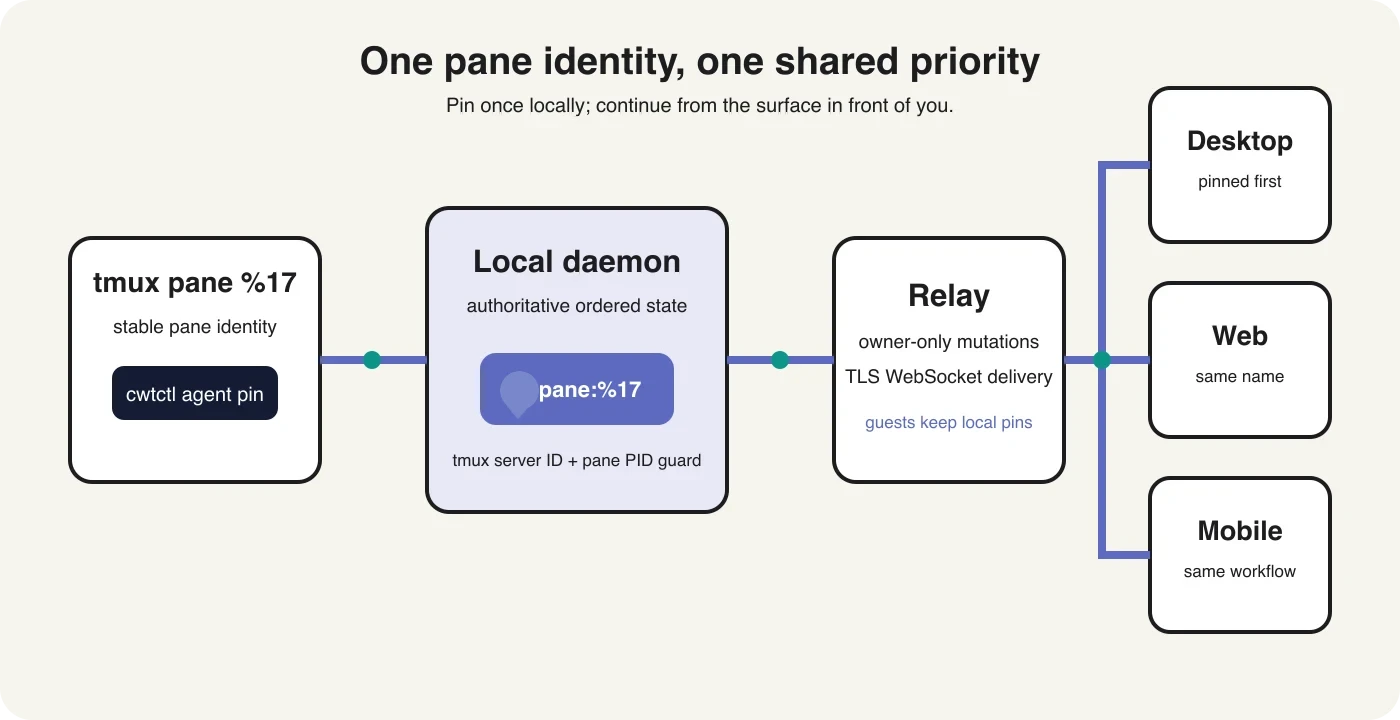
The shared list belongs to the local ClawTab daemon. Desktop and cwtctl talk to that daemon directly. Remote clients send the same mutation through the encrypted relay, which routes it back to the owner daemon. The daemon persists the ordered list, mirrors pane pin state into tmux, and publishes a fresh snapshot to connected owner clients.
The relay caches the latest owner snapshot so a phone or browser that connects later does not need to reconstruct priority from UI history. The result is deliberately simple: pin once, reconnect elsewhere, and see the same item at the top.
Continue the Same Agent on Mobile
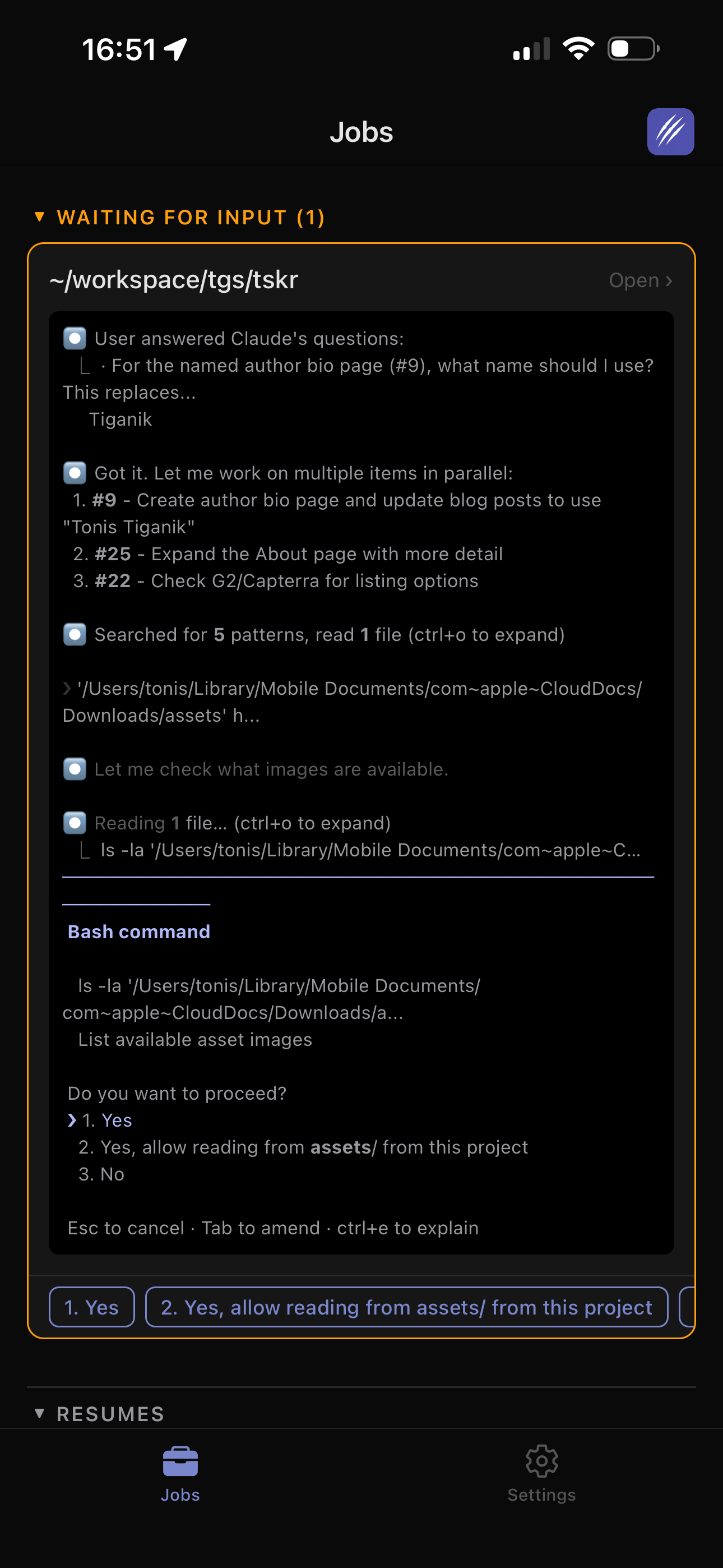
Suppose a Codex pane is reviewing a release and is likely to ask for approval. Before leaving your desk, pin it from the pane. Open ClawTab on your phone later and the same agent is already prioritized at the top of the list. Open it when you are ready, inspect the live terminal, answer the prompt, and let the local process continue.
- Start or enter the local agent in tmux.
- Run
cwtctl agent pin, presspin the tmux popup, or use the pin control in desktop. - Leave the terminal without stopping the process.
- Open ClawTab mobile or ClawTab Remote. The agent is at the top of your list.
- Open the pane only when you want its live terminal. Unpin it from any owner surface when the task is no longer urgent.
This builds on the broader mobile remote-control workflow: notifications tell you that an agent needs attention, while pins preserve the small working set you intend to revisit.
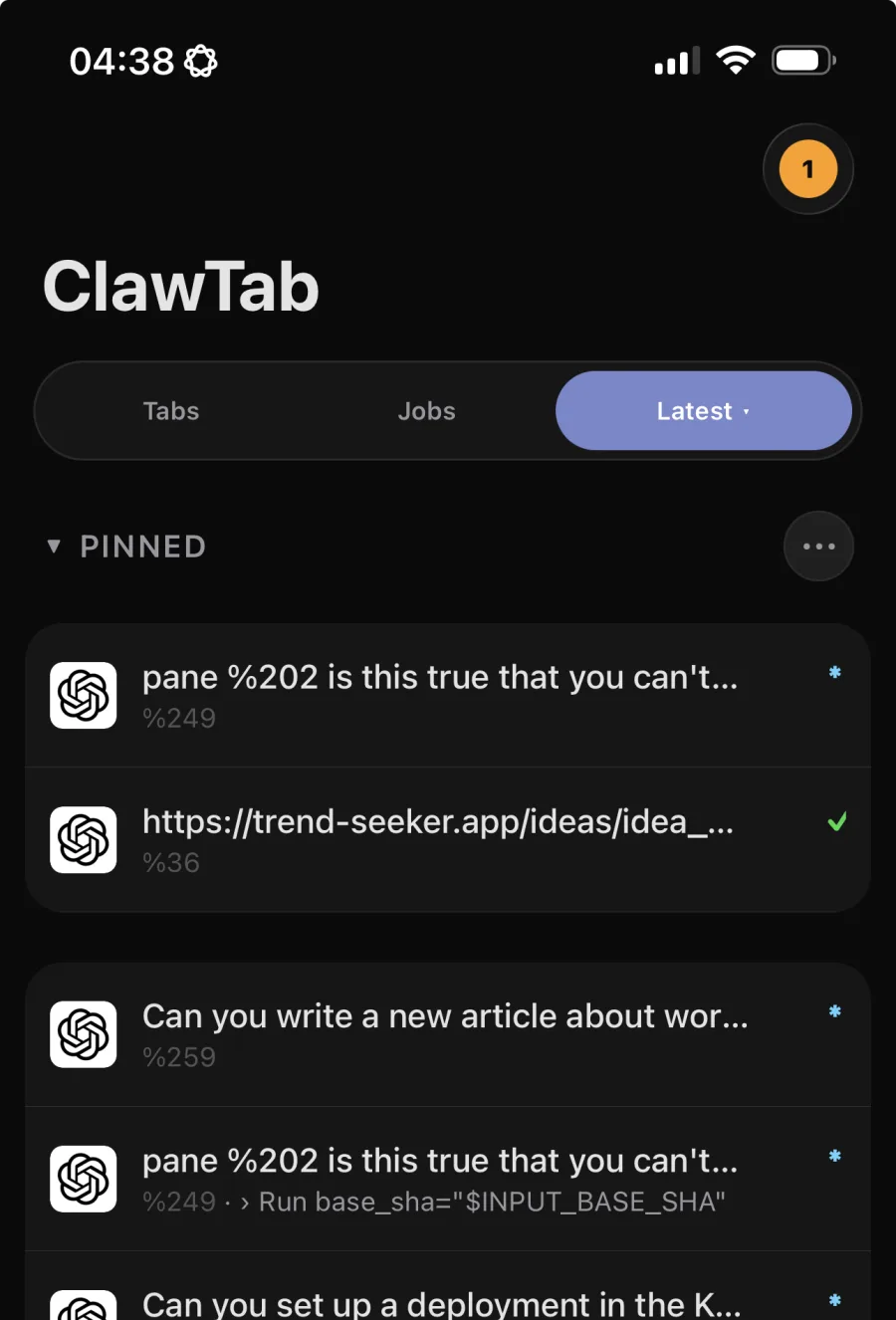
The 0.5.9 Latest view makes that priority visible after you switch surfaces. Pinned sessions stay above recent work while working, idle, and attention states remain visible in the same list.
Pins Synchronize; Sessions Stay Local
Shared pinning does not upload the repository or migrate the agent process to a phone. tmux remains the durable local workspace, as explained in why ClawTab uses tmux for agent management. Mobile and web are clients of the existing pane.
That separation avoids several surprising behaviors:
- No auto-open. Pinning changes list priority only. It does not attach a terminal or interrupt the current mobile view.
- No duplicate process. Every surface references the same pane ID and daemon-owned state.
- No stale inheritance. ClawTab records the tmux server and pane process identity. If tmux later reuses
%17for an unrelated shell, the old pin is pruned. - No lost legacy choices. Existing client-local pins merge into the shared list once when an owner client first receives shared state.
For the underlying design, see the daemon and tmux control-plane architecture. For recovery after a server or machine restart, use the separate agent session restore workflow.
Owner and Guest Behavior
Shared priority is workspace state, so only the workspace owner can mutate it. Owner desktop, web, mobile, tmux, and cwtctl surfaces receive and update the synchronized list.
Guests keep their own local pins. That lets each collaborator prioritize a different subset without rewriting the owner's workflow. Guests can see the shared pane names chosen by the owner, but those names are read-only from a guest session. Owner pin snapshots are not replayed into guest clients.
This is the same principle used by workspace sharing: collaboration exposes the running work needed for the session while preserving a clear boundary around owner-managed state.
A Small Control With a Larger Effect
Workflow continuation is often framed as session transport. For local coding agents, the stronger primitive is stable identity: one durable tmux pane, one control plane, and several temporary views. Shared pins make that model visible in daily use.
The terminal remains the fastest place to start and steer work. Desktop remains useful for visual layouts and broader management. Web and mobile are there when you leave the desk. A pinned agent ties those surfaces together without pretending the process lives in all of them.