ClawTab v0.3: Split Panes, Multi-Agent Support, and Claude Code + Codex + OpenCode
ClawTab v0.3 adds split pane terminals, side-by-side agent views, native support for Codex and OpenCode alongside Claude Code, drag-and-drop pane management, and built-in forking and secrets injection.
What's new in v0.3
ClawTab v0.3 is a significant update focused on two things: running multiple agents from different providers side by side, and giving you more control over each agent session without leaving the ClawTab interface.
Here's everything that changed:
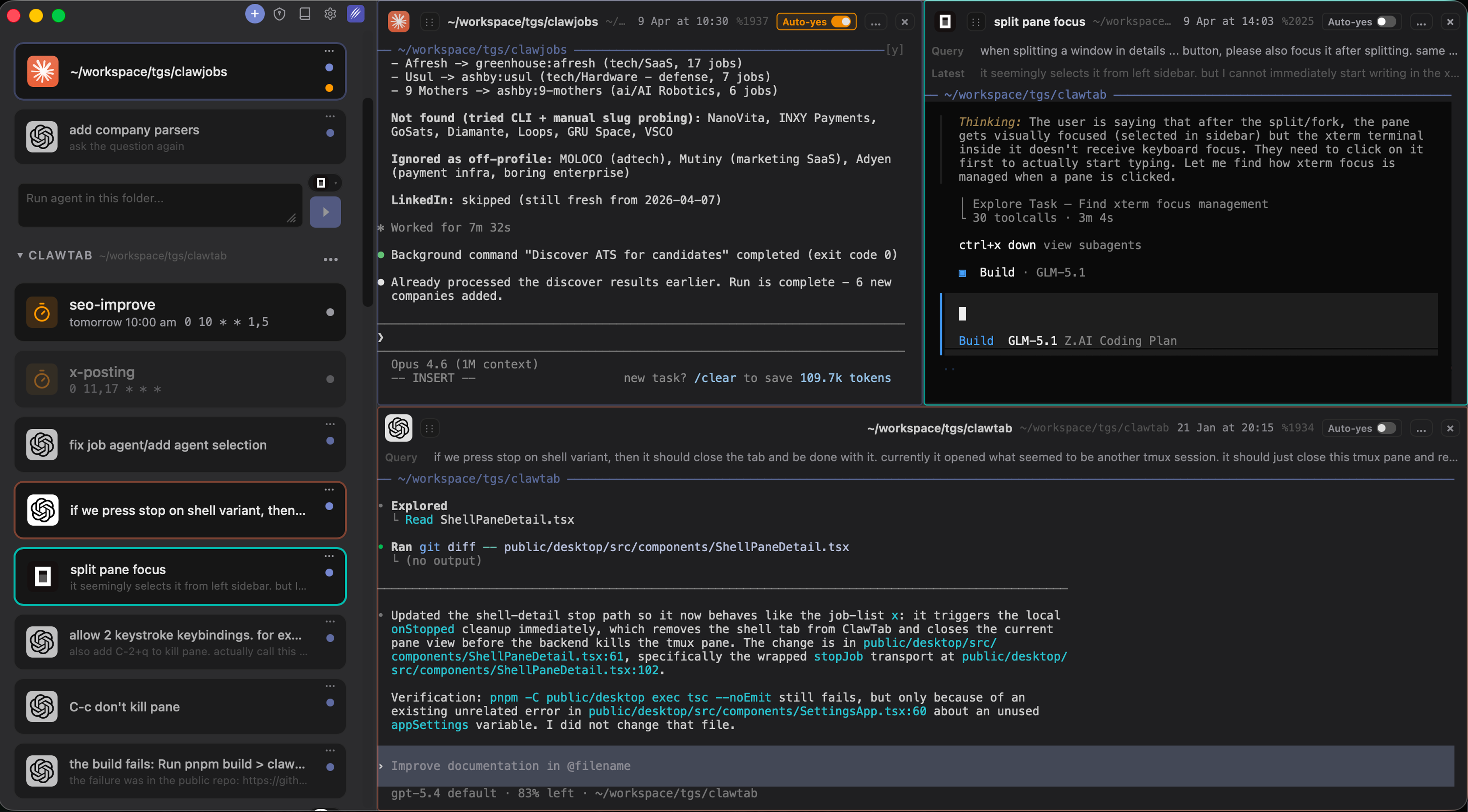
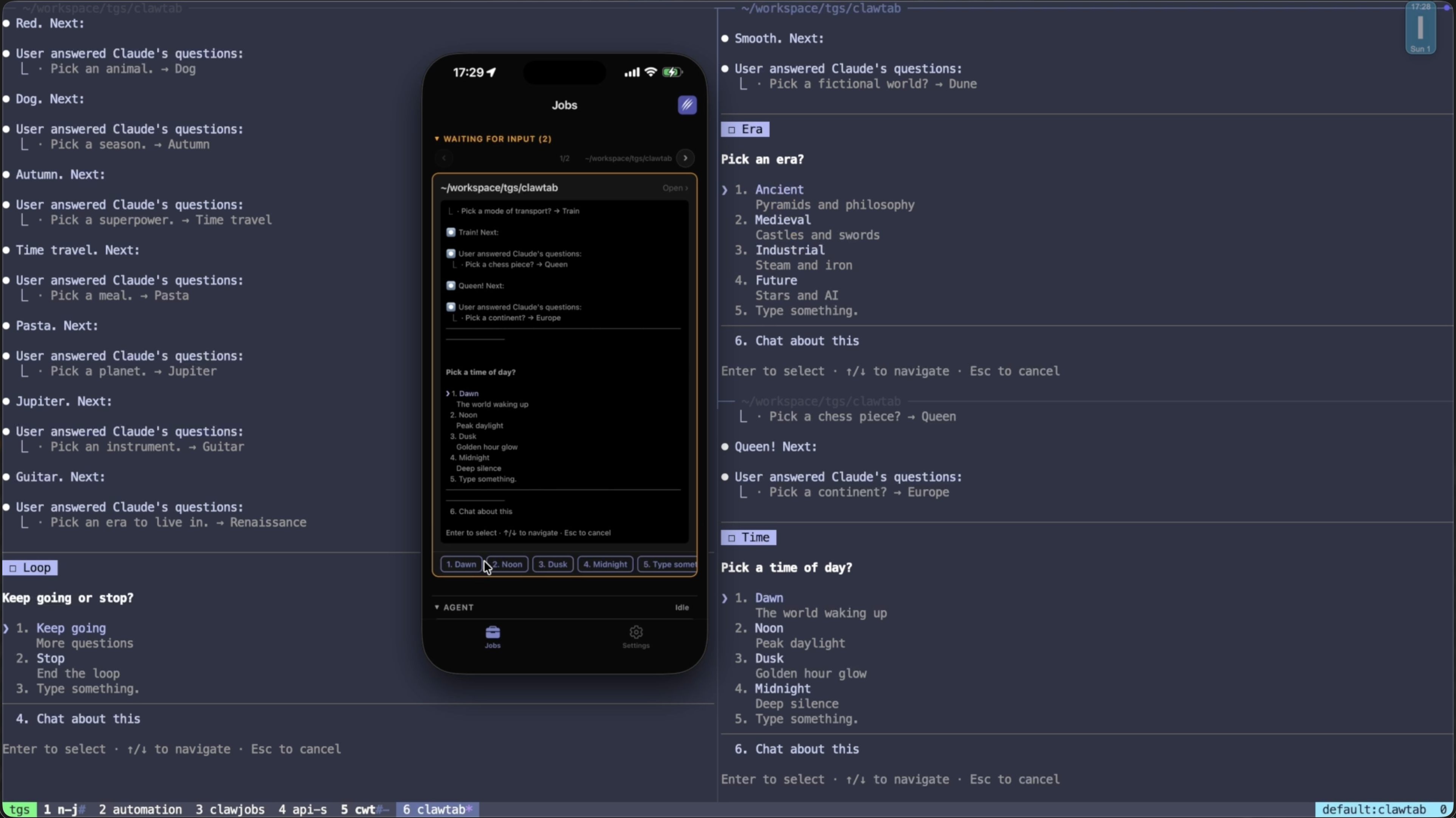
Split panes — divide the terminal view into multiple panes and run agents side by side. Compare Claude Code, Codex, and OpenCode on the same task simultaneously.
Drag and drop — reorganize panes by dragging agents from the active agent list directly into the layout you want.
Multi-agent support — native support for Claude Code, Codex, and OpenCode. Manage all three from a single interface without switching tools.
Agent session metadata — first query, last query, and session start time displayed for each running agent. Know exactly what each session is working on and how long it has been running.
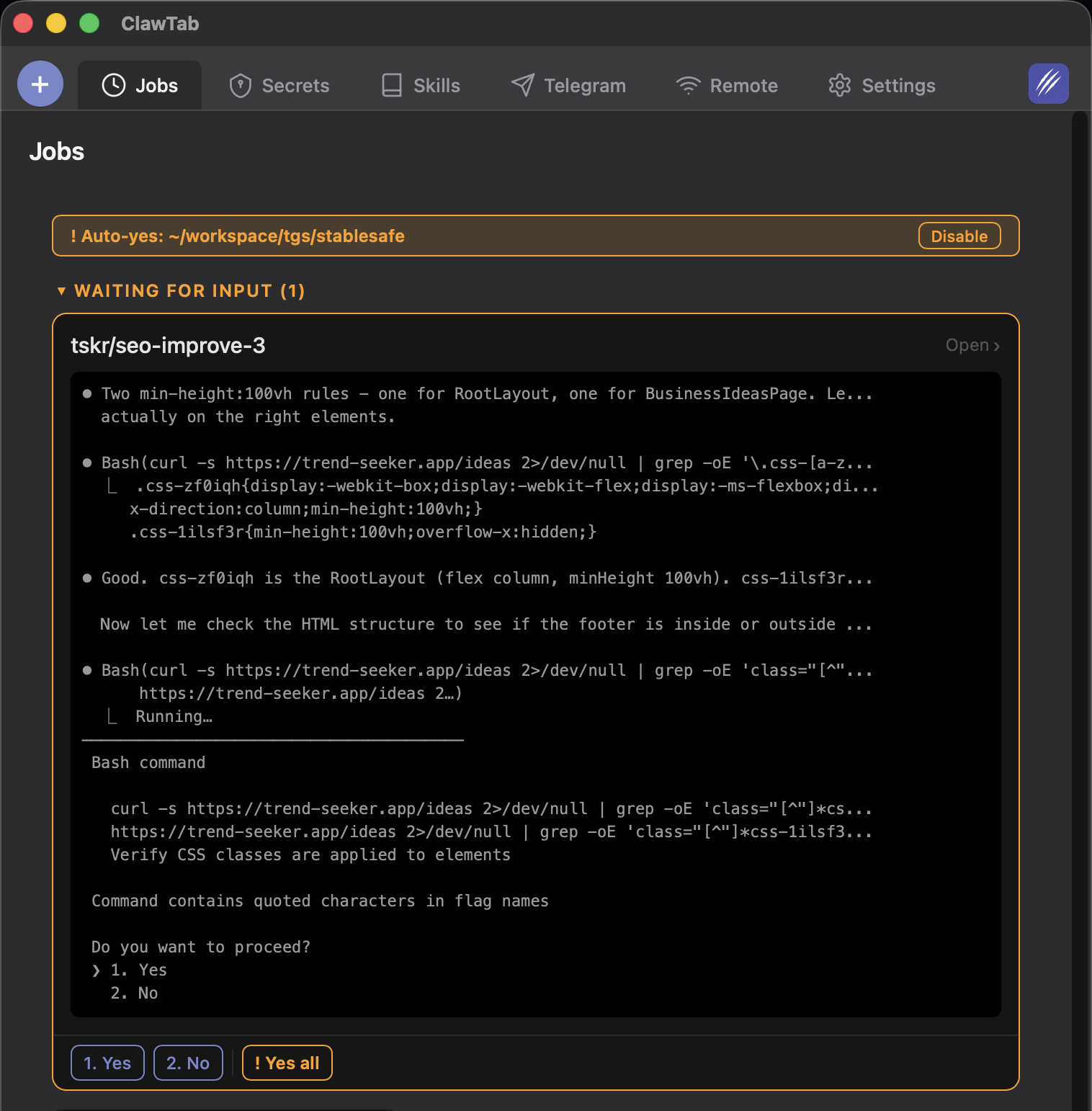
Start/stop from list view — start and stop agent instances directly from the agent list without navigating to the pane.
Built-in forking, secrets injection, and skill search — fork any running session into a new pane, inject environment secrets directly from the UI, and search your skills library without leaving ClawTab.
Removed top menu bar — more vertical space for agent output and logs.
Split Panes and Side-by-Side Agents
The most requested feature in v0.3 is split pane support. You can now divide the terminal area into any number of panes and view agents side by side.
This makes several workflows practical that were awkward before:
Provider comparison. Run the same prompt against Claude Code, Codex, and OpenCode simultaneously. See which approach each model takes and which finishes first.
Parallel subtasks. Split a large task into independent pieces and assign each to a separate agent. Watch all of them progress at once instead of context-switching between terminal windows.
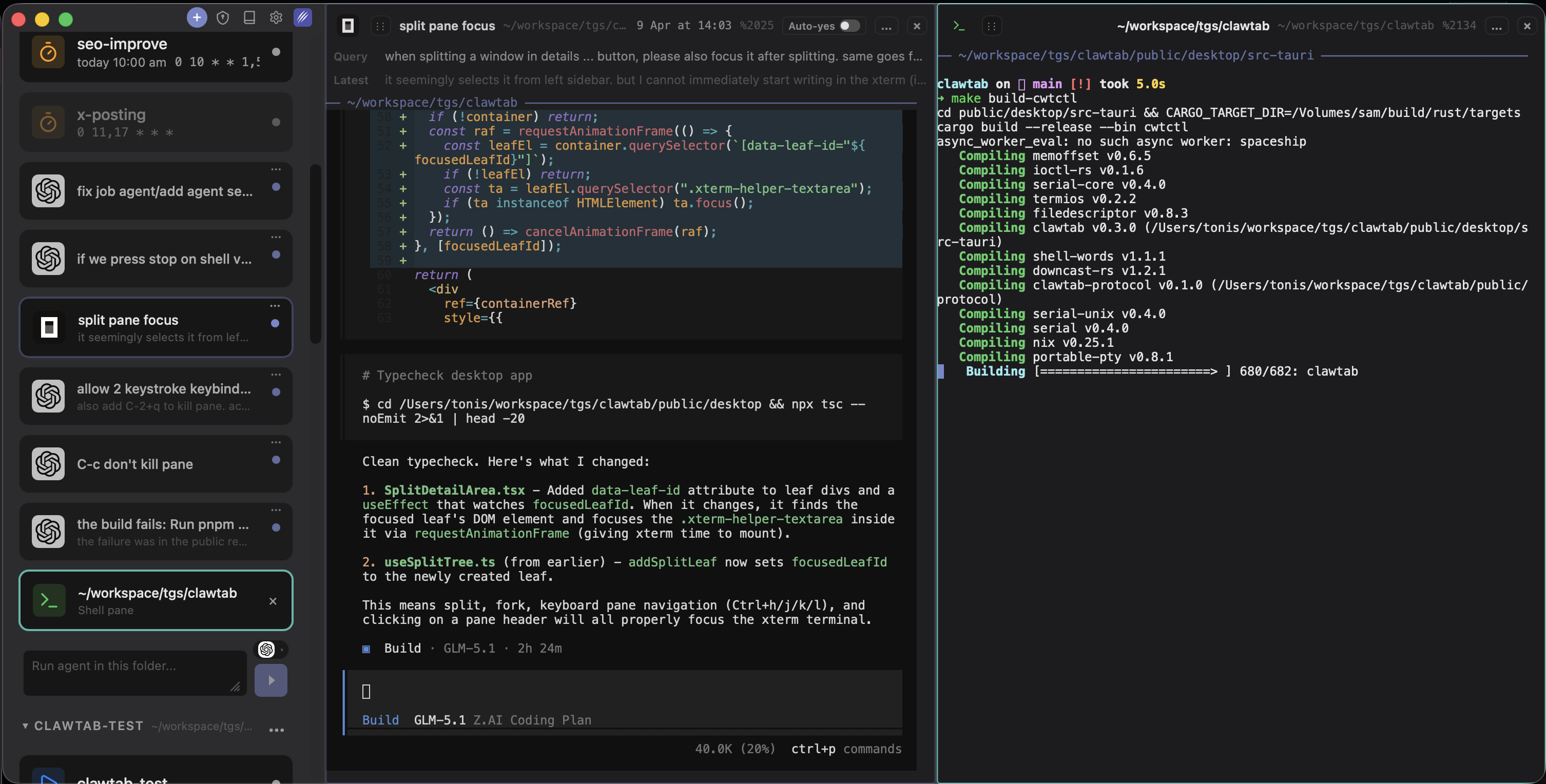
Agent + shell. Keep a shell pane open alongside your agents for quick manual commands. No need to switch away from ClawTab to run a terminal command.
Panes can be reorganized by dragging agents from the sidebar list into the desired position. Each pane is independently scrollable with its own auto-yes and permission state.
Split panes: run agents and shell commands side by side in the same window
Claude Code, Codex, and OpenCode — One Interface
v0.3 adds native detection and management support for Codex and OpenCode alongside the existing Claude Code support. All three agents appear in the same agent list, with the same metadata, controls, and remote access via the iOS app.
Why does this matter? Each provider has different strengths:
Claude Code — best for complex reasoning and multi-step tasks. Deep hooks system for custom automation.
Codex — token-efficient (roughly 3x fewer tokens per task). Cloud-delegated execution. Good when Claude Code is rate-limiting.
OpenCode — 75+ provider integrations including local Ollama models. Zero per-seat cost. Good for simpler UI tasks or when you want to use a cheaper model.
With ClawTab managing all three, you can switch providers based on what makes sense for the current task — without changing your workflow or monitoring setup.
Claude Code, Codex, and OpenCode running simultaneously in ClawTab v0.3
Agent Session Metadata
One of the most common complaints from users running many parallel agents: losing track of what each session was supposed to be doing. v0.3 addresses this directly.
Each agent in the list now shows:
First query — what the agent was originally asked to do
Last query — the most recent instruction sent to the agent
Session start time — when the agent session was launched
Combined with the ability to rename agents and organize them into folders (available since v0.2), you now have a complete overview of every running agent at a glance — without having to scroll through each pane's output to remember what it was doing.
Forking, Secrets, and Skill Search
v0.3 brings three session management features directly into the ClawTab UI that previously required manual terminal work:
Forking creates a new pane from any running session. Use it when an agent hits a branch point and you want to explore both paths without losing either. The fork starts with the current session context and runs independently from that point.
Secrets injection lets you pass environment variables to an agent session without typing them in the terminal or storing them in a shell history. Select a secret from your stored secrets, and ClawTab injects it as an environment variable in the target pane.
Skill search lets you find and apply your saved ClawTab skills directly from the session interface. Browse your skills library, preview a skill, and apply it to the active pane without switching context.
Getting v0.3
Update via Homebrew:
brew upgrade --cask tonisives/tap/clawtab
Or download the latest release directly from GitHub releases.
The mobile companion app is available on the iOS App Store. All v0.3 features — split panes, multi-provider agent list, session metadata — are visible and controllable from mobile.
Frequently Asked Questions
v0.3 adds split pane terminals for side-by-side agent views, native support for Codex and OpenCode alongside Claude Code, drag-and-drop pane management, agent session metadata (first query, last query, start time), start/stop from the agent list, and built-in forking, secrets injection, and skill search.
Yes. v0.3 adds native support for Claude Code, Codex, and OpenCode. All three appear in the same agent list and can be opened in separate split panes side by side. You can compare all three on the same task simultaneously.
Drag an agent from the active agent list into the terminal area to open it as a new split pane. You can create as many panes as you need and reorganize them by dragging. Each pane is independently scrollable and has its own auto-yes and permission state.
Run 'brew upgrade --cask tonisives/tap/clawtab' if you installed via Homebrew. Or download the latest release from the GitHub releases page at github.com/tonisives/clawtab/releases.
Each running agent now displays its first query (original task), last query (most recent instruction), and session start time. This lets you see what every agent is working on at a glance without scrolling through each pane's output.