Introduction
You want to fetch a web page from a script, CI pipeline, or n8n workflow. Simple enough. But the page is behind a login, uses bot-detection, or requires your LinkedIn session to see the full content. A headless browser in a datacenter gets blocked immediately.
The real browser - your browser, with your cookies, your IP, your TLS fingerprint - sails straight through.
ClawTab's triggers API lets you call that browser remotely. You send a POST request from anywhere on the internet and your Mac picks it up, opens a tab in Chrome, waits for the page to load, and returns structured JSON. No cloud scraping fees. No residential proxy subscriptions. No bot detection headaches.
Why Server-Side Scrapers Keep Failing
Cloud browser APIs like Browserless, Apify, and Bright Data run headless Chrome in datacenters. That's fine for public pages, but modern bot-detection goes much deeper:
- TLS fingerprinting - LinkedIn and Twitter analyze JA3/JA3S signatures. Datacenter Chrome has a distinct fingerprint from a real user session.
- IP reputation - ASNs belonging to AWS, GCP, and Azure are blacklisted at the network layer on most major platforms. Residential proxy networks cost $0.79-1.50 per 1,000 requests to work around this.
- Cookie walls - Sites that require login won't show content to a fresh headless session. You'd need to automate the login flow, which triggers additional signals.
- Session continuity - Real users accumulate browsing history, local storage, and authenticated sessions. A fresh cloud browser has none of it.
The result: cloud browser APIs charge $49-200/month and still fail on the sites you actually need. Your own browser already has everything - logged-in sessions, cookies, real IP, human fingerprint. The gap is just the ability to trigger it remotely.
How ClawTab Triggers Work
ClawTab runs as a menu bar app on your Mac. It maintains a persistent WebSocket connection to a relay server at triggers.clawtab.cc. When a trigger request arrives at the relay, it's forwarded to your desktop in real time.
Your Mac picks up the job, executes it as a local process, and writes the result to a file. The relay waits for the result and returns it in the HTTP response - all within the same wait: true request.
The request looks like this:
curl -X POST https://triggers.clawtab.cc/v1/triggers/run   -H "Authorization: Bearer <your-token>"   -H "Content-Type: application/json"   -d '{
    "job": "gp/fetch-url",
    "params": {"url": "https://linkedin.com/in/someone"},
    "wait": true
  }'
The relay routes this to your desktop, which runs the fetch-url binary job. The job opens a Chrome tab, waits for readyState=complete, extracts structured data via the Chrome DevTools Protocol, and returns it as JSON.
The response comes back in the same HTTP call, typically within 4-6 seconds:
{
  "id": "trig_abc123",
  "status": "succeeded",
  "exit_code": 0,
  "result": {
    "ok": true,
    "url": "https://linkedin.com/in/someone",
    "title": "Name - Title at Company | LinkedIn",
    "description": "...",
    "h1": ["Name"],
    "headings": ["About", "Experience", "Skills"],
    "text": "Full visible body text...",
    "links": [{"text": "Connect", "href": "..."}]
  }
}
The fetch-url Job
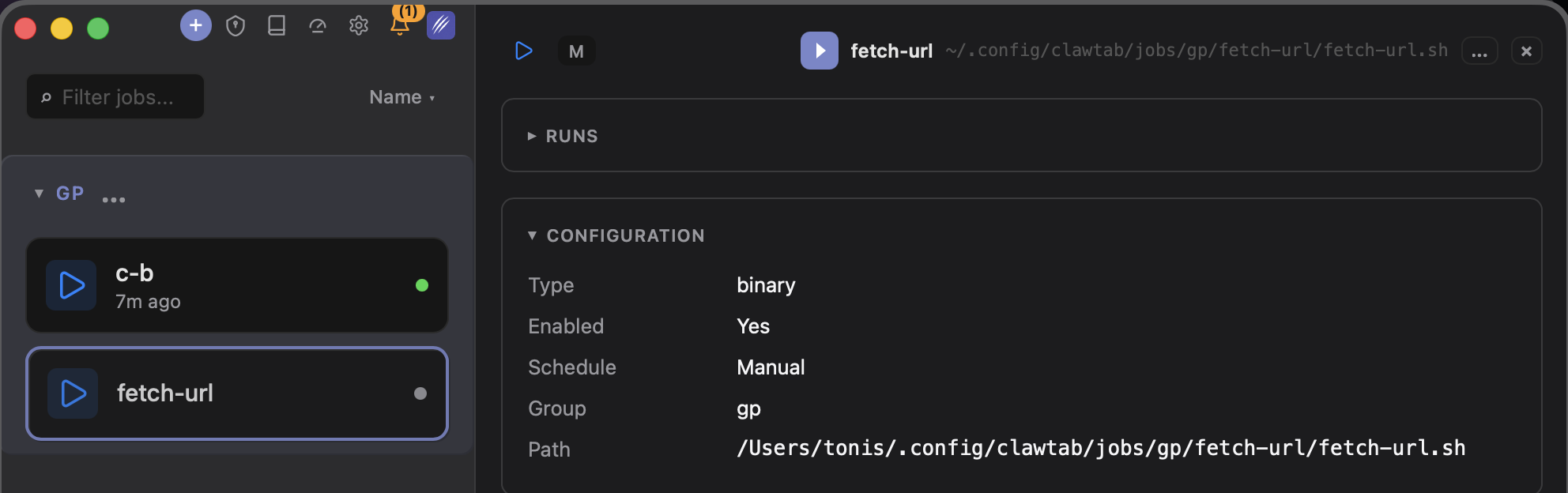
The fetch-url job is a binary job - a shell script that ClawTab executes as a local process. It uses a small c-cdp helper to drive Chrome via the Chrome DevTools Protocol (CDP), with zero focus steals or window flashing. Both the job and the helper are open source on github.com/tgs-space/clawtab-jobs.
It accepts two parameters:
| Parameter | Required | Description |
|---|---|---|
url | Yes | The page to fetch |
text_limit | No | Max characters of body text to return. Omit for full text. |
The script runs a dedicated "bot" Chrome profile at a remote-debugging port. This profile is a one-time copy of your real Chrome profile - it has your cookies and sessions, but runs independently of your main Chrome window. Both can run side by side without conflict.
The extracted response includes:
title,description,og_title,og_description- page metadatah1- up to 5 H1 headingsheadings- up to 20 H1/H2/H3 headingstext- full visible body text (or capped bytext_limit)links- up to 30 links with text and href
Setting Up the fetch-url Job
The job and its CDP helper are published on GitHub at tgs-space/clawtab-jobs. Clone the repo and copy the two directories into the locations ClawTab and Claude Code watch:
git clone https://github.com/tgs-space/clawtab-jobs.git
cd clawtab-jobs

# Job goes under ~/.config/clawtab/jobs/<group>/<name>/
mkdir -p ~/.config/clawtab/jobs/gp
cp -R jobs/fetch-url ~/.config/clawtab/jobs/gp/fetch-url

# Skill goes under ~/.claude/skills/<name>/
mkdir -p ~/.claude/skills
cp -R skills/c-cdp ~/.claude/skills/c-cdp
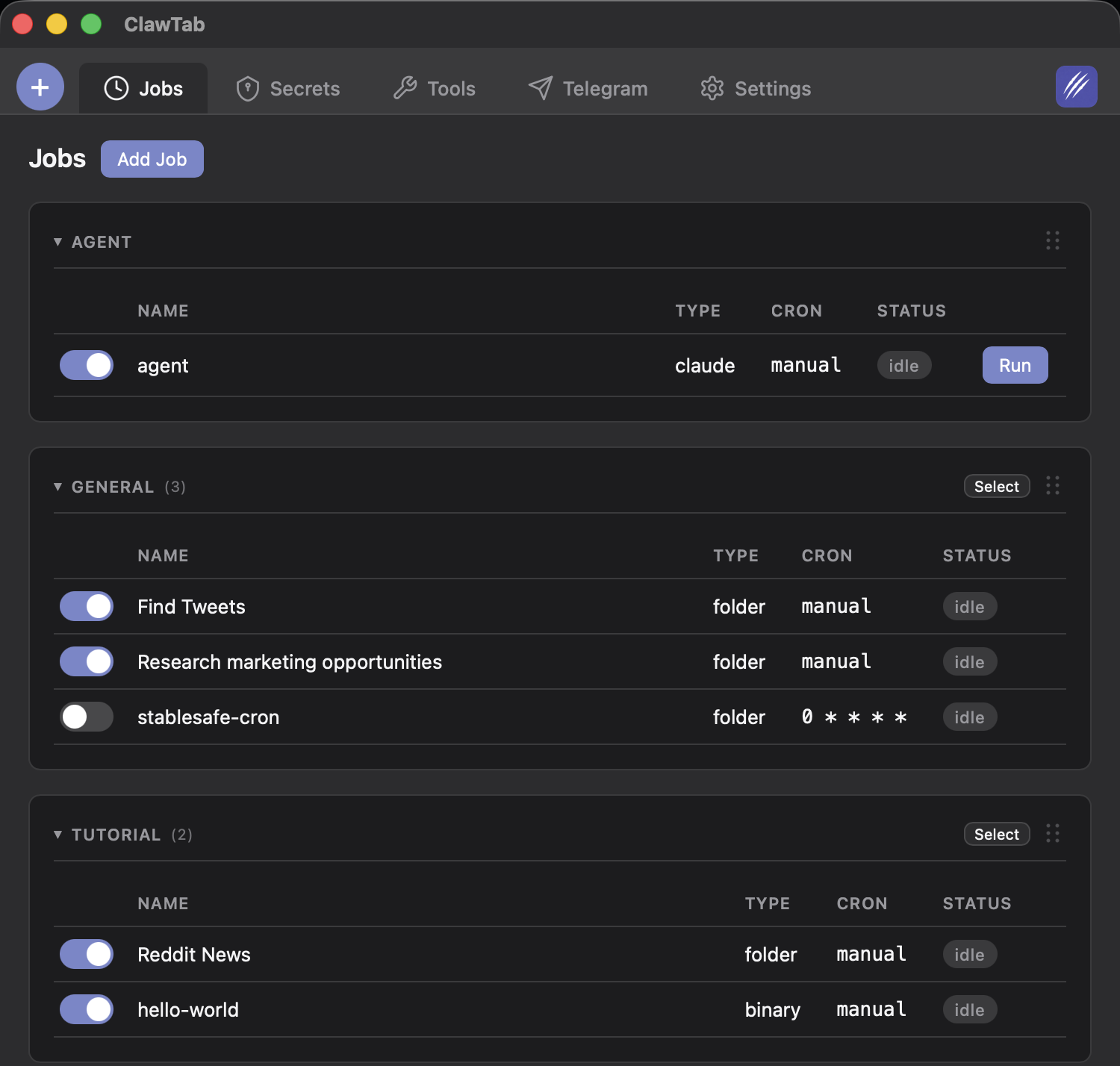
ClawTab watches ~/.config/clawtab/jobs/ and auto-reloads when files change, so the job appears in the Remote view immediately.
The job.yaml defines the job:
name: fetch-url
job_type: binary
enabled: true
path: ~/.config/clawtab/jobs/gp/fetch-url/fetch-url.sh
env:
  PATH: /opt/homebrew/opt/node@24/bin:/opt/homebrew/bin:/usr/local/bin:/usr/bin:/bin
params:
  - url
  - text_limit
group: gp
slug: fetch-url/default
The env.PATH entry is important - the ClawTab daemon runs with a restricted PATH, so node must be explicitly included for the CDP driver to work.
The fetch-url.sh script does the work:
CDP_DIR="$HOME/.claude/skills/c-cdp"
"$CDP_DIR/bot-chrome.sh" >/dev/null          # start bot Chrome if not running

"$CDP_DIR/cdp.js" newtab "$URL" >/dev/null   # open URL in new tab
export CDP_URL_MATCH="$URL"                   # pin subsequent calls to this tab

# wait for readyState=complete
for _ in $(seq 1 40); do
  state=$("$CDP_DIR/cdp.js" eval "document.readyState" 2>/dev/null || echo "")
  [ "$state" = "complete" ] && break
  sleep 0.25
done

# extract structured data in one CDP eval
SUMMARY=$("$CDP_DIR/cdp.js" eval 'JSON.stringify({
  url: location.href, title: document.title, ...
})')
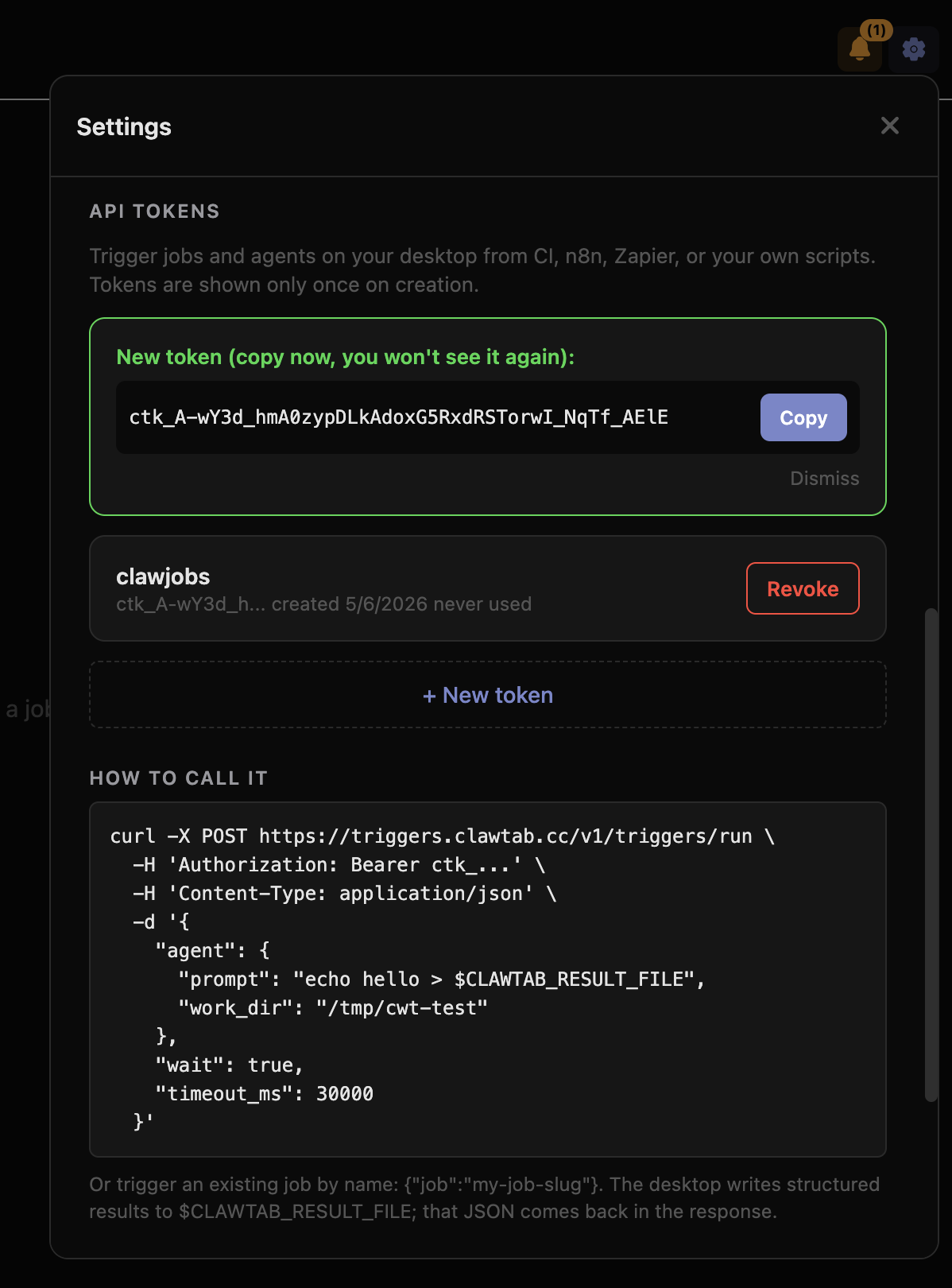
To get your API token, open ClawTab settings and create a new token under "API Tokens". Tokens are stored locally so you can copy them again later from the same machine.
Beyond fetch-url: Any Job You Can Write
The trigger system is generic. fetch-url is just one example - you can write any shell script and expose it as a binary job. Some ideas:
- LinkedIn profile scraper - extract work history, skills, and connections from profiles your account can see
- Price monitor - fetch a product page and parse the price, trigger an alert if it drops
- Form submitter - fill and submit forms that require a logged-in session
- Screenshot job - use CDP to take a full-page screenshot and return it as base64
- Auth-gated API caller - fetch data from internal tools that use SSO, using your existing browser session
Jobs can also be Claude agents. A trigger can launch a Claude Code prompt with context from the fetched page - scrape, analyze, and act in one pipeline.
Compare this to the alternatives:
| Tool | Execution | Real cookies | Cost |
|---|---|---|---|
| ClawTab triggers | Your Mac + your Chrome | Yes | Included |
| Browserless | Datacenter Chrome | No | $25-200/mo |
| Apify | Datacenter Chrome | No | $29+/mo + compute |
| Bright Data | Residential proxies | No | $0.79-1.50/1K req |
| n8n + HTTP | Remote server | No | Self-hosted |
Calling It From n8n, Zapier, or Your Own Code
Because the trigger API is plain HTTP, it works from any automation tool that can make a POST request.
n8n: Add an HTTP Request node, set method to POST, URL to https://triggers.clawtab.cc/v1/triggers/run, and pass your Bearer token as an Authorization header. The response body is the JSON result from your job.
Python:
import requests

resp = requests.post(
    "https://triggers.clawtab.cc/v1/triggers/run",
    headers={"Authorization": "Bearer <token>"},
    json={"job": "gp/fetch-url", "params": {"url": "https://example.com"}, "wait": True},
)
result = resp.json()["result"]
print(result["title"], result["text"][:200])
Node.js:
const resp = await fetch("https://triggers.clawtab.cc/v1/triggers/run", {
  method: "POST",
  headers: {
    "Authorization": "Bearer <token>",
    "Content-Type": "application/json",
  },
  body: JSON.stringify({
    job: "gp/fetch-url",
    params: { url: "https://example.com", text_limit: 2000 },
    wait: true,
  }),
})
const { result } = await resp.json()
console.log(result.title, result.text.slice(0, 200))
Set wait: false to fire-and-forget - the relay returns immediately with a job ID, and the job runs asynchronously on your Mac. Useful for longer-running jobs where you don't need the result inline.
How Remote Execution Stays Secure
Exposing your Mac to the internet via an API sounds risky. ClawTab's architecture avoids the obvious pitfalls:
- Your Mac never opens an inbound port. The desktop app makes an outbound WebSocket connection to the relay. The relay queues incoming requests and forwards them over that connection. There's no port-forwarding, no ngrok, no firewall rules.
- Bearer tokens are scoped. Tokens are created in settings and can be revoked at any time. Token secrets are stored locally on your Mac so you can copy them again later if needed.
- Jobs are defined locally. The API caller passes a job slug and params - it cannot execute arbitrary code. Only jobs you've defined on your Mac can be triggered.
- All traffic is TLS. The relay is HTTPS-only. WebSocket connections use WSS.
The attack surface is: someone with a valid token can trigger your pre-defined jobs with the params you've allowed. That's the same threat model as any webhook - keep your tokens secret and revoke them if compromised.