Find Your tmux Agent: Session Status and Codex Search
A tour of a tmux session picker with ClawTab agent status and relative activity dates, plus search across live Codex conversations with terminal previews.
Introduction
When several coding agents are running, finding the right terminal becomes its own task. You might remember the project, a permission request, or a phrase from a reply, while the window name has already slipped your mind.
Two views help with that: a session list for where work is happening and which agent needs attention, and conversation search for what was said. This walkthrough shows the tmux setup we use alongside ClawTab, with real session captures.
Configuration note: the session picker and Codex search shown here are custom local tools. Hyper + W and Prefix + Ctrl + G are bindings in this setup, rather than shortcuts installed by every ClawTab installation. The picker spans tmux windows; this version of conversation search covers live Codex panes, rather than every provider or every archived conversation.
Use the session list when you remember the project
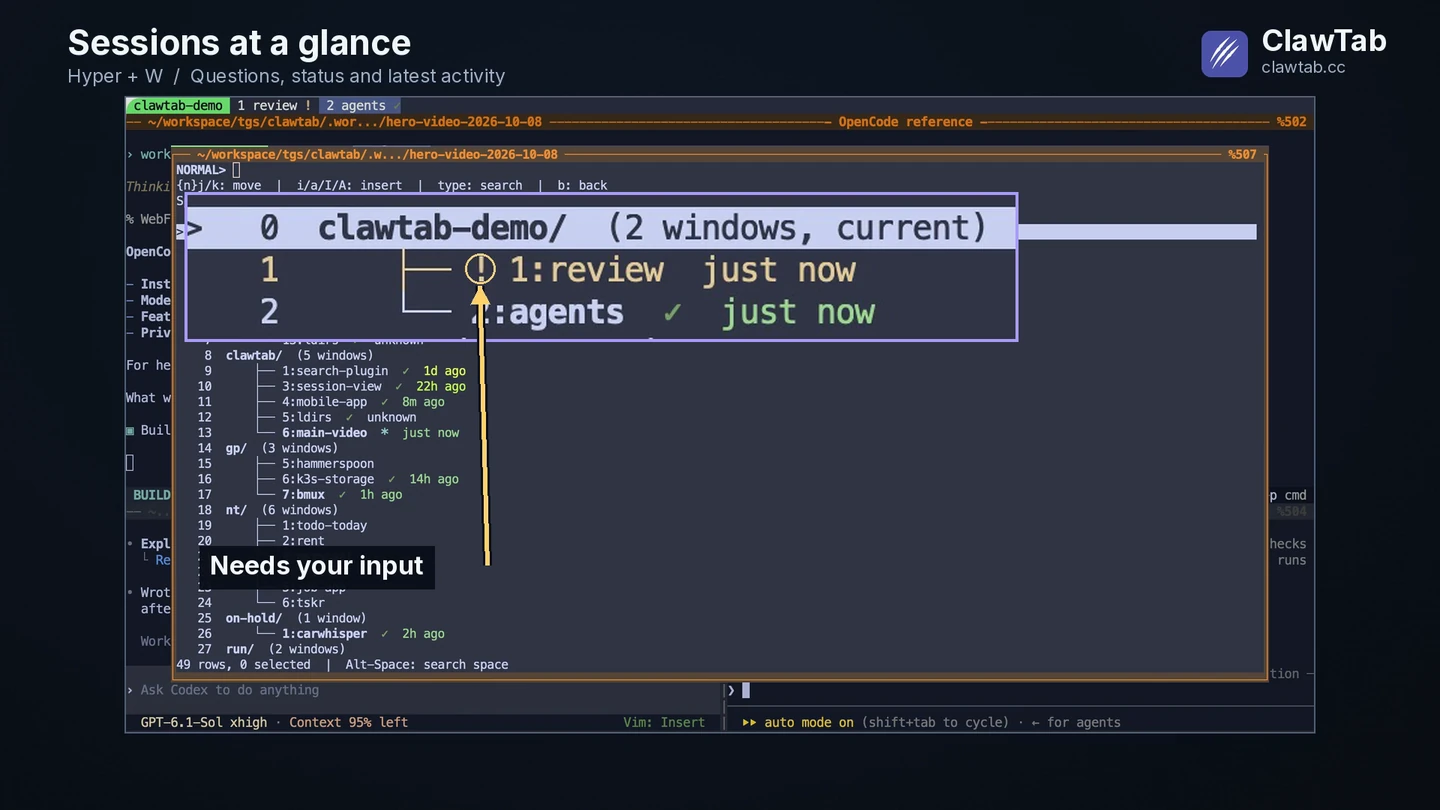
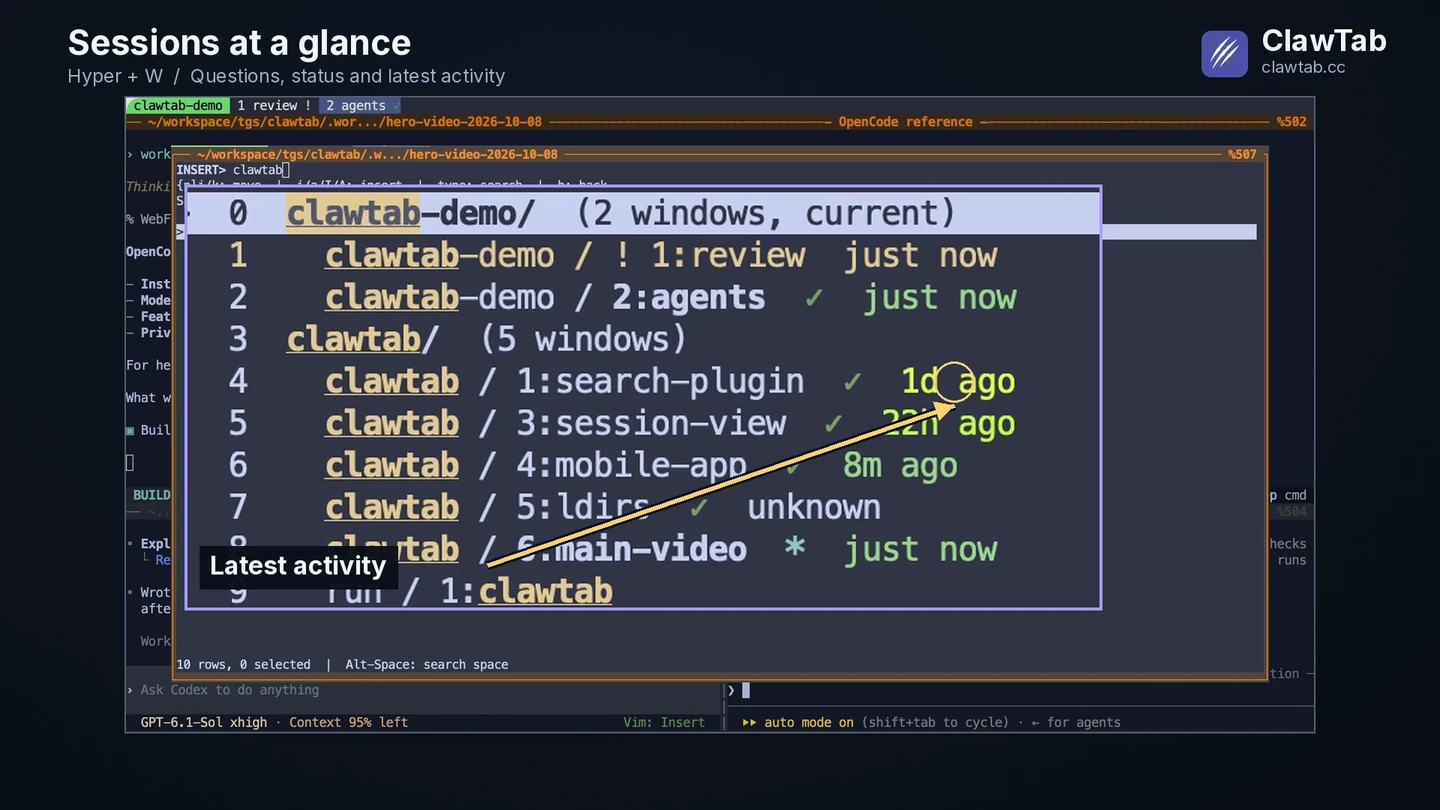
Hyper + W opens a popup with sessions grouped above their windows. Type part of a project or window name to narrow the list. The first capture shows the unfiltered hierarchy; the next section shows how typing clawtab keeps the project's windows visible together.
The enlarged rows show why names alone are not enough. The review window has a yellow attention marker, while other windows have green idle markers. You can decide where to look before opening each terminal. A question marker tells you that an agent needs input; open its pane to read the actual question.
A real session picker capture from October 8, 2026, enlarged with an editorial arrow. The marker shows attention at that moment; the row does not display the full question.
Read status and activity as separate signals
Status answers “does this agent need me now?” The relative activity date answers “how recently did this window have recorded activity?” The screenshot below includes just now, 8m ago, 22h ago, and 1d ago, so a quiet window still has useful context.
Signal
Meaning in this view
Next action
Yellow !
An agent needs input or approval
Open the pane and read the question
Cyan *
An agent is working
Inspect output if you need progress details
Green checkmark
A supported agent is present and idle
Read its last reply before treating the task as complete
Relative date
Latest activity recorded for the window
Use recency to find the work you remember
Unknown
No usable activity timestamp is available
Inspect the pane directly
A green marker is not a test result or a merge approval. An old activity date is not proof that a task failed. The ClawTab status-bar guide explains how working, waiting, and idle states are detected.
The same real session capture, filtered by project. Dates are relative to capture time and represent recorded activity, rather than a measure of task quality or completion.
Use conversation search when you remember a phrase
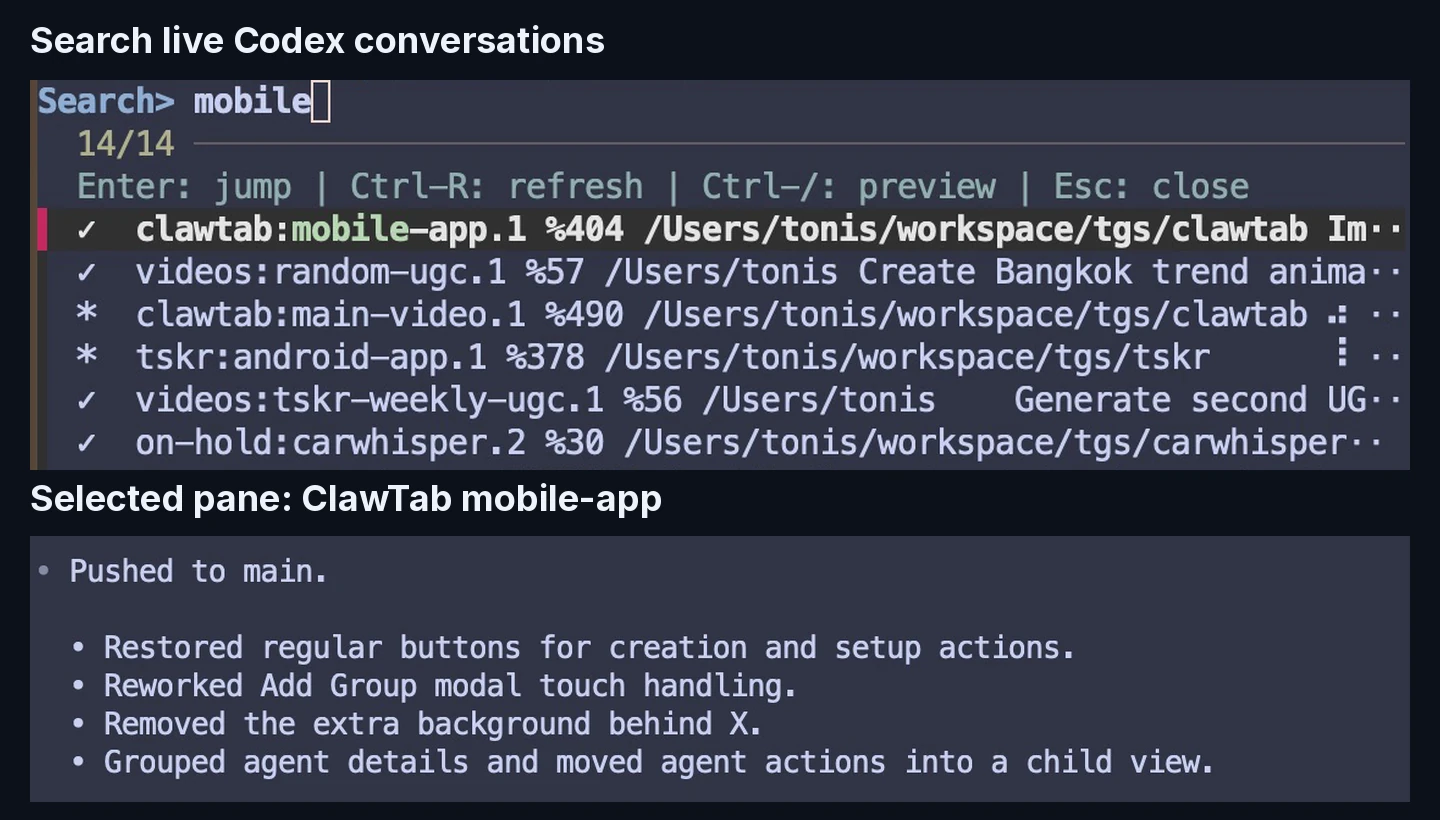
Sometimes the project name is the missing detail. Press Prefix + Ctrl + G in this setup, then type a word from the conversation. The example searches mobile and finds the ClawTab mobile-app pane among results from several tmux sessions.
The search index combines session and window names, the working directory, Codex user messages and replies, and terminal output. A match can therefore come from an earlier prompt or an agent response even when the visible window title says something else. Name matches and recent user messages receive priority over less direct matches.
The current plugin finds running Codex panes and reads their available local conversation records. A closed Codex conversation does not become a result simply because its transcript remains on disk. Claude Code and OpenCode can appear in the session list, but their transcripts are outside this search plugin's current scope.
Real search results from October 8, 2026. Two enlarged crops from the same frame show the matching panes and the selected mobile-app reply. The full search view places that terminal preview on the right.
Preview the result before switching panes
A result name is a hint. The preview lets you check whether it is the conversation you meant. Move through results and read the selected pane's live terminal on the right. This avoids opening several similarly named windows just to inspect their last response.
Control in this search view
Action
Type a query
Filter matching live Codex panes
Move through results
Update the terminal preview
Enter
Jump to the selected pane
Ctrl + R
Refresh the search index
Ctrl + /
Toggle the preview
Esc
Close the search popup
The recordings demonstrate filtering and previewing. They stop before jumping into a working pane, so the capture does not interrupt the session being inspected. The plugin checks that the selected Codex process still matches before performing a jump.
How this fits into a tmux workflow
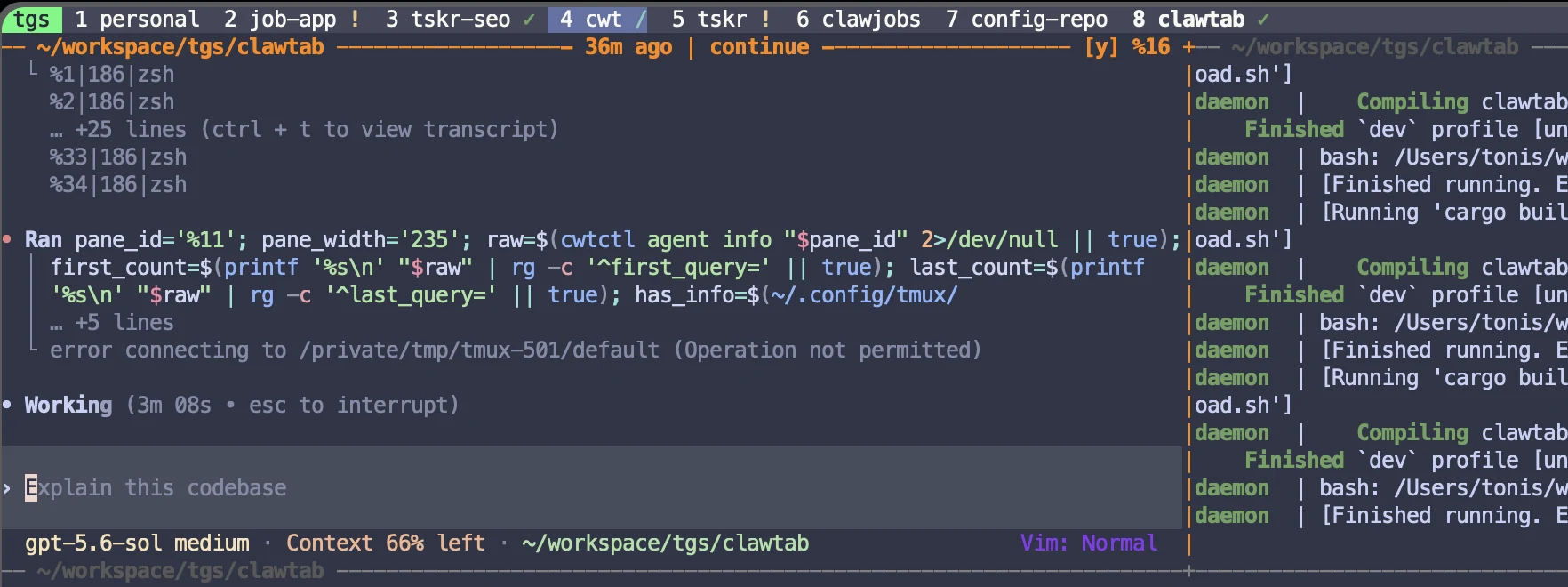
tmux groups programs into panes, windows, and sessions, and keeps them available when a client detaches. That structure makes it practical to keep agents running while using a picker to return to the right place. tmux's own choose-tree is a useful starting point for browsing that hierarchy.
The views shown here add agent state, recency, and Codex conversation context to that navigation. They are a tour of an existing configured workflow, rather than an installation guide for a bundled plugin. If you use different bindings, substitute your configured keys for Hyper + W and Prefix + Ctrl + G.
Choose the session list when you know the project or want to find an agent needing input. Choose search when you remember the conversation. After locating the pane, ClawTab's phone connection lets you continue inspecting and interacting with supported agents away from the desktop.
Frequently Asked Questions
This version searches live Codex panes using their local conversation records and terminal output. The session picker can list windows containing Claude Code, OpenCode, Codex, or other programs, but that does not make every provider's transcript searchable.
They are configured shortcuts in the workflow shown here. The session picker and conversation search are custom local tools alongside ClawTab; these bindings are not installed by every ClawTab setup.
It means a supported agent is present and idle. Read the last response and check the work before treating a task as complete or verified.
The current search starts from live Codex panes. An archived transcript alone does not make a closed conversation appear in the results.
It describes the latest activity timestamp available for the window. Unknown means no usable timestamp is available; neither value is a measure of correctness or productivity.