
Manage all your coding agents from one place
Keep track of your agents, answer their questions, and continue from your phone.

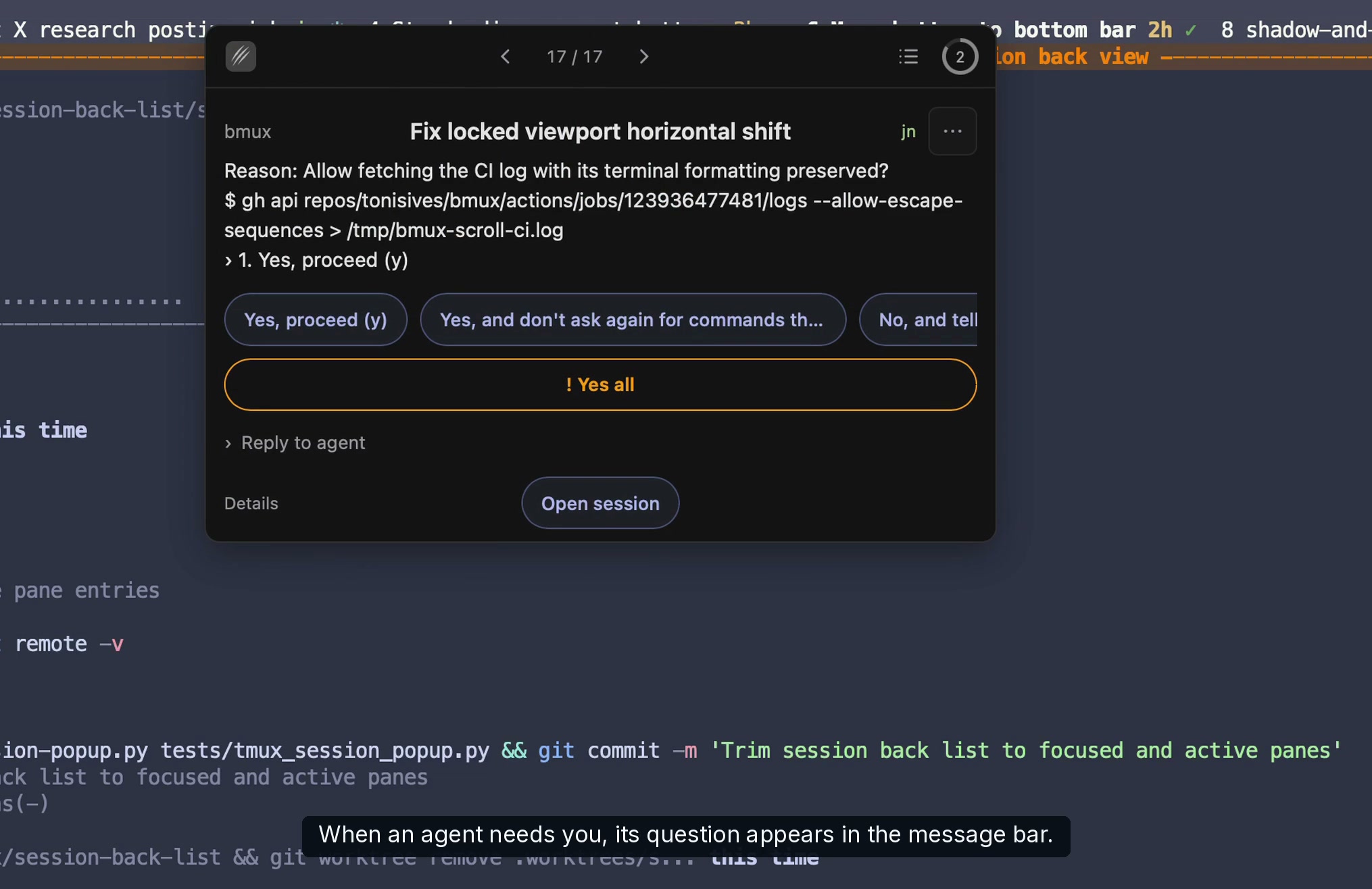
Every agent message in one bar
See what needs your attention and reply from a card. Keep up from your phone when you're away.
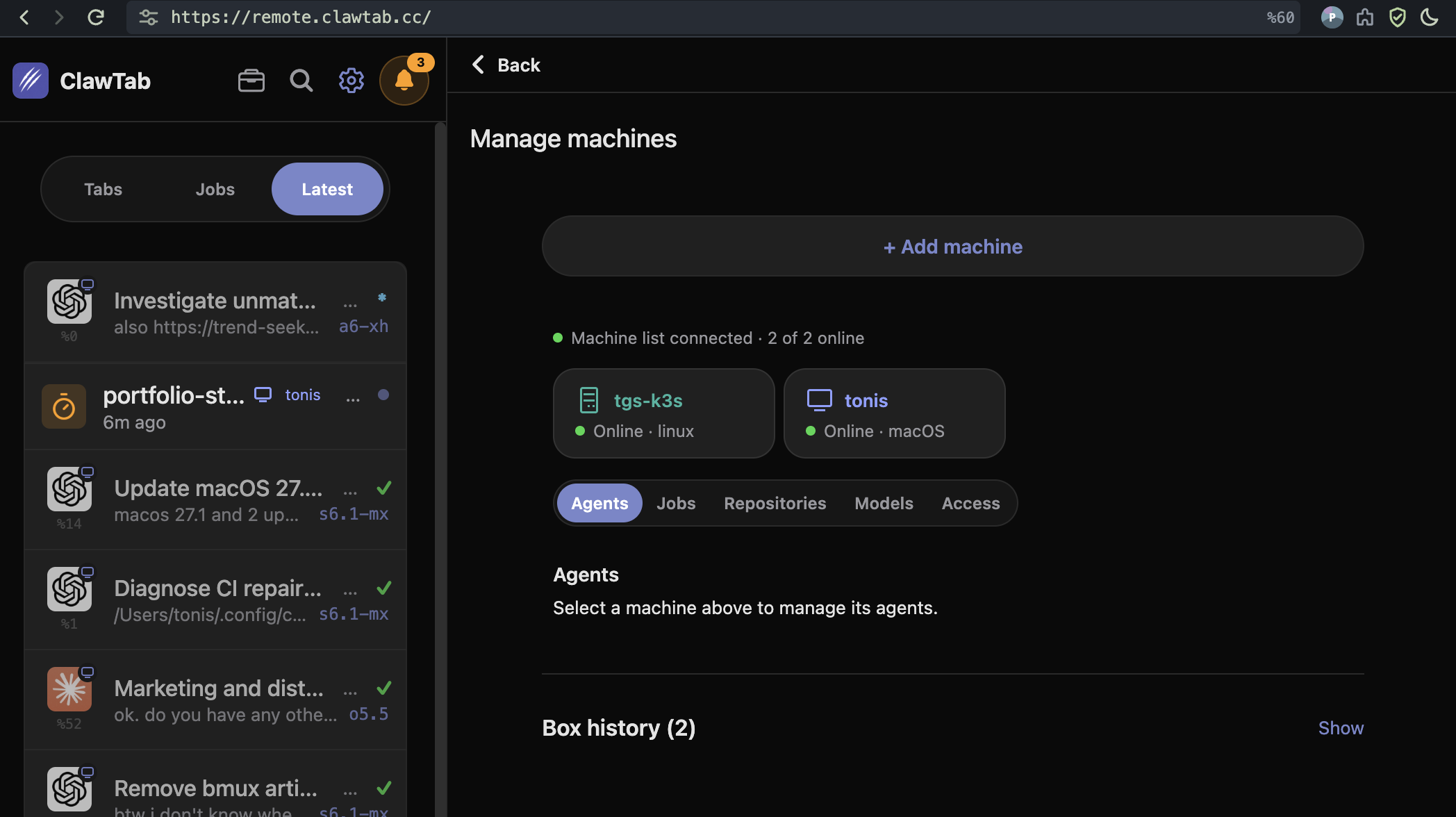
Read live terminals, answer agent questions, and start tasks from the iOS app or your Android browser.
Relay
One-click remote agents
Use your existing Claude, Codex, or other AI account from your phone or browser.
- Run 2 agents at once on our servers.
- Connect up to 100 agents on your own computers or servers.
Need a larger machine? Rent a server.
Start in your usual terminal
Your agents keep running after you close the terminal. Reconnect from your computer or phone when you need them.
Available on macOS, Linux, and Windows. Tmux is optional.
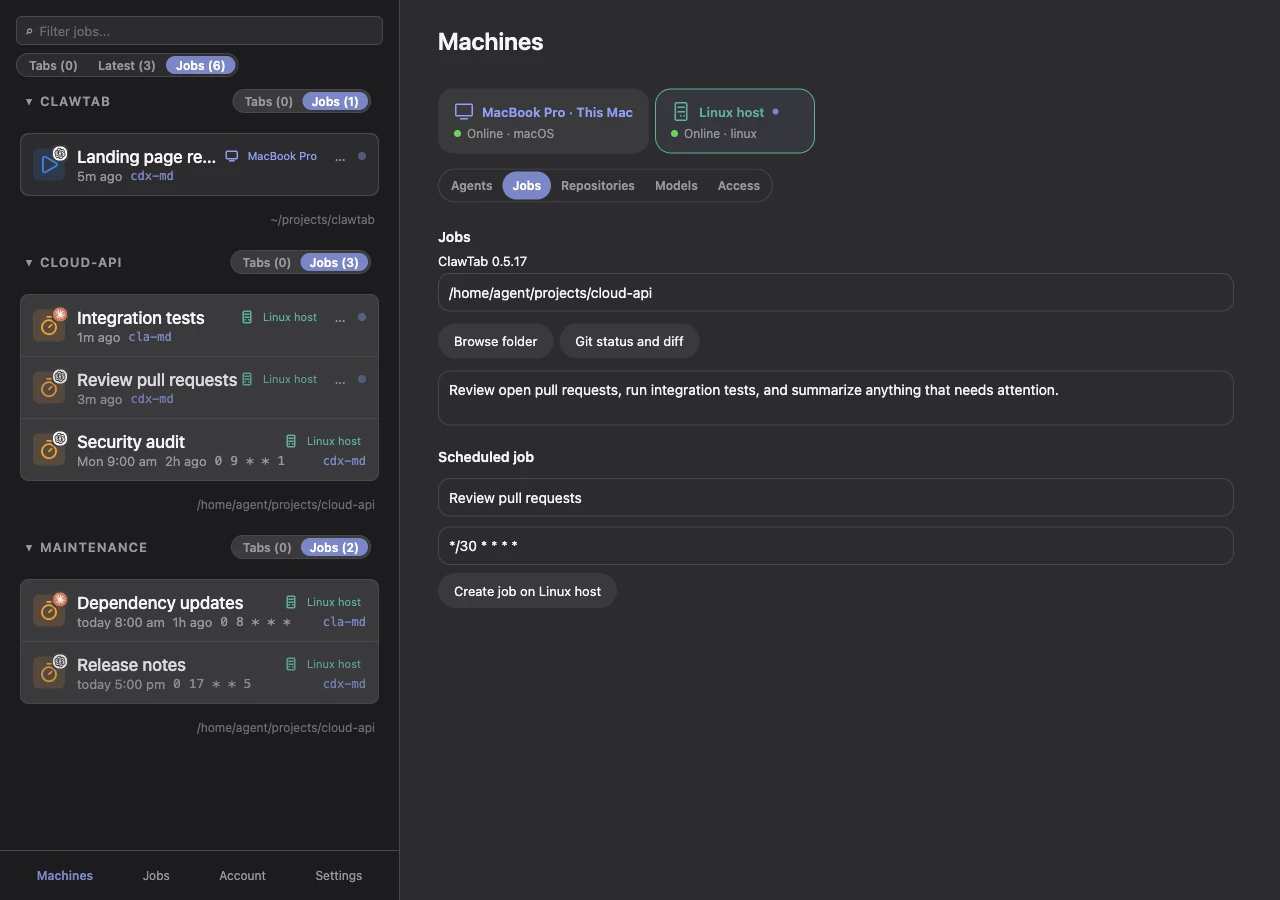
Manage agents across your machines
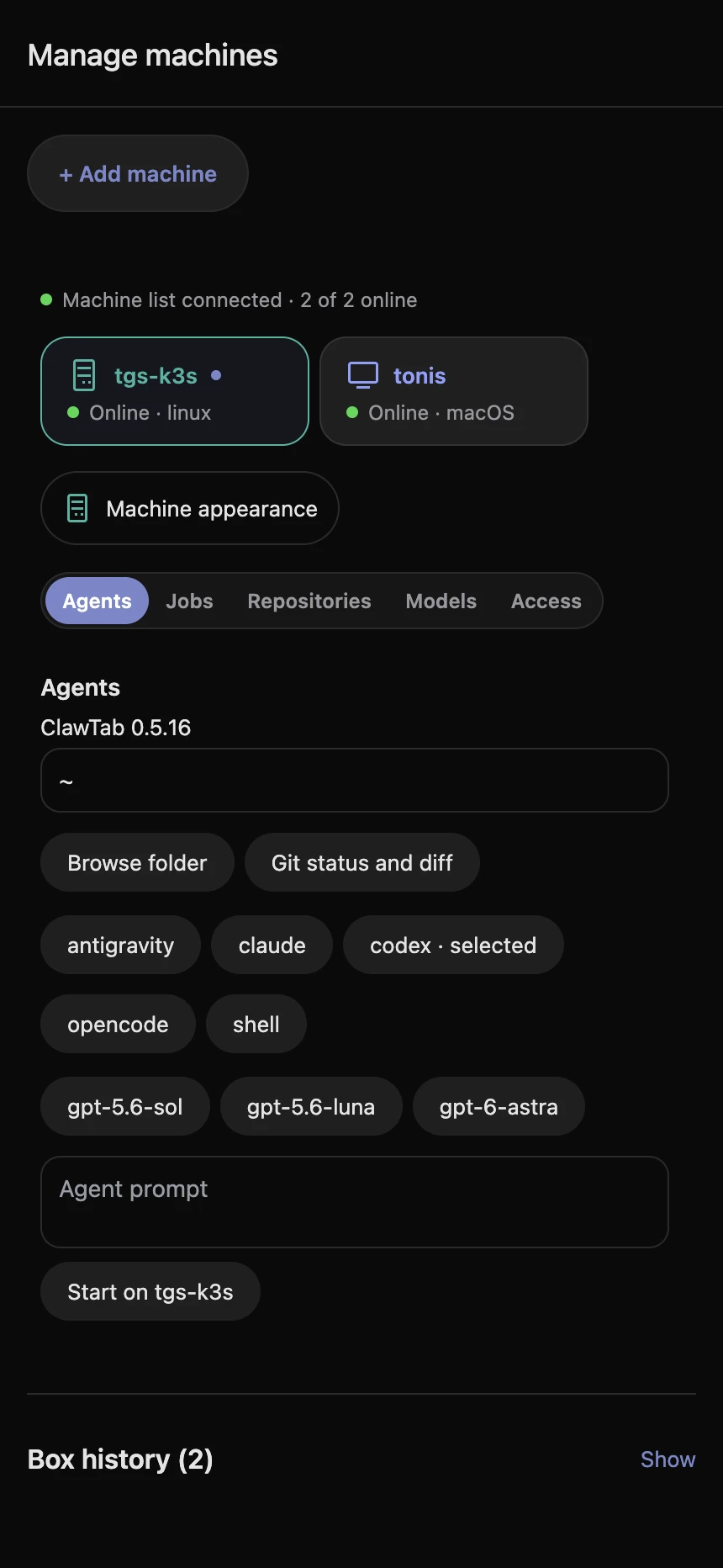
Connect your Mac, Linux, or Windows host. Open its agent terminals from your phone, browser, or desktop. Each agent runs on the machine where you started it.
- See local and remote agents in one place
- Open live terminals and answer agent questions
- Start work on the machine you choose
Install ClawTab
Choose your platform. Local tools are free and open source; hosted Remote is optional.
Daemon + terminal tools
macOS via Homebrew
Install the headless daemon, cwt, and agent hooks. Install the provider CLI you want to run. Tmux is optional for managed sessions.
brew install --cask tonisives/tap/clawtabKeep the daemon running
Install the launchd service once to keep schedules and Remote available.
cwt daemon install
cwt daemon statusOptional desktop app
Add the desktop app for split workspaces, the Mind Map, and visual settings.
brew install --cask tonisives/tap/clawtab-desktopiPhone + iPad
ClawTab on the App Store
Connect to your Mac or paired Linux or Windows host. Watch live terminals, rotate for split view, and answer agent questions from your phone.
Keep ClawTab’s daemon running on your host and sign in with the same account on both devices.
Mobile app and walkthroughDaemon + remote host / x86_64 + ARM64
Run agents on Linux
Use ClawTab locally from your terminal, or pair the machine for Remote access. Both use the same package: clawtab-daemon, cwt, and agent hooks. Requires glibc 2.35+ and systemd. Install tmux for the tmux backend, Git for repository operations, and Python 3 for Python plugins. Use Ubuntu 22.04+ or Debian 12+.
Download the matching SHA-256 file from the same release. For x86_64:
sha256sum --check clawtab-linux-x86_64.tar.gz.sha256
mkdir -p clawtab-linux
tar -xzf clawtab-linux-x86_64.tar.gz -C clawtab-linux
sh clawtab-linux/install.sh
export PATH="$HOME/.local/bin:$PATH"For ARM64, use the aarch64 archive and checksum. Add ~/.local/bin to your shell’s PATH. Install and authenticate the coding tools you want to run on this machine.
1. Local daemon
Keep schedules, agent discovery, and question detection running in the background. Manage jobs through cwt and use managed sessions or tmux for your terminals. Local use is free and requires no ClawTab account.
cwt daemon install
cwt daemon ping
cwt jobs listThe systemd user service starts on login. To keep it running after logout and start it at boot, run loginctl enable-linger "$USER". Your system may require administrator authorization.
2. Remote agent host
Pair this Linux machine to control its agents from the macOS desktop app, iPhone, or web app. Remote uses the same daemon and adds a connection to the relay.
cwt setup --name build-host --linger
cwt daemon pingApprove the setup code in Machines → Add machine on desktop or mobile. Setup pairs the host and enables its service; --linger keeps it available after logout. Hosted Remote is $6.99/month, or you can run your own relay.
Native daemon + terminal tools / x86_64
Run agents on Windows
ClawTab 0.6 adds a native Windows host. Run agents through ConPTY on Windows 10 1809 or newer, then control them from your terminal, phone, or browser. No WSL or tmux is required.
Download Windows hostDownload the matching SHA-256 file from the same release. Verify the archive, extract it, and run the per-user installer in PowerShell:
powershell -ExecutionPolicy Bypass -File .\install.ps1Open a new terminal, install and authenticate your provider CLI, then pair the host and start an agent from your project directory:
cwt setup
cwt session start -- codexApprove the pairing code in Machines → Add machine. The host starts at login. This package provides terminal tools and a daemon; the desktop GUI is available on macOS.
Installation and checksum verification · Managed session guide
Coming soon
Android
The Google Play release is coming soon. Use the web app on your Android phone to reach agents on your Mac or paired Linux or Windows host today.
Open web app